
Best Productivity & Management AI tools (261+)
Discover 261+ best productivity & management AI tools. Compare features, pricing, and reviews. Free and paid options available.
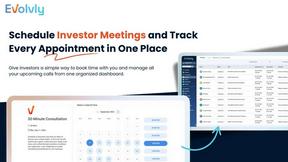
Evolvly
Evolvly CRM simplifies investor management and deal tracking for real estate syndicators.

OurSharedPlace
OurSharedPlace simplifies shared vacation home ownership with one centralized platform.

AC Health
AC Health empowers providers with a custom-branded app to deliver personalized exercise plans for patients.

Caller
Make affordable international calls from your browser with no apps or hidden fees.
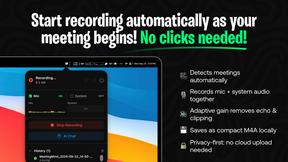
MeetingMind
MeetingMind automatically records, transcribes, and summarizes your Zoom meetings so you never miss a detail again.
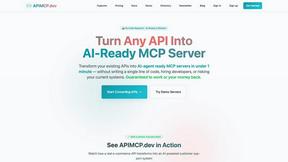
APIMCP.dev
Transform any REST API into an AI-ready MCP server in minutes, without coding or complex integrations.
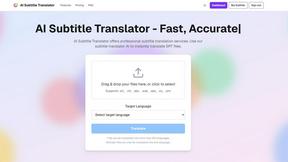
AI Subtitle Translator
Translate your SRT subtitles instantly and accurately with advanced AI.

Cosy
Cosy automates member onboarding and introductions in Slack, boosting engagement while saving you valuable time.
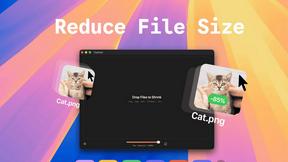
TinyFast
Effortlessly compress images, videos, and PDFs on your Mac while keeping your files private and secure with TinyFast.

voicebrief.io
VoiceBrief turns your dense PDFs into engaging audio lectures for learning anywhere.

PromptingPicks
Discover stocks and track performance effortlessly with PromptingPicks, your AI-powered investment companion.

MVPable
MVPable gives you a clear, curated plan to build your product without wasting time or money.

SAMstream
SAMstream is your AI-powered assistant that simplifies government contracting, helping you find and win contracts.

DeenUp
DeenUp is your AI companion for Islamic guidance, habit tracking, and community connection.
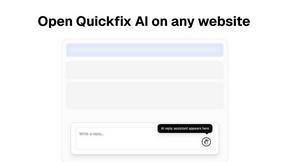
Quickfix AI
Quickfix AI delivers instant system diagnostics and actionable insights to optimize your device's performance.

Anyone.com
Anyone.com is the all-in-one platform for real estate agents to manage leads, clients, and transactions effortlessly.

B2B Email Verifier
B2B Email Verifier ensures your outreach reaches real inboxes with 99% accuracy.
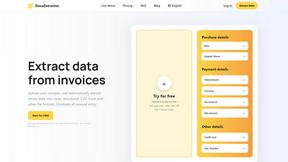
DocuExtractor
Effortlessly convert receipts and invoices into structured CSV or Excel files, eliminating manual data entry.
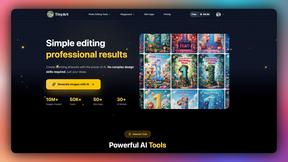
Tinyart.io
Transform your ideas into stunning artworks effortlessly with Tinyart.io's powerful AI image generation tools.

Daily
Daily is a simple planner that clears your mind so you can focus on what matters.

SupaSidebar
SupaSidebar simplifies your Mac experience by quickly saving and accessing links, files, and folders with ease.
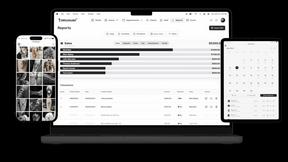
Tattoo Studio Pro
Tattoo Studio Pro is the all-in-one management system for streamlined tattoo shop operations.
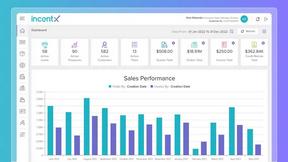
incentX
incentX automates accurate incentive payouts using transaction-level data to align compensation with real performance.

ResponseHub
Automate security questionnaire responses with AI, ensuring accuracy and saving your team valuable time and effort.

RydePlan
RydePlan uses AI to forecast car maintenance costs and send reminders, simplifying ownership.

WISEPIM
WISEPIM leverages AI to create optimized product content that enhances sales and minimizes returns globally.

LinkedInPro
LinkedInPro instantly creates a professional headshot from your casual photo.

Giga AI
Giga AI enhances app development by ensuring your AI understands context, reducing errors and boosting productivity.

Phishly
Phishly uses AI to instantly detect phishing emails with a simple one-click scan in your browser or Gmail.

Learniverse
Learniverse effortlessly transforms your scattered knowledge into interactive training courses in minutes, simplifying.

Audacious Vision
Audacious Vision turns your ideas into actionable goals with a supportive system that guides your journey to success.

Ambriel
Ambriel stops fraud in real time to protect your revenue and customer trust.
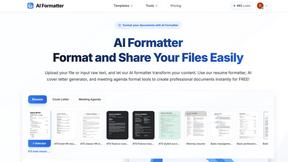
AI Formatter
AI Formatter transforms raw text into polished documents using 1000+ professional templates, all for free.

JiffyChoice
JiffyChoice helps you make quick, smart, and serendipitous decisions with free interactive tools.

Updaytr
Updaytr streamlines team updates by transforming phone calls into organized reports, eliminating the need for meetings.

AI Picture Answer
Instantly solve math and science problems by uploading a picture for detailed step-by-step explanations and learning.

Postal
Postal is an AI-powered virtual mailbox that summarizes and secures your business mail.

Contracko
Contracko is your AI-powered contract manager to track deadlines and review terms effortlessly.

AskFormulas
AskFormulas instantly generates and validates Excel and Google Sheets formulas, ensuring accuracy without debugging.

VenturePulse
VenturePulse empowers businesses with real-time insights and compliance, ensuring smooth operations from anywhere.
Popular Alternatives in Productivity & Management
About Productivity & Management AI tools
Productivity and Management tools help individuals and teams organize work, manage projects, track time, communicate effectively, and accomplish more in less time. This category includes project management platforms, task managers, time trackers, team communication tools, note-taking apps, and workspace organization solutions.
Whether you are managing a complex project with multiple stakeholders, organizing personal tasks, tracking billable hours, coordinating a remote team, or building a personal knowledge management system, these tools provide the organizational infrastructure for productive work.
Compare productivity and management tools by their task management features, collaboration capabilities, integration ecosystem, customization options, and pricing to find the right tools for your work style and team needs.
FAQs for Productivity & Management
What types of productivity tools are listed?
This category includes project management platforms, task and to-do managers, time tracking tools, team communication apps, note-taking and knowledge management tools, calendar and scheduling apps, and workspace organization solutions.
Which productivity tool is best for teams?
The best tool depends on your team size, workflow, and collaboration style. Look for platforms with shared workspaces, task assignments, real-time updates, integrations with your existing tools, and communication features that match how your team works.
Can productivity tools integrate with other software?
Yes. Most productivity tools offer extensive integrations with email, calendar, communication, file storage, and development tools. Many also support automation through Zapier, Make, or native webhook integrations.
How do time tracking tools work?
Time tracking tools let you log hours manually or through automatic timers, categorize time by project and task, generate reports for billing or analysis, and integrate with project management tools for comprehensive work tracking.
Are there free productivity tools?
Yes. Many productivity tools offer generous free tiers with core task management, basic project features, and limited team collaboration. Premium plans unlock advanced features, larger team support, and more storage.
How do I choose the right productivity tool?
Consider whether you need individual task management or team collaboration, your preferred workflow methodology, required integrations, and budget. Test free tiers of several tools to find the interface and feature set that matches your work style.