
Best Productivity & Management AI tools (255+)
Discover 255+ best productivity & management AI tools. Compare features, pricing, and reviews. Free and paid options available.

Greatooly
Greatooly is an iPhone app directory that helps people compare useful everyday apps through feature details, pricing notes and official sources.
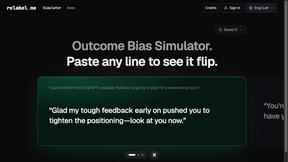
Relabel
Relabel is an interactive outcome-bias simulator that flips results or roles to show how judgments about the same decision can change.
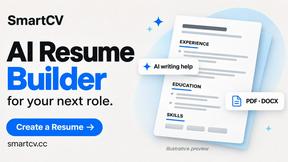
SmartCV
SmartCV helps professional job seekers tailor resumes with AI suggestions, editable templates, text checks, and job application records.

Leadmatically
Leadmatically tracks buyer-intent posts across five social networks and gives teams one place to review leads, outreach drafts and prospect replies.

GigUp
GigUp monitors chosen Upwork searches and matches listings to a freelancer's public profile, with alerts and optional proposal drafting.

Safe Outreach
A LinkedIn extension research tool for checking detection-list membership and understanding the limits through code teardown examples.

How Long How Many Days
A free live countdown for exact times, dates and custom intervals, with time calculations tied to your device's clock.

ConnectMachine
ConnectMachine pairs digital business cards with contact memory and AI follow-up for professionals who build relationships through networking.

JevModel
JevModel provides typed Choice, Score, and Noul answers from text, plus batch evaluation, branching flows, and API access.

Nautis
Nautis is an AI business operating system for startups that connects company context and prepares operational work for founder approval.

ButterShare
ButterShare transfers files directly between browsers using encrypted WebRTC, with paid CloudLinks for sharing when recipients are offline.
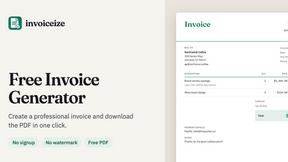
Invoiceize
Make invoices with editable line items, automatic totals, and a branded PDF preview, using a workflow built for small businesses.

Emailyy
Free browser based email tools help with signatures, subject lines, HTML previews, copy counts, and technical header checks.

Uniclip
Uniclip is a Chrome and Edge extension that clips web content and routes it to Notion, Feishu, Obsidian, or local files.

TroveKey
TroveKey gives keyboard-focused Chrome users one place to find tabs, bookmarks, history, and locally saved web content.

Agent Pets
Agent Pets is a Chrome extension and local helper for tracking Claude Code, Codex, OpenCode and omp sessions in the browser.

LightScreen
LightScreen turns a browser display into a fullscreen light with adjustable color for ambient scenes, close-up photo fill, reading, and screen checks.

Screen Issues
Diagnose display defects with a free browser-based screen test and practical guides for phones, laptops, tablets, and monitors.

Context Board
Context Board combines business data and working materials in editable boards for teams using Claude or Codex alongside their own edits.

Zeptap
Zeptap gives AI agents MCP control of a connected iPhone, so they can work in real apps and signed-in accounts from a Mac.

@fuck.it
@fuck.it provides invite-only email with ad-free plans, tiered storage, and end-to-end email encryption on its Apex plan.

FreeVideoGenerator
Make short AI videos from text or photos, with multiple models and a free starter allowance for new accounts.

Panzoe
Panzoe brings AI agents, connected apps, specialised copilots and personal briefings into a shared work and life platform.
Novastart
Novastart puts desktop apps on a persistent infinite canvas, with visible AI agents and shared workspaces for collaborative computer work.

Automater Lite
Automater Lite brings AI session search, agent status alerts, and usage tracking into a free local desktop tray panel.
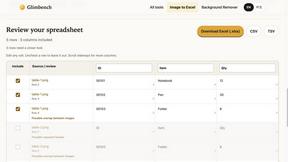
Glimbench
Glimbench offers browser-based image tools for background removal, table-to-Excel conversion and HEIC-to-JPG conversion, with full-size downloads.

Tripto
Tripto brings travel bookings, day plans and saved places together in one shared, mobile-friendly trip organizer.

ReadyHermes
ReadyHermes hosts a persistent Hermes Agent that runs scheduled jobs and works through chat apps, a browser, and connected services.
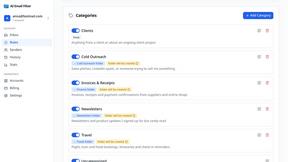
AI Email Filter
AI Email Filter sorts Gmail and supported IMAP mail from plain-language prompts, with sample review and undo for eligible folder moves.
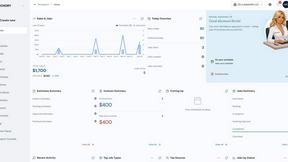
Techory
Techory gives field service teams a shared workspace for customer records, job scheduling, inventory, estimates and billing.
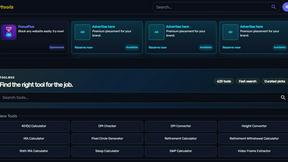
Kody Tools
Kody Tools is a free online suite of utilities for converting, calculating, formatting code, editing images, and handling everyday text tasks.
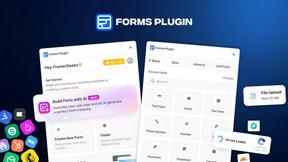
Forms Plugin
Build native Framer forms with AI, 30+ field types, multi-step flows, conditional logic, and CRM integrations without writing code.

The Home AnswerBook
An independent home advice publication covering repairs and upkeep, with practical explanations and guidance on when to hire a licensed pro.
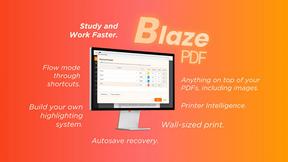
BlazePDF
BlazePDF is an offline PDF study workspace for students, with flexible annotations, page editing tools, and previews for difficult print jobs.
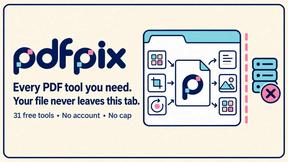
pdfpix
A browser-based PDF toolkit with 38 free tools that process files locally and verify each result before download.
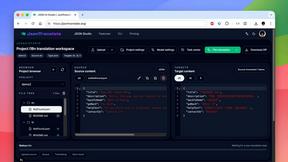
JsonTranslate
JsonTranslate helps developers localize project files with incremental translation, path-aware locale output, and a CLI connected to its Web Studio.
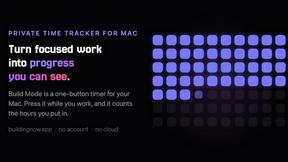
Build Mode
A private Mac time tracker for founders and makers that counts focused hours and turns long-term work into visible progress.

FreeSurf Post
FreeSurf Post schedules and cross-posts social content across major platforms, with a calendar, analytics, teams, and an API.

TimerJet
TimerJet is a free online timer with customizable countdowns, an alarm clock, stopwatch, and a full-screen classroom display.

VidRush AI
VidRush AI combines video, image, and music generation with reference inputs and model choices for creators managing varied production tasks.
Popular Alternatives in Productivity & Management
About Productivity & Management AI tools
Productivity and Management tools help individuals and teams organize work, manage projects, track time, communicate effectively, and accomplish more in less time. This category includes project management platforms, task managers, time trackers, team communication tools, note-taking apps, and workspace organization solutions.
Whether you are managing a complex project with multiple stakeholders, organizing personal tasks, tracking billable hours, coordinating a remote team, or building a personal knowledge management system, these tools provide the organizational infrastructure for productive work.
Compare productivity and management tools by their task management features, collaboration capabilities, integration ecosystem, customization options, and pricing to find the right tools for your work style and team needs.
FAQs for Productivity & Management
What types of productivity tools are listed?
This category includes project management platforms, task and to-do managers, time tracking tools, team communication apps, note-taking and knowledge management tools, calendar and scheduling apps, and workspace organization solutions.
Which productivity tool is best for teams?
The best tool depends on your team size, workflow, and collaboration style. Look for platforms with shared workspaces, task assignments, real-time updates, integrations with your existing tools, and communication features that match how your team works.
Can productivity tools integrate with other software?
Yes. Most productivity tools offer extensive integrations with email, calendar, communication, file storage, and development tools. Many also support automation through Zapier, Make, or native webhook integrations.
How do time tracking tools work?
Time tracking tools let you log hours manually or through automatic timers, categorize time by project and task, generate reports for billing or analysis, and integrate with project management tools for comprehensive work tracking.
Are there free productivity tools?
Yes. Many productivity tools offer generous free tiers with core task management, basic project features, and limited team collaboration. Premium plans unlock advanced features, larger team support, and more storage.
How do I choose the right productivity tool?
Consider whether you need individual task management or team collaboration, your preferred workflow methodology, required integrations, and budget. Test free tiers of several tools to find the interface and feature set that matches your work style.