
AskFormulas
AskFormulas instantly generates and validates Excel and Google Sheets formulas, ensuring accuracy without debugging.
Visit
About AskFormulas
AskFormulas is a revolutionary AI tool meticulously crafted to resolve the common woes associated with spreadsheet formulas. In an era where traditional AI formula generators often yield a staggering 40-60% error rate, AskFormulas emerges as a reliable solution, offering a staggering 95%+ accuracy rate. This tool is ideal for a diverse range of professionals—from financial analysts crafting intricate models, to revenue managers automating their reports, and even small business owners with limited Excel expertise. AskFormulas operates on a unique validation-first generation principle, which ensures that every formula is rigorously tested in a secure, sandboxed environment before reaching the user. By eliminating the tedious debugging process of cryptic errors like #REF! and #VALUE!, AskFormulas transforms what is typically a time-consuming task into a swift and seamless experience. With its user-friendly interface, it allows anyone to generate precise formulas effortlessly, ensuring that accuracy and efficiency are no longer a luxury but a standard for spreadsheet users everywhere.
Features of AskFormulas
Validation Loop
The validation loop is at the heart of AskFormulas. Every formula generated undergoes a rigorous three-step validation process that includes natural language interpretation, auto-testing in a secure environment, and iterative corrections until the formula is verified. This ensures that users receive a formula that is not only functional but also accurate.
Natural Language Input
One of the standout features of AskFormulas is its natural language input capability. Users can simply describe their formula needs in plain English without needing to know any specific syntax. This feature democratizes spreadsheet usage, making it accessible to those who may not have extensive Excel knowledge.
Excel and Google Sheets Compatibility
AskFormulas seamlessly integrates with both Excel and Google Sheets. Users can toggle between platforms with a single click, and the system automatically adjusts the formula syntax accordingly. This ensures that users can work across different environments without worrying about compatibility issues.
One-Click Copying
Once a formula is validated, users can copy it with just one click. This eliminates the hassle of manual copying and pasting, allowing for rapid implementation in spreadsheets. The streamlined process enhances productivity by reducing the time spent on formula generation.
Use Cases of AskFormulas
Financial Analysis
Financial analysts can leverage AskFormulas to build complex models with confidence. The tool’s high accuracy rate means they can focus on analysis rather than debugging, leading to more reliable financial forecasting and reporting.
Revenue Management
Revenue managers can automate their reporting tasks with ease. By generating accurate formulas quickly, they can efficiently analyze sales data and track performance metrics, ultimately driving better decision-making.
Small Business Operations
Small business owners without deep Excel expertise can benefit tremendously from AskFormulas. It empowers them to create necessary formulas without the need for extensive training or experience, allowing them to manage their finances effectively.
Academic Research
Researchers can utilize AskFormulas for data analysis in their studies. By generating precise formulas, they can ensure accurate data manipulation and analysis, which is crucial for credible research outcomes.
Frequently Asked Questions
How accurate are the generated formulas?
AskFormulas guarantees a 95%+ accuracy rate for its generated formulas by rigorously validating each one in a secure sandbox environment before presenting it to the user.
Does it work with both Excel and Google Sheets?
Yes, AskFormulas is designed to work seamlessly with both Excel and Google Sheets. Users can easily switch between the two platforms, and the tool automatically adjusts the formula syntax as needed.
How many formulas can I generate?
The number of formulas you can generate depends on your subscription plan. For instance, the Starter plan allows 500 formulas per month, while the Pro plan offers 2,000 formulas.
What happens if my formula has issues?
If a generated formula has issues, AskFormulas identifies and corrects them automatically. Users will receive a validated formula free from common errors like #REF! and #VALUE!, ensuring reliability in their spreadsheets.
Explore more in this category:
Similar to AskFormulas

Panzoe
Panzoe is an all-in-one AI platform for personal productivity, business automation, AI assistants, content creation, and custom AI solutions.
Novastart
Novastart brings apps and files onto an infinite canvas where people and AI agents can work together.

AUTOMATER.ai
A tray helper for every AI coding tool: sessions, alerts and usage in one place
Kody Tools
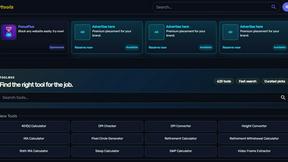
Free collection of online developer utilities, code formatters, and digital converters designed to streamline your daily workflow.

Forms Plugin
The #1 Native Form Builder Plugin for Framer - No Code, No Embeds, No External Platforms.

HomeAnswerBook
Practical, independent guides to home repairs, maintenance, costs, troubleshooting, and everyday fixes.
BlazePDF
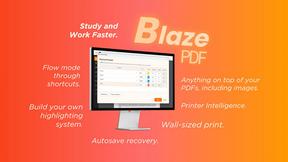
Highlight faster. Study in flow with custom shortcuts and a workflow built around you. Print smarter, or turn any page into a tiled poster.
