
Best Chrome Extensions AI tools (14+)
Discover 14+ best chrome extensions AI tools. Compare features, pricing, and reviews. Free and paid options available.
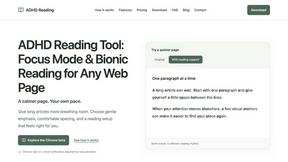
ADHD Reading
Desktop Chrome beta for calmer reading with word-start emphasis, hover focus and adjustable typography.
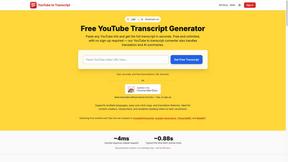
GetYouTubeTranscript
Free YouTube transcripts on the web, a Chrome extension, and an API + MCP server so AI assistants can read YouTube.
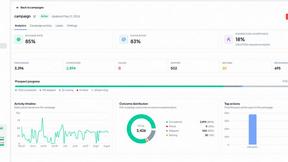
OutreachGenie
LinkedIn prospecting CRM with optional AI-assisted CSV column mapping and a browser companion for user-directed actions.

X Growth Engine
The only app that uses your unique X feed to surface leads, opportunities, and customers
dEssence
Save articles, links, videos and notes, then ask in your own words and get sourced answers from your saves.
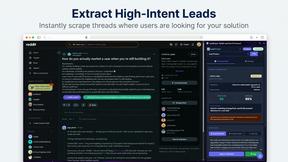
LeadSniper Pro
LeadSniper Pro finds active buyers on Reddit and crafts safe, human replies from your browser sidebar.
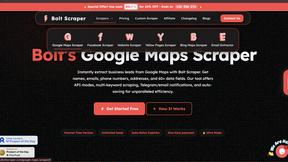
Bolt Scraper
Bolt Scraper turns complex web data into quality business leads with intuitive tools for Google Maps, Facebook, and more.

XreplyAI
XreplyAI generates personalized tweet replies, enhancing your visibility and converting conversations into valuable.

CoPilly
CoPilly is an AI Chrome extension that generates LinkedIn comments and messages quickly while ensuring manual control.

Reddit Post Summarizer
Effortlessly transform lengthy Reddit threads into clear, concise summaries with a single click using our Chrome.
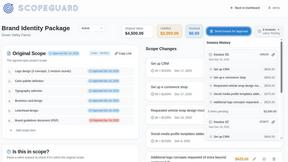
ScopeGuard
ScopeGuard helps freelancers recover lost income by instantly identifying out-of-scope requests in contracts and client.

Supawazap
Supawazap is an all-in-one WhatsApp CRM that automates communication and boosts productivity effortlessly.
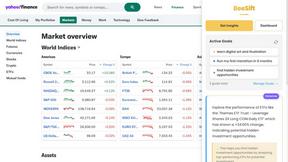
Beesift
Beesift turns web pages into actionable insights tailored to your goals, eliminating noise and saving you time.
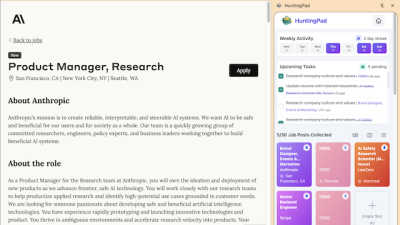
HuntingPad
HuntingPad organizes your job search and provides AI insights to land more interviews.
Popular Alternatives in Chrome Extensions
About Chrome Extensions AI tools
Chrome Extensions are browser-based tools that add functionality directly to your web browsing experience without requiring separate applications. This category includes productivity extensions, ad blockers, developer tools, SEO analyzers, screenshot utilities, password managers, and AI-powered browser assistants that enhance how you work on the web.
Whether you are a developer debugging web applications, a marketer analyzing competitor websites, a researcher collecting information, or a professional looking to boost daily productivity, Chrome extensions provide instant access to powerful tools right where you work.
Compare Chrome extensions by their functionality, permissions required, user ratings, update frequency, and pricing to find browser tools that enhance your workflow without compromising security or performance.
FAQs for Chrome Extensions
What types of Chrome extensions are listed?
This category includes productivity boosters, developer tools, SEO and marketing extensions, AI assistants, screenshot and recording tools, tab managers, ad blockers, password managers, reading and accessibility tools, and workflow automation extensions.
Are Chrome extensions safe to install?
Extensions from the Chrome Web Store go through a review process, but always check the permissions requested, user reviews, developer reputation, and update history. Avoid extensions that request unnecessary permissions or have limited review history.
Do Chrome extensions slow down my browser?
Poorly built extensions can impact browser performance. Use lightweight extensions, disable those you do not use regularly, and monitor browser performance. Quality extensions are optimized to minimize their impact on browsing speed and memory usage.
Can Chrome extensions work with other browsers?
Many Chrome extensions also work on Chromium-based browsers like Edge, Brave, and Opera. Some developers publish separate versions for Firefox and Safari. Check individual listings for cross-browser compatibility.
Are there free Chrome extensions?
Yes. Many Chrome extensions are completely free, while others offer freemium models with basic features free and premium capabilities behind a subscription. Some are one-time purchases with lifetime access.
How do I manage my Chrome extensions?
Access chrome://extensions in your browser to view, enable, disable, or remove extensions. Pin frequently used extensions to your toolbar and regularly review installed extensions to remove those you no longer need.