
Best Video AI tools (113+)
Discover 113+ best video AI tools. Compare features, pricing, and reviews. Free and paid options available.
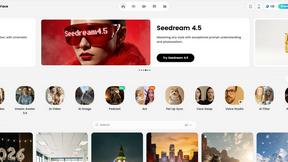

Sovideo
Sovideo empowers you to effortlessly create stunning AI-generated images and videos, all in one seamless platform.

Grok Imagine
Transform your concepts into stunning AI-generated videos effortlessly with Grok Imagine's intuitive tools.
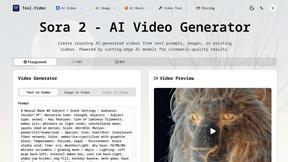
Tool.Video
Tool.Video is your all-in-one AI toolkit for creating captivating videos, images, and music in just minutes.
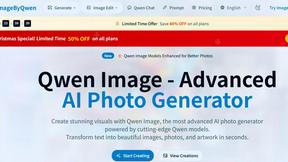
Image by Qwen
Qwen Image transforms text into stunning photorealistic visuals in seconds, powered by advanced AI technology.
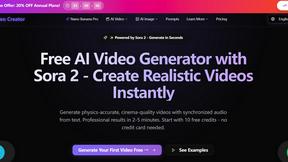
AI Sora 2
Create stunning, high-quality videos from text or images in minutes with AI Sora 2's advanced technology.
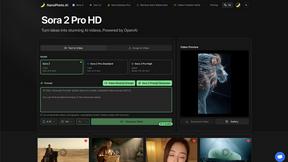
Nano Photo
Unlock your creativity with NanoPhoto.AI for effortless photo and video editing powered by advanced AI technology.

Klipzy
Easily transform your photos into stunning videos with cinematic effects using Klipzy's intuitive Mac app.

Stratatube
Stratatube surfaces hidden videos the algorithm will never recommend.

Free Sora Generator
Effortlessly create stunning Sora videos from text and images in minutes with our free, intuitive platform.
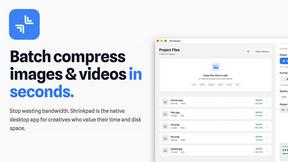
Shrinkpad
Shrinkpad is a native Mac app that batch compresses images and videos locally to save space and time.

Pinssaver
Pinssaver lets you download Pinterest videos and images for free in high quality.
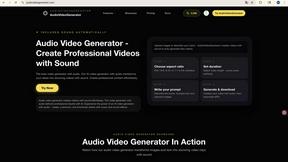
audiovideogenerator
Audiovideogenerator creates professional AI videos with synchronized sound effortlessly.

AI Video Meme
Effortlessly create viral video memes from your images in seconds with our AI-powered platform, no editing skills.

VidiOne
VidiOne uses AI to effortlessly transform your ideas into viral videos for TikTok, Instagram, and YouTube in minutes.

Kyncept
Effortlessly create viral short-form videos for TikTok, Instagram, and YouTube using Kyncept's AI-driven platform.
JoyFlix AI
JoyFlix AI transforms text and images into stunning videos, empowering creators to tell captivating stories.

Sora 2 Without Watermark
Create stunning AI videos without watermarks in minutes, paying only for what you need with Sora 2.
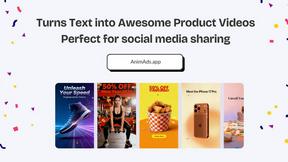
Anim Ads
Create stunning motion graphics ads from your product images and text in minutes, perfect for boosting social media.

Viral AI Video Maker
Create viral videos from your ideas instantly with AI, no editing needed.
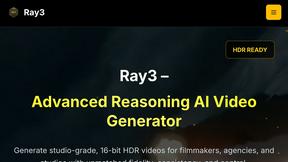
Ray3
Ray3 generates studio-grade 16-bit HDR videos with advanced AI reasoning for professionals.
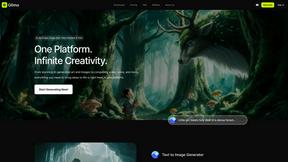
Glima - AI Image & Video Generator
Glima is an all-in-one AI platform that transforms text into stunning images and videos effortlessly.

Celebrity AI
Create hyper-realistic videos starring any celebrity with instant AI voice cloning.
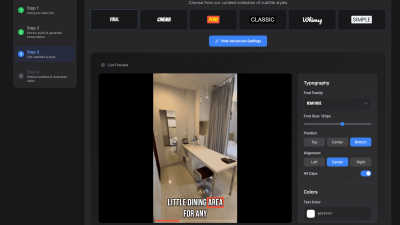
SubtitlesFast
SubtitlesFast effortlessly adds stunning animated subtitles to your videos in minutes, making editing a breeze.

meetergo
meetergo is a GDPR-compliant scheduling tool that streamlines bookings and integrates video calls, customized for your.

Shotmatic
Shotmatic instantly creates viral videos from text so creators can scale their content effortlessly.

KKV AI
Effortlessly create stunning visuals and videos from your ideas with KKV AI's all-in-one creative platform.

What a Story
What a Story crafts unforgettable videos that drive sales for SaaS companies.
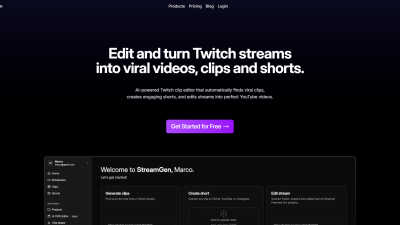
StreamGen
StreamGen effortlessly turns your Twitch streams into viral TikTok and YouTube Shorts.

Shorts-lol
Shorts-lol uses AI to turn your ideas into engaging, professional short-form videos instantly, with no editing required.

Supermaker
Supermaker AI effortlessly creates stunning cinema-quality videos for creators and marketers with innovative AI.
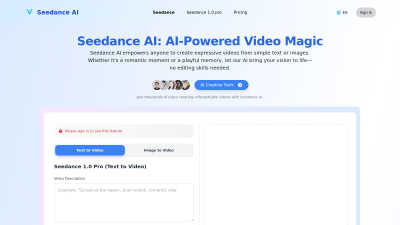
Seedance AI
Seedance AI effortlessly transforms text and images into expressive, high-quality videos for everyone to enjoy.
Popular Alternatives in Video
About Video AI tools
Video tools help creators, marketers, and businesses produce, edit, host, and distribute video content across platforms. This category includes video editors, screen recorders, video hosting platforms, live streaming tools, subtitle generators, and AI-powered video creation tools that streamline every stage of the video production pipeline.
Whether you are editing marketing videos, recording tutorials, hosting webinars, creating social media clips, or building a video content library, these tools provide the production, editing, and distribution capabilities needed for professional video output.
Compare video tools by their editing features, hosting capabilities, AI tools, collaboration options, and pricing to find the right video solution for your content creation workflow.
FAQs for Video
What types of video tools are listed?
This category includes video editors, screen recording software, video hosting platforms, live streaming tools, subtitle and caption generators, AI video creators, animation tools, video compression utilities, and social media video optimizers.
Can I create professional videos without experience?
Yes. Many video tools offer templates, AI-powered editing, drag-and-drop timelines, and automated features that make professional video creation accessible to beginners without traditional video editing experience.
Do video tools support AI features?
Yes. Modern video tools increasingly use AI for automated editing, subtitle generation, background removal, voice synthesis, scene detection, content repurposing, and intelligent cropping for different social media formats.
Which video formats are supported?
Most tools support MP4, MOV, AVI, WebM, and other common formats. Professional tools also support ProRes, RAW video, and high-resolution formats. Export options typically include presets optimized for different platforms.
Can I host and share videos with these tools?
Yes. Several tools include video hosting with customizable players, privacy controls, analytics, embedding options, and CDN delivery. Some specialize in hosting while others combine editing and hosting in one platform.
Are there free video tools?
Yes. Many video tools offer free tiers with basic editing, limited export resolution, and watermarks. Premium plans unlock HD/4K export, advanced features, longer video lengths, and watermark-free output.