
Best Video AI tools (113+)
Discover 113+ best video AI tools. Compare features, pricing, and reviews. Free and paid options available.
AI Face Swap Video
Swap any face into any video online with AI in minutes. Upload a clip and a photo, get natural lighting and expressions. Free credits on sign-up.

Rumpelstiltskin AI Video Generator
Make the viral Rumpelstiltskin tiptoe dance meme video from two photos
TryH3 - MiniMax H3 Video Generator
Try MiniMax Hailuo H3 video generation in the browser
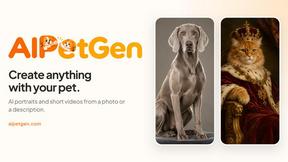
AIPetGen
AIPetGen turns a photo of your dog, cat, or other pet, or a written description, into a new picture or a short animation.

AdsTurbo
Turn winning ads and product links into new video ad variations with AI actors, then translate them into 35+ languages with lip sync.
Raindance AI
Turn two authorized portraits into a seaside golden-hour video: a wooden dock, two people taking turns singing, and a slow pullback to the sunset. Pre
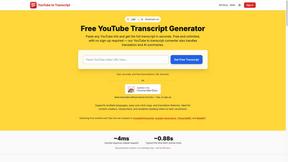
GetYouTubeTranscript
Free YouTube transcripts on the web, a Chrome extension, and an API + MCP server so AI assistants can read YouTube.

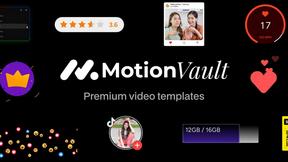
MotionVault
MotionVault: Motion Graphics, Video Templates & Overlays for Editors
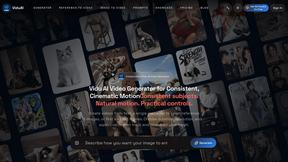
ViduAI
ViduAI creates consistent videos from text, images, references, and first or last frames with Vidu Q3.

Tikdek
An AI video and AI image platform for creating visual content in the browser and scaling production with stable APIs.
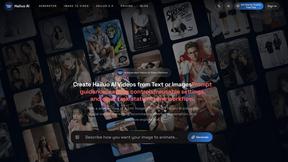
Hailuo AI
Create high-quality Hailuo AI videos from text or images with guided prompts, camera controls, flexible settings, task tracking, and downloadable resu
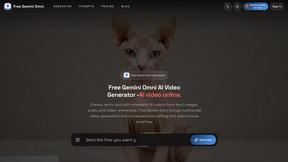
Free Gemini Omni
Create, remix, and edit cinematic AI videos online with Free Gemini Omni using text, image, audio, and video prompts.

RunwayAI
Independent AI video generator for text and image workflows with practical controls and API access.
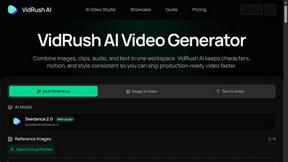
VidRush AI
AI-powered long video generator. Turn text, images, audio and video into long, production-ready AI videos.

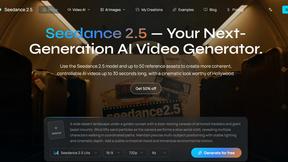
Seedance 2.5
Seedance 2.5 is a multimodal AI video generator by ByteDance for 30-second, high-fidelity cinematic video creation and AI video editing.
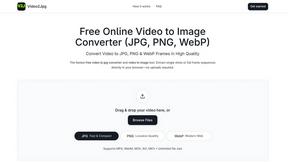
Video2Jpg
Convert video to JPG, PNG, or WebP frames in your browser. High-quality video to image converter with no uploads—fast, private, and free.
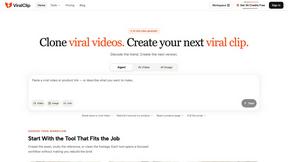
ViralClip
Paste a TikTok, Reels or Shorts link and rebuild what made it work, with your own product in frame.
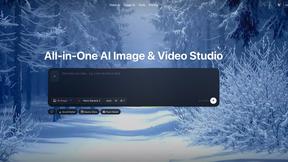
Zanta AI
All-in-one AI studio to generate, edit, and upscale images and videos with leading models in one browser workflow.


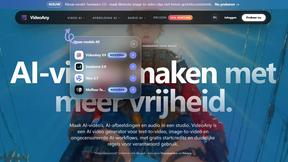
VideoAny BE
Create AI videos from text or images, generate images and audio in one online studio.

VideoAny BR
Create AI videos from text or images, generate images and audio in one online studio.

UGCad AI
AI UGC video ad generator turn a product URL, prompt, or template into a ready video ad. No camera or editing skills needed
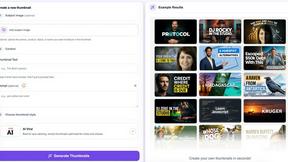
StopScroll
StopScroll helps YouTube creators generate AI thumbnails and improve images for higher-click videos.
HubVanta
HubVanta is a multilingual AI workspace for image, video, audio, and text generation tools.
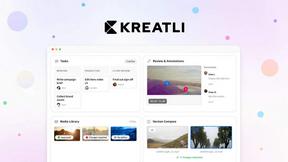
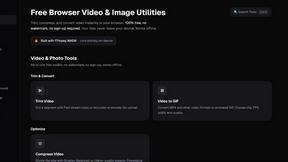
ClipUtils
Free browser video & image tools: trim, compress, convert, resize & remove backgrounds. 100% on-device — your files never leave your browser.
VideoAny PL
VideoAny is an all-in-one AI studio for generating high-quality video, images, and audio from text or photos.
Video2URL
Turn your video files into private, trackable share links with analytics, all in seconds.
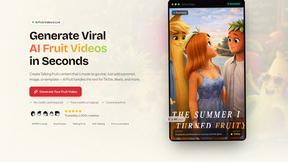
AI Fruit
Turn fruit into viral video stars with talking, ASMR, and hybrid scenes made in seconds.

Seedream AI Studio
Create stunning images with Seedream 5.0 and instantly animate your favorites into short videos in one seamless browser workflow.
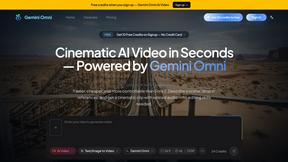
Gemini Omni
Gemini Omni generates cinematic videos from text, images, and audio in one prompt with native sound and in-chat editing.
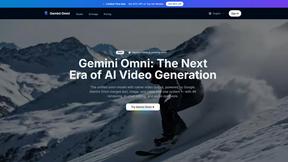
Gemini Omni AI Video Generator
Gemini Omni transforms text, images, and video into polished 4K clips with built-in audio and seamless in-chat editing.
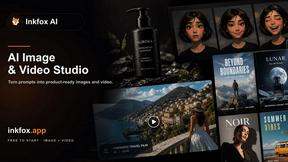
Inkfox AI
Inkfox AI is a free unlimited image generator with no sign-up, turning prompts into ads, product shots, and social visuals.
Popular Alternatives in Video
About Video AI tools
Video tools help creators, marketers, and businesses produce, edit, host, and distribute video content across platforms. This category includes video editors, screen recorders, video hosting platforms, live streaming tools, subtitle generators, and AI-powered video creation tools that streamline every stage of the video production pipeline.
Whether you are editing marketing videos, recording tutorials, hosting webinars, creating social media clips, or building a video content library, these tools provide the production, editing, and distribution capabilities needed for professional video output.
Compare video tools by their editing features, hosting capabilities, AI tools, collaboration options, and pricing to find the right video solution for your content creation workflow.
FAQs for Video
What types of video tools are listed?
This category includes video editors, screen recording software, video hosting platforms, live streaming tools, subtitle and caption generators, AI video creators, animation tools, video compression utilities, and social media video optimizers.
Can I create professional videos without experience?
Yes. Many video tools offer templates, AI-powered editing, drag-and-drop timelines, and automated features that make professional video creation accessible to beginners without traditional video editing experience.
Do video tools support AI features?
Yes. Modern video tools increasingly use AI for automated editing, subtitle generation, background removal, voice synthesis, scene detection, content repurposing, and intelligent cropping for different social media formats.
Which video formats are supported?
Most tools support MP4, MOV, AVI, WebM, and other common formats. Professional tools also support ProRes, RAW video, and high-resolution formats. Export options typically include presets optimized for different platforms.
Can I host and share videos with these tools?
Yes. Several tools include video hosting with customizable players, privacy controls, analytics, embedding options, and CDN delivery. Some specialize in hosting while others combine editing and hosting in one platform.
Are there free video tools?
Yes. Many video tools offer free tiers with basic editing, limited export resolution, and watermarks. Premium plans unlock HD/4K export, advanced features, longer video lengths, and watermark-free output.