
Grok Imagine
Transform your concepts into stunning AI-generated videos effortlessly with Grok Imagine's intuitive tools.
Visit
About Grok Imagine
Grok Imagine is an innovative AI-powered platform tailored for creators, marketers, and anyone with a passion for video content. Utilizing the advanced xAI Aurora engine, Grok Imagine transforms text and images into captivating videos with remarkable ease and speed. This tool is designed for those who seek to enhance their creative projects without the technical complexities typically associated with video production. Whether you are a social media influencer aiming to engage your audience, a marketer looking to craft compelling promotional content, or simply exploring new avenues for self-expression, Grok Imagine offers the perfect solution. With features like text-to-video and image-to-video conversion, users can create visual stories that are not only high-quality but also synchronized with audio in just seconds. The platform’s user-friendly interface and the ability to choose from multiple creative modes further empower users to push the boundaries of their creativity and produce exceptional video content effortlessly.
Features of Grok Imagine
Fast Generation
Grok Imagine excels in speed, capable of generating 6-second videos with audio in mere seconds. This feature allows users to quickly visualize their ideas without lengthy waiting periods, making it ideal for those who need rapid content creation.
Synced Audio
Every video produced by Grok Imagine comes with auto-generated background music and sound effects. This feature ensures that the audio complements the visual elements perfectly, enhancing the overall impact of the video.
Image to Video
The platform supports seamless conversion of images into dynamic videos. Users can transform static visuals into engaging narratives, utilizing all available creative modes to suit their unique style and context.
Three Modes
Grok Imagine offers three distinct creative modes: Normal, Fun, and Spicy. Each mode caters to different creative needs, allowing users to choose a style that best fits their project, whether it be professional, playful, or bold and expressive.
Use Cases of Grok Imagine
Social Media Marketing
Marketers can leverage Grok Imagine to create eye-catching videos for social media campaigns. The Fun mode, with its bright animations and engaging visuals, is particularly effective for capturing audience attention and increasing engagement.
Content Creation
Content creators can utilize Grok Imagine to enhance their video projects, from YouTube vlogs to educational content. The platform’s text-to-video feature allows creators to easily convert scripts into visually appealing videos, enriching their storytelling capabilities.
Brand Promotion
Businesses can use Grok Imagine to produce promotional materials that stand out. The Spicy mode, with its bold colors and stylized effects, is perfect for brands looking to make a memorable impression and communicate their identity effectively.
Personal Projects
Individuals seeking to share personal stories or creative expressions can use Grok Imagine to generate unique videos. The tool enables users to turn their photographs and text prompts into meaningful narratives, making it an excellent choice for personal projects and gifts.
Frequently Asked Questions
How does Grok Imagine generate videos?
Grok Imagine utilizes the xAI Aurora engine to convert text prompts and images into videos. Users simply enter their content, select a mode, and the platform generates a video complete with audio in seconds.
What types of creative modes does Grok Imagine offer?
Grok Imagine features three creative modes: Normal for balanced output, Fun for playful animations, and Spicy for bold, expressive styles. Users can select the mode that best fits their project's needs.
Can I convert images to videos using Grok Imagine?
Yes, Grok Imagine allows users to convert static images into dynamic videos. This feature supports all creative modes, enabling users to create engaging content from existing visuals.
What is the pricing structure for Grok Imagine?
Grok Imagine offers various pricing plans, including a Starter plan for beginners and a Pro plan for more advanced users. Each plan provides a different number of credits for video and image generation, catering to diverse user needs.
Explore more in this category:
Similar to Grok Imagine
AI Face Swap Video
Swap any face into any video online with AI in minutes. Upload a clip and a photo, get natural lighting and expressions. Free credits on sign-up.

Rumpelstiltskin AI Video Generator
Make the viral Rumpelstiltskin tiptoe dance meme video from two photos
TryH3 - MiniMax H3 Video Generator
Try MiniMax Hailuo H3 video generation in the browser
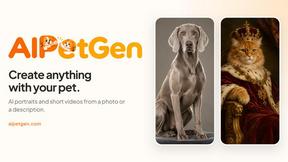
AIPetGen
AIPetGen turns a photo of your dog, cat, or other pet, or a written description, into a new picture or a short animation.

AdsTurbo
Turn winning ads and product links into new video ad variations with AI actors, then translate them into 35+ languages with lip sync.

MyPhotoAI
Turn your selfies into AI headshots and portraits. Get 3 photos for US$5 or every photo from one shoot for US$10. No subscription.
Raindance AI
Turn two authorized portraits into a seaside golden-hour video: a wooden dock, two people taking turns singing, and a slow pullback to the sunset. Pre

ImageGPT
ImageGPT is an all-in-one AI creative platform for generating, editing and transforming images and videos using AI.