

Alternatives to Picture Enhancer
Picture Enhancer uses AI to deblur, upscale, and restore your photos directly in your browser with zero downloads needed.
Explore 20 alternatives to Picture Enhancer. Compare features, pricing, and find the best fit for your needs.

FreeVideoGenerator
Free AI video generator: turn text prompts and photos into video clips with Sora 2, Veo 3.1, Wan and more. Free starter credits, no watermark download
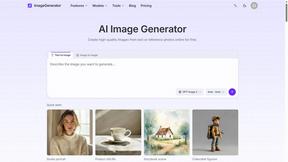
ImageGenerator
Create and edit AI images online with multiple models, text-to-image, image-to-image, background removal, and upscaling.
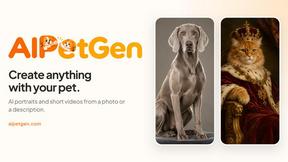
AIPetGen
AIPetGen turns a photo of your dog, cat, or other pet, or a written description, into a new picture or a short animation.

MyPhotoAI
Turn your selfies into AI headshots and portraits. Get 3 photos for US$5 or every photo from one shoot for US$10. No subscription.

Raindance AI
Turn two authorized portraits into a seaside golden-hour video: a wooden dock, two people taking turns singing, and a slow pullback to the sunset. Pre

ImageGPT
ImageGPT is an all-in-one AI creative platform for generating, editing and transforming images and videos using AI.

AI Album Cover Maker
Create release-ready album covers from a prompt or photo. Generate, refine, and export art for singles, EPs, mixtapes, and playlists.

PixelMCP
Use every top AI image model (Nano Banana, GPT Image, FLUX and more) right inside ChatGPT, Claude, Gemini or any MCP client. One credit balance, no su
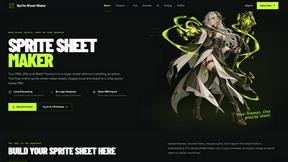
Sprite Sheet Maker
A free browser-based toolkit for creating, cutting, converting, and previewing sprite sheet animations.

Pixolm
Create AI images from prompts and references, then refine them with an AI agent and editing tools in one workspace.

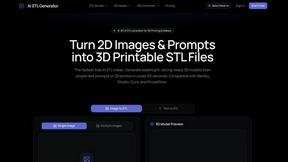
AI STL Generator
The fastest AI STL generator to turn prompts and images into 3D printable STL files.

Tikdek
An AI video and AI image platform for creating visual content in the browser and scaling production with stable APIs.
Ideogram Studio
Ideogram 4 AI workflows for text-perfect logos, posters, ads, packaging, and ecommerce visuals.

Vynzo
AI image and video studio. Generate from a prompt, animate stills, swap faces, restyle clips and edit — one credit pool, no subscription.

VidRush AI
AI-powered long video generator. Turn text, images, audio and video into long, production-ready AI videos.

HomeShoot AI
Turn 3-6 phone photos into a themed studio photoshoot: baby, maternity & Indian festivals. Free watermarked preview, pay Rs199 only if you love it.

ProfileLoom
ProfileLoom turns one photo into platform-ready AI portraits for professional, social, and creator profiles, with presets and built-in editing.

Free AI Image
Free AI Image is a free text-to-image AI generator for creating clean visual drafts from prompts with no sign-up required.
About Picture Enhancer Alternatives
Picture Enhancer is a free, browser-based AI tool designed to sharpen, upscale, and restore images without requiring any software installation. It falls within the image generation and enhancement category, specifically targeting creators, sellers, and everyday users who need quick, high-quality results for social posts, e-commerce listings, or personal photos. Despite its generous free tier—offering three lifetime tries per IP and a credit-based system that only charges on successful outputs—users often seek alternatives due to specific needs. Common motivations include a desire for unlimited free usage without credit caps, the need for advanced batch processing beyond the ten-image limit, or a preference for desktop software that operates offline. Others may require specialized features like noise reduction for low-light photography or integration with professional editing suites. When evaluating an alternative to Picture Enhancer, prioritize tools that balance capability with cost efficiency. Look for platforms that offer transparent pricing, such as pay-per-use models or subscriptions that align with your volume of work, and ensure they support your preferred file formats like JPG, PNG, or TIFF. Assess the quality of AI algorithms by checking for preview options, as this allows you to verify sharpness and color accuracy before committing credits or time. Additionally, consider the ease of use—whether the interface is intuitive for quick edits—and the availability of security measures, such as automatic deletion of uploaded images after processing. A strong alternative should also provide consistent results across different intensities, from standard touch-ups to heavy restoration, without hidden fees or watermark restrictions. Ultimately, the best choice depends on your specific workflow, whether you need occasional enhancements for family photos or daily batch processing for a business catalog.
FAQs about Picture Enhancer Alternatives
What is Picture Enhancer?
Picture Enhancer is a free online AI photo enhancer that runs directly in your browser, requiring no software download or installation. It allows users to deblur, upscale, and restore images by uploading JPG, PNG, or WebP files and selecting from three processing intensities: Standard, Strong, or Super. The tool provides a before-and-after preview, and you can download a watermark-free result only when the enhancement succeeds.
Who is Picture Enhancer for?
Picture Enhancer is designed for creators, sellers, and everyday users who need sharper images quickly and without technical hassle. It is ideal for improving social media posts, e-commerce product listings, screenshots, and family photos. The tool suits both occasional users who benefit from the free guest tries and frequent users who can purchase credit packs or monthly plans for batch processing.
Is Picture Enhancer free?
Yes, Picture Enhancer offers a free tier where guests receive three lifetime tries per IP without needing to sign up. After using those tries, you can create an account to receive starter credits, and additional credits are available through monthly plans or permanent packs that never expire. Credits are only deducted when a job succeeds, so failed attempts do not cost you.
What are the main features of Picture Enhancer?
Key features include AI-powered deblurring, upscaling, and restoration with three intensity levels (Standard, Strong, Super) to handle various image quality issues. The tool supports common file formats like JPG, PNG, and WebP, and provides a live preview before downloading. Paid users unlock Super tier processing and batch enhancement for up to ten images at once, with credits that roll over monthly or never expire with permanent packs.