
BudgetSheet
BudgetSheet automatically imports your live bank transactions directly into Google Sheets.
Visit
About BudgetSheet
BudgetSheet is a powerful Google Sheets add-on that seamlessly bridges the gap between your financial institutions and your personal spreadsheets. It eliminates the tedious, error-prone process of manually downloading CSV files and copying data by providing a direct, automated pipeline for your bank transactions. Designed for individuals who crave control and customization over their financial data, BudgetSheet empowers you to build and maintain a personalized budgeting, expense tracking, or financial dashboard system entirely within the familiar environment of Google Sheets. Its core value proposition is granting you full ownership of your data while automating the most cumbersome part of financial management: data entry. By leveraging Plaid's secure infrastructure, it connects to over 10,000 financial institutions, pulling read-only transaction and balance data directly into your chosen spreadsheet, where you can then analyze, visualize, and manage it exactly your way.
Features of BudgetSheet
Direct Bank-to-Sheet Automation
BudgetSheet completely automates the import of financial data. Once your accounts are linked, you can fetch the latest transactions with a single click or enable the Autofetch feature for fully automated, nightly updates. This eradicates the need for manual exports, CSV uploads, and copy-pasting, saving significant time and ensuring your spreadsheet always reflects your current financial activity without any manual intervention.
Support for 10,000+ Financial Institutions
Through its integration with Plaid, BudgetSheet offers extensive coverage, connecting to a vast network of banks and credit unions. It supports a wide array of account types including checking, savings, credit cards, investment accounts, loans, and mortgages. This comprehensive support means you can consolidate all your financial data from virtually any major (and many smaller) institutions into one centralized Google Sheet for a complete financial picture.
Full Data Control & Customization
Unlike rigid, pre-built budgeting apps, BudgetSheet puts you in the driver's seat. Your transaction data flows directly into your spreadsheet—BudgetSheet does not store it. This makes your Google Sheet the single source of truth, allowing for limitless customization. You can build custom budgets, create tailored charts and reports, and extend functionality using Google Sheets formulas, scripts, or third-party automation tools like Zapier to fit your unique financial workflow perfectly.
Enterprise-Grade Security
Security is paramount. BudgetSheet never handles or stores your bank login credentials. All connections are managed via Plaid, a leader in financial data security. BudgetSheet only stores an encrypted, read-only access token. Furthermore, the service itself is built on PCI and SOC-compliant AWS infrastructure. Your sensitive transaction data passes securely from your bank to your spreadsheet without being stored in an intermediate database.
Use Cases of BudgetSheet
Personalized Budget Tracking & Forecasting
For individuals who find generic budgeting apps too limiting or cluttered, BudgetSheet is the ideal solution. You can design a budget template that matches your specific categories and goals. Automated transaction imports ensure your actual spending data populates this template in real-time, allowing for dynamic tracking, variance analysis, and more accurate financial forecasting based on your own historical data.
Consolidated Financial Dashboard Creation
If you have accounts across multiple banks, investment platforms, and credit cards, BudgetSheet solves the fragmentation problem. It pulls data from all connected accounts into one master Google Sheet. From there, you can build a comprehensive dashboard with summaries, net worth trackers, spending breakdowns by category or merchant, and interactive charts that update automatically as new data flows in.
Advanced Financial Analysis & Reporting
Financial enthusiasts, freelancers, and small business owners can use BudgetSheet as a foundation for deep-dive analysis. Since the data resides in Sheets, you can employ complex formulas, pivot tables, and custom scripts to perform granular analysis—like calculating seasonal spending trends, projecting cash flow, or preparing customized reports for tax or business review purposes—that off-the-shelf software cannot provide.
Automating Financial Workflows
By centralizing bank data in Google Sheets, BudgetSheet unlocks powerful automation possibilities. You can connect your sheet to other apps using Zapier or Google Apps Script to trigger actions. Examples include sending alerts for large transactions, automatically categorizing expenses based on rules, or syncing income data to accounting software, creating a truly integrated and hands-off financial management system.
Frequently Asked Questions
Is my bank login information safe with BudgetSheet?
Yes, absolutely. BudgetSheet uses Plaid to handle all bank connections. This means you enter your credentials directly into Plaid's secure, encrypted interface. BudgetSheet itself never sees, handles, or stores your bank usernames or passwords. It only receives and stores an encrypted, read-only access token provided by Plaid, which is used solely to retrieve your transaction data.
What happens to my data after the 15-day free trial?
The free trial gives you full access to all features for 15 days with no credit card required. If you choose not to subscribe, your access to the add-on's functions will cease. Importantly, all the transaction data already imported into your Google Sheets will remain there—it's your data in your spreadsheet. Any linked bank account connections via Plaid will be revoked, and BudgetSheet will no longer be able to fetch new transactions.
Can I automate the transaction import process?
Yes. BudgetSheet offers an "Autofetch" feature. Once enabled, it will automatically fetch new transactions from all your linked accounts every night. This provides a fully hands-off, automated solution, ensuring your spreadsheet is always up-to-date with the previous day's financial activity without you needing to remember to manually run the import.
How does BudgetSheet differ from apps like Mint or Personal Capital?
BudgetSheet is a tool for control, while others are pre-packaged solutions. Apps like Mint provide a fixed interface with their own charts and categories. BudgetSheet gives you the raw data directly into your canvas—Google Sheets. You decide the layout, categories, formulas, and reports. It's for users who want to build a custom system rather than adapt to a pre-defined one, offering unparalleled flexibility for a truly personalized financial management experience.
Pricing of BudgetSheet
BudgetSheet offers a straightforward, transparent pricing model. You can try the add-on completely free for 15 days with full functionality—no credit card is required to start the trial. After the trial period, continued use requires an annual subscription starting at $59 USD per year. Upgrading to the paid plan is handled seamlessly from within the BudgetSheet add-on menu in Google Sheets. There are no complex tiers or hidden fees; one plan provides access to all features, including connecting multiple accounts and using the Autofetch automation.
Similar to BudgetSheet


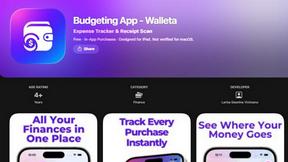
Budgeting App
Walleta is a free iOS budgeting app that simplifies expense tracking with AI receipt scanning and real-time budget management.
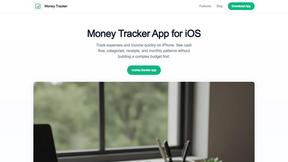
Money Tracker App
Effortlessly track your income and expenses with our private iOS app, featuring AI receipt scanning and no bank links or signups required.
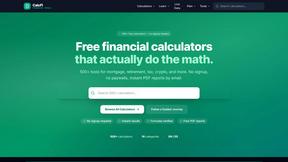
CalcFi
CalcFi provides over 500 free, cited financial calculators for instant, transparent answers to every money decision.

LowRiskTradeSmart
LowRiskTradeSmart provides free tools and low-risk strategies for smarter investing across global markets.

Redbark
Effortlessly sync your Australian bank and brokerage data to Google Sheets and YNAB for real-time financial tracking.

Ricco - Financial Literacy Game
Ricco is a fun financial literacy game that teaches budgeting, investing, and money management through real-life.