

Alternatives to Unifyca
Unifyca turns scattered client website information into one organized platform for documentation, maintenance, and backups.
Explore 14 alternatives to Unifyca. Compare features, pricing, and find the best fit for your needs.

Built2WinWeb AI SEO
Custom PHP websites, AI Indexing Pack ($599 one‑time), and WebAgentScan SaaS ($9/mo). MCP, A2A, llms.txt, full ownership.
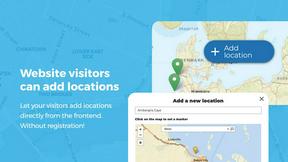
Open User Map
Open User Map is a WordPress plugin that lets visitors add and edit locations on an interactive map with approval workflows and no coding required.
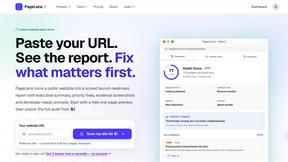
PageLens AI
PageLens AI audits AI-built websites, revealing launch risks and providing actionable fixes to ensure a safe and successful launch.

Shadcn Examples
A curated collection of premium Shadcn UI components and examples for building polished React and Tailwind web apps.
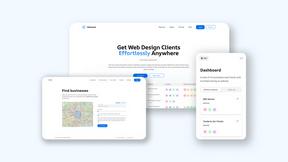
Webleadr
Webleadr helps you effortlessly find and contact web design leads and businesses without websites in just a few clicks from anywhere.



Crawlkit
CrawlKit is an API that simplifies web scraping, enabling easy data extraction from any site or platform with a single.

Best Boilerplates
Find and compare top SaaS boilerplates to accelerate your project launch with essential features and tech stacks.
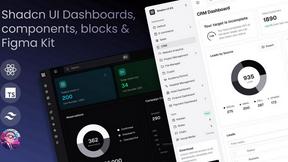

Clio Websites
Clio Websites creates custom, high-performing websites that boost growth and elevate your online presence effortlessly.
Hostim.dev
Hostim.dev simplifies app deployment with Docker and built-in databases, offering fast, secure hosting on EU bare-metal.

Stunning
Stunning effortlessly creates beautiful full-stack web apps from your ideas, complete with backend and database.

About Unifyca Alternatives
Unifyca is a centralized WordPress website management platform designed for agencies, freelancers, and IT professionals who oversee multiple client sites. It falls into the category of WordPress maintenance and site management tools, offering features like automated backups, uptime monitoring, plugin and core version audits, and white-label reporting. While Unifyca provides a robust all-in-one workspace, users often explore alternatives due to specific pricing structures, the need for more granular control over certain features, or a preference for a lighter, more specialized toolset that aligns better with their existing workflows. When evaluating an alternative platform, prioritize solutions that offer seamless integration with your current tech stack, particularly regarding backup storage and client reporting. Look for a tool that balances depth of features with ease of use, ensuring your team can onboard quickly without sacrificing the ability to perform detailed audits and maintenance tasks. The best choice will provide reliable uptime monitoring, comprehensive documentation management for client credentials, and scalable pricing that matches the volume of sites you manage, all while maintaining a focus on quality over an overwhelming array of rarely-used options.
FAQs about Unifyca Alternatives
What is Unifyca?
Unifyca is a centralized WordPress website management platform built specifically for agencies, freelancers, and IT professionals who handle multiple client websites. It allows users to manage, audit, and maintain all their sites from a single workspace instead of logging into dozens of separate WordPress dashboards.
Who is Unifyca for?
Unifyca is designed for agencies, freelancers, and IT professionals who maintain multiple client websites. Its centralized approach is particularly valuable for teams that need to manage documentation, perform routine maintenance, and generate professional reports across a portfolio of sites.
What are the main features of Unifyca?
Unifyca offers a comprehensive suite of features including WordPress audits, detection of outdated plugins and core versions, automated maintenance fixes, manual and scheduled backups, uptime monitoring, and white-label maintenance reports. It also centralizes website documentation such as hosting accounts, domains, FTP credentials, SSL certificates, and brand assets.
Is Unifyca secure?
Yes, Unifyca is built with security in mind for agencies managing sensitive client data. The platform centralizes credentials and technical information in a secure workspace, allowing users to monitor for outdated plugins and core versions that pose security risks. By providing a single point of management, it reduces the attack surface associated with logging into multiple individual WordPress dashboards.