
Alternatives to Text Remover
Instantly remove unwanted text from images with AI for clean, professional results.
Explore 20 alternatives to Text Remover. Compare features, pricing, and find the best fit for your needs.

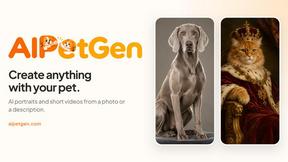
AIPetGen
AIPetGen turns a photo of your dog, cat, or other pet, or a written description, into a new picture or a short animation.
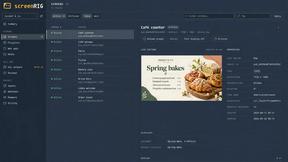
screenRIG
Signage and kiosk infrastructure for AI agents. Your agent publishes images, video, streams, web pages and apps to screens via one plugin.screenRIG is
Novastart
Novastart brings apps and files onto an infinite canvas where people and AI agents can work together.

AdsTurbo
Turn winning ads and product links into new video ad variations with AI actors, then translate them into 35+ languages with lip sync.

MyPhotoAI
Turn your selfies into AI headshots and portraits. Get 3 photos for US$5 or every photo from one shoot for US$10. No subscription.


Raindance AI
Turn two authorized portraits into a seaside golden-hour video: a wooden dock, two people taking turns singing, and a slow pullback to the sunset. Pre


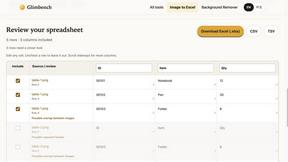
Glimbench
Remove backgrounds, convert table screenshots to Excel, and batch-convert HEIC to JPG. Free, no sign-up.

fit.
See any outfit on your own photo before you buy, and ask Aira, your AI stylist, what to wear from the clothes you own.
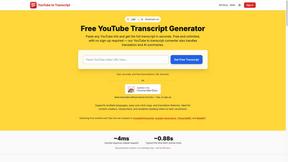
GetYouTubeTranscript
Free YouTube transcripts on the web, a Chrome extension, and an API + MCP server so AI assistants can read YouTube.
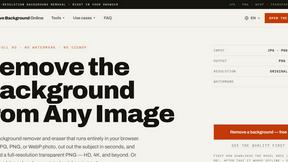
Remove Image Background
Free background remover that runs entirely in your browser — zero uploads, full resolution, no watermark. Your photos never leave your device.
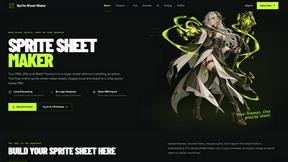
Sprite Sheet Maker
A free browser-based toolkit for creating, cutting, converting, and previewing sprite sheet animations.



About Text Remover Alternatives
Text Remover is an AI-powered tool designed to cleanly and efficiently remove unwanted text, watermarks, and overlays from images. It falls into the broader category of AI assistants for visual content creation, helping users achieve professional, distraction-free backgrounds in seconds. Users often explore alternatives for various reasons. These can include budget considerations, the need for specific features not offered in a single tool, or compatibility with different operating systems and workflows. Some may seek more advanced editing suites or simpler, one-click solutions. When evaluating other options, consider core needs like output quality, processing speed, and ease of use. Key factors are the tool's ability to preserve image integrity, support for batch processing and multiple file formats, and the overall value it provides for your specific projects.
FAQs about Text Remover Alternatives
What is Text Remover?
Text Remover is an AI-powered tool that effortlessly removes unwanted text, watermarks, and overlays from images to create clean, professional backgrounds.
Who is Text Remover for?
It is designed for photographers, social media managers, and casual users who need to quickly eliminate distractions or sensitive information from their images.
What are the main features of Text Remover?
Key features include AI-powered accuracy for precise removal, support for multiple image formats, batch processing for efficiency, and guaranteed preservation of original image quality.
Why choose Text Remover?
It offers a seamless, user-friendly solution that saves time, boosts productivity, and delivers high-quality results without requiring technical expertise.