

Alternatives to Tagada
Tagada parses Gmail into clickable sentences for highlighting and tagging, keeping all your data private and local.
Explore 20 alternatives to Tagada. Compare features, pricing, and find the best fit for your needs.
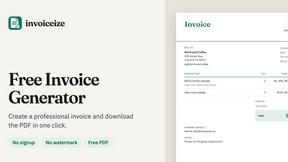
Invoiceize
Free invoice generator for freelancers and small businesses. Create invoices, receipts, quotes and pay stubs, then export PDF.

Emailyy
Free email tools for signatures, subject lines, HTML previews, word counts, and email headers. Browser-based, simple to use, and no signup required.

Uniclip
Clip pages, take full-page screenshots and batch-capture list data to Notion, Feishu, Obsidian, Markdown, CSV or JSON.

TroveKey
Search tabs, Chrome bookmarks and history, run browser commands, and save webpages and social posts locally—no account.

Agent Pets
Your Claude Code & Codex sessions as pets in Chrome. Approve, deny and reply to your coding agents from any tab.

LightScreen
Free light screen tool online. Turn any display into a flashlight, ambient light, or solid-color screen. No download or sign-up.
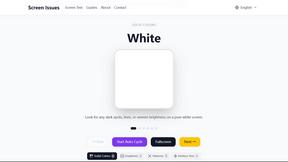
Screen Issues
Free Online Screen Test Tool - Instantly diagnose dead pixels, lines, color issues, and flickering. Multiple test modes, no download needed.

Context Board
Context Board brings your numbers, docs, clients, content and day into one workspace that Claude and Codex can read and update.

Zeptap
Zeptap lets AI use your real iPhone like you do: open apps, read the screen, tap, swipe and type. Reply to DMs, post Stories, book rides, test apps.

@fuck.it - email with attitude
Private email. Pure. Secure. Exclusive. No ads, no tracking, no data selling. GDPR compliant, EU-hosted.

FreeVideoGenerator
Free AI video generator: turn text prompts and photos into video clips with Sora 2, Veo 3.1, Wan and more. Free starter credits, no watermark download
sakuttoAI
A free suite of online tools for everyday tasks like PDF compression, image conversion, text diff and CSV to Excel.

Panzoe
Panzoe is an all-in-one AI platform for personal productivity, business automation, AI assistants, content creation, and custom AI solutions.
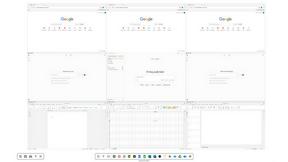
Novastart
Novastart brings apps and files onto an infinite canvas where people and AI agents can work together.

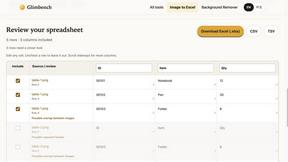
Glimbench
Remove backgrounds, convert table screenshots to Excel, and batch-convert HEIC to JPG. Free, no sign-up.


ReadyHermes
Your own hosted Hermes Agent in a minute: memory, self-learning skills, schedules, a real browser and 1,000+ app connections.
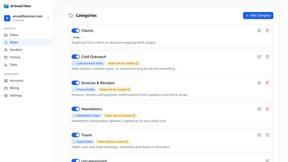
AI Email Filter
AI Email Filter sorts incoming mail into folders using plain-language prompts you write. Works with any IMAP mailbox; bring your own LLM if you want.

About Tagada Alternatives
Tagada is a browser extension designed to streamline how professionals manage their Gmail inbox by parsing emails into selectable sentences, allowing users to highlight, tag, and organize key points locally without sending data to the cloud. It falls within the productivity and email management category, offering a structured approach to replying that eliminates the need for colored inline text or complex third-party tools. Users often seek alternatives due to specific needs such as different pricing models, a desire for more advanced integrations with other platforms, or compatibility with non-Gmail clients. Others may require features like team collaboration tools, deeper automation, or support for mobile workflows that Tagada does not currently address. When evaluating an alternative, prioritize tools that respect your data privacy requirements while offering the core functionality of parsing and structuring email content. Look for solutions that provide clear, customizable categorization and reply generation without introducing unnecessary complexity or requiring a steep learning curve. Consider whether the alternative offers a seamless integration into your existing workflow, supports the platforms you use most, and provides transparent pricing that aligns with your usage frequency. The best choice will balance efficiency gains with the level of control you need over your communications.
FAQs about Tagada Alternatives
What is Tagada?
Tagada is a browser extension that transforms how you read and reply to emails directly within Gmail. It parses incoming emails into clickable sentences that you can highlight, tag, and organize by category with a single click. The tool then generates a clean reply template built around your selected points, helping you respond faster and more clearly. All processing happens 100% locally on your device, meaning no data is sent to any cloud or third-party server.
Who is Tagada for?
Tagada is ideal for professionals, support teams, freelancers, consultants, and anyone who regularly manages long email threads. It is particularly useful for individuals who need to quickly identify key information within complex messages and structure their replies efficiently. The tool is designed for users who prioritize data privacy and want to avoid AI or cloud-based processing. It works directly inside Gmail, so there is no new tool to learn or separate interface to manage.
Is Tagada free?
The provided content does not specify the exact pricing model for Tagada, such as whether it is free, freemium, or subscription-based. For accurate and up-to-date pricing information, you should visit the official Tagada website or its listing in the Chrome Web Store. Typically, tools in this category offer a free tier with limited features or a trial period. Check the official source for the most current details on any costs involved.
What are the main features of Tagada?
Tagada's main features include instant parsing of emails into selectable sentences, one-click highlighting and tagging by category, and auto-generated reply templates built from your selections. It operates 100% locally with no AI, no cloud, and no third-party servers, ensuring complete data privacy. The extension works directly inside Gmail, requiring no new tools to learn. These features are designed to cut response time, structure your replies, and keep your data fully private.