
Tagada
Tagada parses Gmail into clickable sentences for highlighting and tagging, keeping all your data private and local.
Visit
About Tagada
Tagada is a browser extension that fundamentally changes how you read and reply to emails in Gmail, all while keeping your data entirely on your device. Instead of the common but messy practice of writing replies in colored text inside the original message, Tagada parses incoming emails into clean, clickable sentences. You can then highlight, tag, and organize these sentences by category with a single click. The extension then generates a clean reply template built around the points you have selected, helping you respond faster and more clearly. This product is ideal for professionals, support teams, freelancers, consultants, and anyone managing long, complex email threads. Its main value proposition is threefold: it cuts response time, structures your replies for better clarity, and keeps your data fully private with 100% local processing. There is no AI, no cloud, and no third-party servers involved. You never have to leave Gmail or learn a new tool. Tagada simply integrates into your existing workflow, turning chaotic inboxes into organized, actionable lists of points to address. It is a curated tool designed for those who value efficiency and privacy over flashy, data-hungry features.
Features of Tagada
Instant Email Parsing
Tagada automatically breaks down complex Gmail messages into individual, selectable sentences. This feature transforms a dense block of text into a structured list of points. Instead of reading and re-reading a long email to pick out the key questions or action items, you see them clearly laid out. This makes it significantly easier to digest information and identify what needs a response, saving you from the mental overhead of manual parsing.
One-Click Highlighting and Tagging
Once an email is parsed, you can highlight any sentence and tag it with a custom category. This allows you to organize incoming information on the fly. For example, you can tag a sentence as "Action Item," "Question," or "To Discuss." This feature turns an unstructured email into a categorized list of tasks or topics. It helps you stay organized and ensures that no critical detail is lost in the shuffle, giving you a clear visual map of what the email requires from you.
Auto-Generated Reply Templates
After you have highlighted and tagged the key sentences from an email, Tagada can generate a clean reply template based on your selections. This template organizes the points you have chosen into a structured draft. You no longer have to write a reply from scratch or awkwardly quote parts of the original message. Instead, you get a logical starting point that is built around the topics that matter, allowing you to focus on crafting your response rather than formatting it.
100% Local and Private Processing
This is a core differentiator for Tagada. All parsing, highlighting, and template generation happens directly on your computer. Your emails never leave Gmail or your local machine. There is no AI model processing your data on a cloud server, and no third party ever sees the content of your messages. This commitment to privacy means you can use the tool with complete confidence, especially when handling sensitive business or client communications.
Use Cases of Tagada
Rapid Response for Busy Professionals
For professionals who receive dozens of emails daily, Tagada eliminates the time spent deciphering long threads. A consultant or manager can instantly parse an email, highlight the two or three key questions or requests, and generate a reply template. This allows them to respond to critical emails in minutes rather than spending time rereading and manually structuring their answer. It turns a reactive, time-consuming task into a streamlined, efficient process.
Structured Support for Customer Service Teams
Support teams often deal with emails that contain multiple, unrelated issues. With Tagada, a support agent can parse a customer email, tag each sentence with a specific issue category (e.g., "Billing," "Technical Issue," "Feature Request"), and generate a reply that addresses each point individually. This ensures no customer concern is overlooked and that the response is thorough and well-organized, leading to higher customer satisfaction and fewer follow-up emails.
Freelancer and Contractor Clarity
Freelancers often receive project briefs or client feedback that is long and unstructured. Tagada helps them break down these messages into clear, actionable items. They can tag sentences as "Scope Change," "Approval Needed," or "Deadline Update." This keeps project details organized and ensures they respond to the most critical points first. It prevents misunderstandings and helps maintain a professional, clear line of communication with clients.
Managing Complex Threads for Project Managers
Project managers frequently navigate long email chains with multiple stakeholders. Tagada allows them to parse the latest email in a thread, highlight decisions or action items that affect them, and tag them by project phase or team member. This creates a clear, immediate summary of what is new and important. It reduces the risk of missing a key update buried in a lengthy conversation and helps keep project communication under control.
Frequently Asked Questions
Is Tagada free?
Tagada can be used without a paid license. However, the free version is limited in terms of functionality. For a better experience with full access to all features, we suggest you purchase a license.
What data do you collect?
We only collect essential data to enhance your experience: your first name, email address, and language preference. We respect your privacy and do not collect any unnecessary information about your email content or browsing habits.
Do you send our emails to your servers?
No, your emails are never sent to our servers. Everything remains local on your device. At Tagada, we make sure that your data stays private and under your control. The extension processes everything directly on your computer.
Some emails get broken, how can I fix it?
If your emails appear to be corrupted or disorganized, the best solution is to disable the extension, reply to your emails, and then re-enable it. Some emails may have a specific structure that the extension is unable to parse. This simple toggle usually resolves the issue.
Explore more in this category:
Similar to Tagada
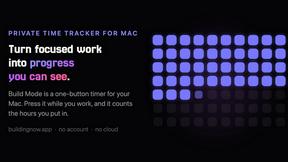
Build Mode for Mac
Build Mode is a Mac app that turns focused sessions into visible progress, so you can see the work adding up before the results arrive.

VidRush AI
AI-powered long video generator. Turn text, images, audio and video into long, production-ready AI videos.
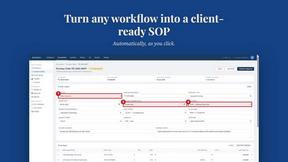
MySOP.guru
Capture any workflow in your browser and export a branded, step-by-step SOP with screenshots. €5 per document, no subscription.

PerPageFax
PerPageFax lets you send a fax online from any browser for a flat $0.50 per page — no account, no subscription, no fax machine.

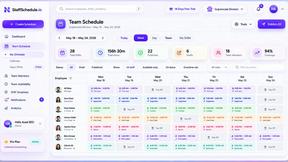
Staff Scheduling
Staff scheduling software that helps businesses create shifts, manage teams, track availability, and simplify workforce management.


Glanced
Follow news, blogs, newsletters, and podcasts in a free RSS reader, with AI summaries, top stories, full-text search, saved searches, and a catalog.