

Alternatives to QuickTextTools
QuickTextTools provides 76+ free, browser-based utilities for writers and creators to process text instantly without sign-ups.
Explore 20 alternatives to QuickTextTools. Compare features, pricing, and find the best fit for your needs.

Panzoe
Panzoe is an all-in-one AI platform for personal productivity, business automation, AI assistants, content creation, and custom AI solutions.
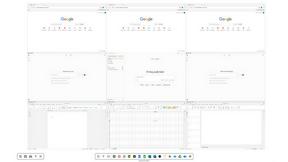
Novastart
Novastart brings apps and files onto an infinite canvas where people and AI agents can work together.

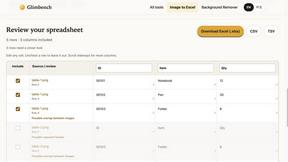
Glimbench
Remove backgrounds, convert table screenshots to Excel, and batch-convert HEIC to JPG. Free, no sign-up.
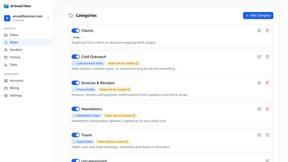
AI Email Filter
AI Email Filter sorts incoming mail into folders using plain-language prompts you write. Works with any IMAP mailbox; bring your own LLM if you want.

Kody Tools
Free collection of online developer utilities, code formatters, and digital converters designed to streamline your daily workflow.
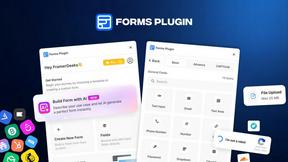
Forms Plugin
The #1 Native Form Builder Plugin for Framer - No Code, No Embeds, No External Platforms.

HomeAnswerBook
Practical, independent guides to home repairs, maintenance, costs, troubleshooting, and everyday fixes.
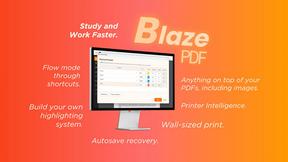
BlazePDF
Highlight faster. Study in flow with custom shortcuts and a workflow built around you. Print smarter, or turn any page into a tiled poster.


JsonTranslate
A json translater for translating JSON, Markdown, and TXT files while preserving keys, nested paths, and project structure.

Build Mode for Mac
Build Mode is a Mac app that turns focused sessions into visible progress, so you can see the work adding up before the results arrive.



VidRush AI
AI-powered long video generator. Turn text, images, audio and video into long, production-ready AI videos.

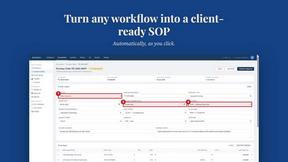
MySOP.guru
Capture any workflow in your browser and export a branded, step-by-step SOP with screenshots. €5 per document, no subscription.

PerPageFax
PerPageFax lets you send a fax online from any browser for a flat $0.50 per page — no account, no subscription, no fax machine.

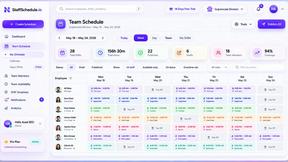
Staff Scheduling
Staff scheduling software that helps businesses create shifts, manage teams, track availability, and simplify workforce management.
About QuickTextTools Alternatives
QuickTextTools is a free, browser-based platform offering over 76 utilities for writers, marketers, and developers, placing it squarely in the productivity and management category. While its breadth of tools and privacy-focused approach make it a solid choice, users often look for alternatives when they need deeper specialization in a single area, such as advanced SEO auditing, premium grammar checking, or native desktop apps. Others may find that the sheer volume of utilities can feel overwhelming, or they require features like team collaboration, API access, or offline functionality that a purely web-based toolkit may not provide. When evaluating alternatives, focus on your specific workflow bottlenecks rather than just tool count. Look for platforms that offer a curated set of high-quality utilities relevant to your daily tasks, as a smaller, more refined collection often outperforms a large but shallow one. Prioritize solutions that emphasize data security, ease of use, and reliable performance, and consider whether you need integration with other software, such as Google Docs or WordPress. The best alternative will feel purpose-built for your process, not just a larger toolbox.
FAQs about QuickTextTools Alternatives
What is QuickTextTools?
QuickTextTools is a free, user-friendly online platform that provides over 76 browser-based utilities designed to enhance productivity for writers, marketers, developers, students, SEO professionals, and content creators. It operates entirely in your browser without requiring complicated setups or software downloads, offering a comprehensive toolkit for text formatting, SEO analysis, writing assistance, keyword management, and developer tasks.
Who is QuickTextTools for?
QuickTextTools is built for a wide range of users including writers, marketers, SEO professionals, developers, students, and content creators. Anyone who regularly works with text and needs to perform quick formatting, analysis, or optimization tasks will find the platform valuable. Its tools are designed to simplify workflows and save time for both beginners and experienced professionals.
Is QuickTextTools free?
Yes, QuickTextTools is completely free to use. The platform offers all 76+ online utilities at no cost, allowing users to access text formatting, SEO analysis, keyword management, and writing tools without any subscription fees or hidden charges. This makes it an accessible resource for individuals and teams looking to boost productivity without adding to their software budget.
What are the main features of QuickTextTools?
QuickTextTools features a diverse collection of utilities including text formatting tools, SEO analysis utilities, writing assistants, keyword management tools, and developer utilities. Specific capabilities include cleaning up messy keyword lists, analyzing SEO meta tags, converting text case formatting, and improving the writing process. All tools operate directly in your browser, ensuring fast performance and privacy-focused functionality.