
QuickTextTools
QuickTextTools provides 76+ free, browser-based utilities for writers and creators to process text instantly without sign-ups.
Visit
About QuickTextTools
QuickTextTools is a curated, free online platform offering over 76 browser-based utilities designed to enhance productivity for writers, marketers, developers, students, SEO professionals, and content creators. Unlike bloated software suites that require downloads, sign-ups, or complex setups, QuickTextTools operates entirely within your browser, processing text instantly on your own machine. This privacy-focused approach ensures your data never leaves your device, making it a secure and hassle-free solution for everyday text processing tasks.
The platform is built around a philosophy of quality over quantity. While many tool aggregators flood users with mediocre utilities, QuickTextTools selectively provides robust, well-designed tools that genuinely solve practical problems. From core writing assistants like word and character counters to specialized SEO utilities such as keyword density checkers and meta tag analyzers, each tool serves a clear purpose. The suite also includes text cleaning tools for removing unwanted formatting, developer utilities like JSON formatters and QR code generators, and productivity aids like timers and text sorters.
QuickTextTools is ideal for anyone who works with text regularly. Writers can verify content length and readability, SEO professionals can analyze and optimize meta tags, students can format research notes and check character limits, and developers can quickly encode data or format code. The interface is intentionally minimalist, allowing users to paste text, process it, and get results in seconds. With no account creation required and a commitment to remaining 100% free forever, QuickTextTools removes the friction from text processing, helping users work smarter and more efficiently.
Features of QuickTextTools
Comprehensive Text Analysis
The platform provides a suite of analytical tools that go beyond simple word counting. Users can access a word counter, character counter, sentence counter, and reading time calculator. These tools offer precise metrics on content length, readability, and speaking time, which is essential for writers adhering to strict guidelines, students managing essay lengths, or professionals preparing presentations. The character counter also calculates byte size, a critical feature for developers working with database fields or API constraints.
SEO and Keyword Optimization
QuickTextTools includes a powerful set of SEO utilities designed to improve search engine visibility. The keyword density checker analyzes the frequency and distribution of keywords within your content, helping you avoid over-optimization or under-utilization. The meta tag analyzer previews how your page will appear in search engine results, while the meta tag generator creates properly formatted tags for your website. An SEO title generator and keyword builder round out the toolkit, enabling content creators to craft optimized, search-friendly material without leaving the browser.
Text Cleaning and Formatting
Messy text is a common productivity killer, and QuickTextTools addresses this with a suite of cleaning and formatting tools. The text cleaner removes special characters, extra spaces, and hidden HTML tags, instantly transforming copied content into clean, usable text. The duplicate line remover eliminates repeated entries from lists, and the case converter allows for instant transformation to uppercase, lowercase, title case, or sentence case. These tools are invaluable for marketers cleaning keyword lists, writers reformatting drafts, or developers sanitizing user input.
Developer and Productivity Utilities
Beyond writing and SEO, the platform offers practical tools for technical users. Developers can format JSON, encode Base64 strings, encode URLs, and generate QR codes directly in the browser. Productivity features include a pomodoro timer for focused work sessions, a countdown timer, a text sorter for organizing lists alphabetically or numerically, and a random word generator for brainstorming. These utilities transform QuickTextTools into a versatile workstation for anyone who needs quick, reliable text processing without installing additional software.
Use Cases of QuickTextTools
Content Writing and Editing
Writers and editors use QuickTextTools to verify content length, check word counts against editorial guidelines, and calculate reading time for audience engagement. The character counter is particularly useful for social media posts with strict limits, such as Twitter or Instagram captions. By using the text cleaner to remove formatting from copied web content, writers can focus on editing rather than cleaning up messy text. The case converter also helps standardize headings and titles across a document, ensuring consistency without manual reformatting.
SEO Content Optimization
SEO professionals rely on QuickTextTools to analyze keyword density and ensure content is optimized for search engines without keyword stuffing. The meta tag analyzer allows them to preview how their pages will appear in search results, making it easier to craft compelling titles and descriptions. The keyword builder helps generate related terms for semantic SEO, while the meta tag generator produces code-ready tags that can be pasted directly into a CMS. These tools streamline the optimization process, saving time and improving search rankings.
Academic Research and Writing
Students and researchers use the platform to format citations, remove extra spaces from copied text, and count characters for abstract submissions. The sentence counter helps ensure paragraphs are appropriately structured, while the text compare tool allows them to spot differences between drafts or detect unintentional plagiarism. The reading time calculator is useful for presentations, helping students gauge how long their speech will take. By processing text entirely in the browser, students can work on sensitive research without uploading documents to third-party servers.
Data Cleaning and Development
Developers and data analysts use QuickTextTools to clean and prepare text data for processing. The duplicate line remover is essential for deduplicating lists of emails, usernames, or product codes. The text cleaner removes non-printable characters from exported data, and the JSON formatter makes API responses readable. The URL encoder and Base64 encoder help with web development tasks, while the QR code generator creates scannable codes for links or contact information. These tools eliminate the need for command-line utilities or external libraries for simple text processing tasks.
Frequently Asked Questions
Is QuickTextTools really free to use?
Yes, QuickTextTools is 100% free to use with no hidden costs, subscription fees, or premium tiers. There is no sign-up required, and you can access all 76+ tools immediately. The platform is committed to remaining free forever, supported by minimal advertising and recommended third-party tools. You can use every tool as many times as you like without any limitations.
How does QuickTextTools protect my privacy?
QuickTextTools processes all text directly within your browser using client-side JavaScript. Your data never leaves your device or is uploaded to any server. This means your content, whether it is a draft article, sensitive business data, or personal notes, remains completely private and secure. There are no cookies tracking your input, and no analytics services collecting your text.
Do I need to create an account or download anything?
No account creation or software download is required. QuickTextTools works entirely in your web browser on any device, including desktops, laptops, tablets, and smartphones. Simply visit the website, choose a tool, paste your text, and get instant results. The platform is designed for instant access with zero friction.
What types of tools are available on QuickTextTools?
QuickTextTools offers over 76 tools organized into categories including writing tools (word counter, character counter, reading time calculator), SEO tools (keyword density checker, meta tag analyzer, meta tag generator), text cleaning tools (text cleaner, duplicate line remover, extra space remover), developer tools (JSON formatter, Base64 encoder, URL encoder, QR code generator), and productivity tools (pomodoro timer, text sorter, random word generator). New tools are added regularly.
Explore more in this category:
Similar to QuickTextTools

Panzoe
Panzoe is an all-in-one AI platform for personal productivity, business automation, AI assistants, content creation, and custom AI solutions.
Novastart
Novastart brings apps and files onto an infinite canvas where people and AI agents can work together.

AUTOMATER.ai
A tray helper for every AI coding tool: sessions, alerts and usage in one place
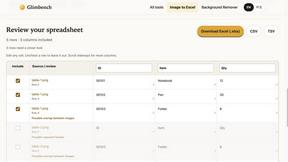
Glimbench
Remove backgrounds, convert table screenshots to Excel, and batch-convert HEIC to JPG. Free, no sign-up.
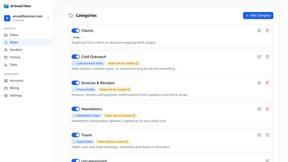
AI Email Filter
AI Email Filter sorts incoming mail into folders using plain-language prompts you write. Works with any IMAP mailbox; bring your own LLM if you want.

Kody Tools
Free collection of online developer utilities, code formatters, and digital converters designed to streamline your daily workflow.

Forms Plugin
The #1 Native Form Builder Plugin for Framer - No Code, No Embeds, No External Platforms.

HomeAnswerBook
Practical, independent guides to home repairs, maintenance, costs, troubleshooting, and everyday fixes.