

Explore 20 alternatives to Opal. Compare features, pricing, and find the best fit for your needs.

Panzoe
Panzoe is an all-in-one AI platform for personal productivity, business automation, AI assistants, content creation, and custom AI solutions.
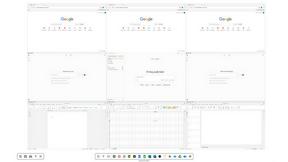
Novastart
Novastart brings apps and files onto an infinite canvas where people and AI agents can work together.

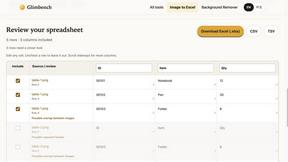
Glimbench
Remove backgrounds, convert table screenshots to Excel, and batch-convert HEIC to JPG. Free, no sign-up.
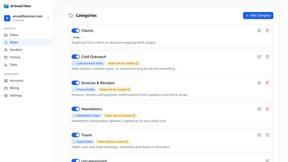
AI Email Filter
AI Email Filter sorts incoming mail into folders using plain-language prompts you write. Works with any IMAP mailbox; bring your own LLM if you want.
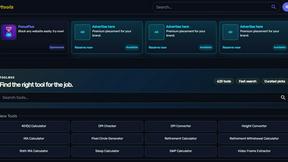
Kody Tools
Free collection of online developer utilities, code formatters, and digital converters designed to streamline your daily workflow.
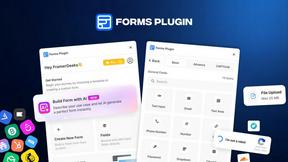
Forms Plugin
The #1 Native Form Builder Plugin for Framer - No Code, No Embeds, No External Platforms.

HomeAnswerBook
Practical, independent guides to home repairs, maintenance, costs, troubleshooting, and everyday fixes.
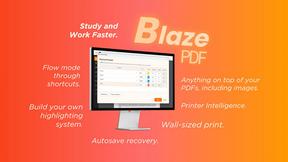
BlazePDF
Highlight faster. Study in flow with custom shortcuts and a workflow built around you. Print smarter, or turn any page into a tiled poster.

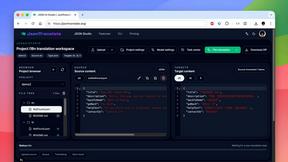
JsonTranslate
A json translater for translating JSON, Markdown, and TXT files while preserving keys, nested paths, and project structure.
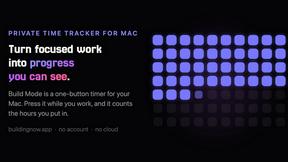
Build Mode for Mac
Build Mode is a Mac app that turns focused sessions into visible progress, so you can see the work adding up before the results arrive.



VidRush AI
AI-powered long video generator. Turn text, images, audio and video into long, production-ready AI videos.

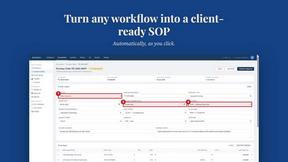
MySOP.guru
Capture any workflow in your browser and export a branded, step-by-step SOP with screenshots. €5 per document, no subscription.

PerPageFax
PerPageFax lets you send a fax online from any browser for a flat $0.50 per page — no account, no subscription, no fax machine.

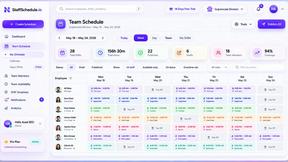
Staff Scheduling
Staff scheduling software that helps businesses create shifts, manage teams, track availability, and simplify workforce management.
About Opal Alternatives
Opal is a cutting-edge visual workspace designed to help users manage their projects and notes in a spatially intuitive manner. As part of the productivity and management category, Opal provides an innovative solution that allows users to organize their thoughts and tasks on an infinite digital canvas, mimicking the physical arrangement of items on a desk. This approach is particularly beneficial for those who often struggle with traditional applications that rely on nested folders, enabling quicker access and better retention of information. Users often seek alternatives to Opal for various reasons, including budget constraints, specific feature requirements, or compatibility with preferred platforms. When exploring alternatives, it's crucial to consider factors such as user interface design, flexibility in organization, integration capabilities with other tools, and the overall user experience. Ultimately, the right choice will depend on individual needs, such as the type of projects being managed and personal preferences in how information is visually represented.
FAQs about Opal Alternatives
What is Opal?
Opal is a visual knowledge and project management workspace designed for individuals who prefer a spatial approach to organizing their projects and notes. It enables users to create a digital canvas where they can visually arrange notes, documents, files, and links, making retrieval intuitive and efficient. Opal aims to enhance productivity by allowing users to focus on their work without the distractions of traditional organizational methods.
Who is Opal for?
Opal is tailored for solopreneurs, consultants, agency owners, writers, and anyone whose work relies on managing conversations, details, and commitments. It is ideal for individuals who think spatially and prefer a visual approach to project management. By keeping important information visible and accessible, Opal supports users in maintaining their workflow and fostering creativity.
Is Opal free?
Opal offers a range of pricing plans, including options for individuals and teams. While there may be a free trial available, ongoing use typically requires a subscription. Users should check the official website for the most current information on pricing and features to determine what best fits their needs.
What are the main features of Opal?
Opal's primary features include an infinite digital canvas for organizing notes and documents, drag-and-drop functionality, and a visually intuitive layout that enhances spatial memory. Users can easily create connections between ideas and projects, which helps in retaining information and improving workflow. Additionally, Opal consolidates all aspects of project management, ensuring that important details remain top-of-mind.