
Opal
Opal is a visual workspace that consolidates your projects and notes, enabling instant access and effortless organization.
Visit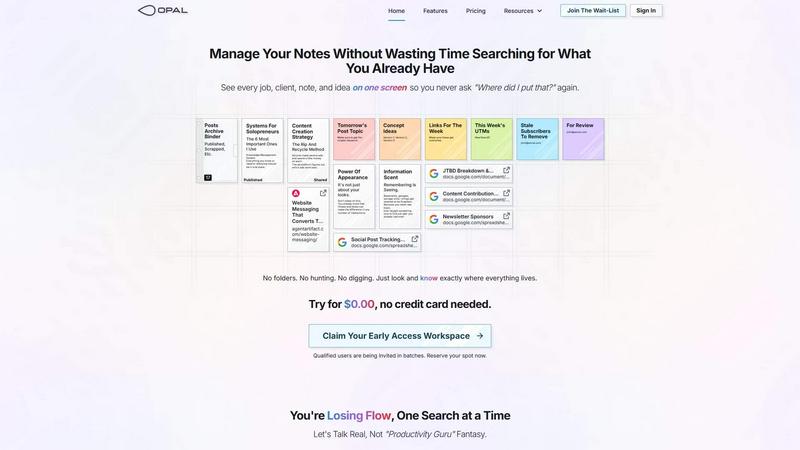
About Opal
Opal is a visual knowledge and project management workspace crafted for individuals who think spatially and thrive on creativity. Designed to combat the chaos of traditional note-taking and project management tools, Opal offers an infinite digital canvas that allows users to organize their thoughts, ideas, and tasks visually. Whether you are a solopreneur, consultant, agency owner, or writer, Opal provides a unique workspace where you can drag and drop notes, documents, files, and links, effectively simulating a physical desk environment. This spatial memory approach enhances recall of where information is located rather than just what it is called, significantly improving retrieval speed and reducing frustration. Opal ensures that all your active projects, client details, and creative ideas are visible and accessible, allowing you to maintain your focus and productivity without the constant interruption of searching for lost information.
Features of Opal
Infinite Digital Canvas
Opal provides an infinite digital workspace where users can freely arrange their notes, tasks, and documents in a way that reflects their thought processes. This flexibility allows for a more natural organization that mirrors how you think and work.
Visual Organization
With Opal, users can visually group and stack their notes and files, making it easy to see connections and relationships between different elements. This feature enhances clarity and helps users maintain a clear overview of their projects.
Enhanced Retrieval System
Forget about losing important notes in nested folders or complex dashboards. Opal’s design ensures that everything you need is visible at a glance, drastically reducing the time spent searching for information.
Seamless Collaboration
Opal supports collaborative efforts by allowing multiple users to access and interact with the workspace simultaneously. This feature is ideal for teams or partnerships, fostering better communication and project management.
Use Cases of Opal
Project Management
Opal is perfect for managing multiple projects at once. Users can visually track the status of each project, keeping all relevant documents and notes in one centralized location. This visual approach enhances project visibility and accountability.
Client Management
For consultants and agency owners, Opal serves as an effective client management tool. You can organize client details, conversations, and ongoing tasks in a way that is easy to navigate, ensuring that no information gets lost in the shuffle.
Content Creation
Writers and content creators can leverage Opal to outline and organize their ideas, drafts, and research materials. The visual layout allows for easy rearrangement of content, making it a breeze to refine and enhance your creative output.
Personal Knowledge Management
Opal is also beneficial for individuals looking to create a personal knowledge management system. Users can compile all their notes, resources, and references in one place, fostering a deeper understanding and retention of information.
Frequently Asked Questions
How does Opal improve my productivity?
Opal enhances productivity by providing a visual workspace that allows you to keep everything you need in sight. This reduces the time spent searching for information, helping you maintain focus on your tasks.
Can I collaborate with others using Opal?
Yes, Opal supports collaborative work, allowing multiple users to access and interact with the workspace. This feature is ideal for teams working on joint projects, facilitating better communication and organization.
Is Opal suitable for solo entrepreneurs?
Absolutely. Opal is designed with solopreneurs in mind, offering tools that help manage projects, client details, and creative ideas in a visually organized manner, making it easier for individuals to stay on top of their work.
What types of files can I organize in Opal?
You can organize a diverse range of files in Opal, including notes, documents, links, and images. The drag-and-drop functionality enables you to arrange these files in a way that makes sense to you, enhancing your workflow.
Similar to Opal

Panzoe
Panzoe is an all-in-one AI platform for personal productivity, business automation, AI assistants, content creation, and custom AI solutions.
Novastart
Novastart brings apps and files onto an infinite canvas where people and AI agents can work together.

AUTOMATER.ai
A tray helper for every AI coding tool: sessions, alerts and usage in one place
Glimbench
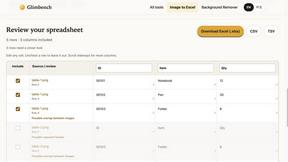
Remove backgrounds, convert table screenshots to Excel, and batch-convert HEIC to JPG. Free, no sign-up.
AI Email Filter
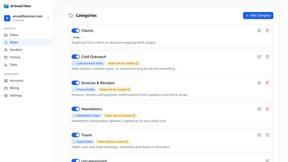
AI Email Filter sorts incoming mail into folders using plain-language prompts you write. Works with any IMAP mailbox; bring your own LLM if you want.
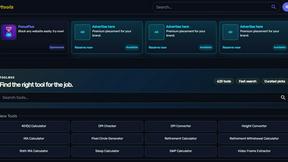
Kody Tools
Free collection of online developer utilities, code formatters, and digital converters designed to streamline your daily workflow.
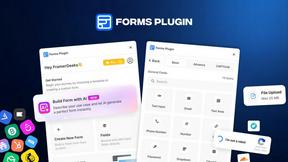
Forms Plugin
The #1 Native Form Builder Plugin for Framer - No Code, No Embeds, No External Platforms.

HomeAnswerBook
Practical, independent guides to home repairs, maintenance, costs, troubleshooting, and everyday fixes.