

Alternatives to Nonna.Digital
Nonna.Digital lets you instantly video call a loved one with a single tap, making connection effortless for everyone.
Explore 20 alternatives to Nonna.Digital. Compare features, pricing, and find the best fit for your needs.
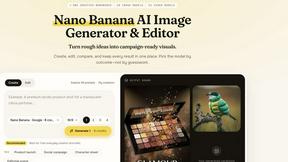
Nano AI
Create and edit AI images, generate videos, and compare models in one creative workbench.
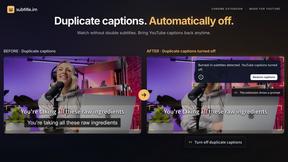
subtitle.im
Chrome extension for existing YouTube captions. Local OCR helps handle duplicates by your settings. Free 10-video trial; optional Pro.

Genjutsu AI
AI video-to-video: Motion Transfer & Object Swap. Preview the credit cost, pay once. No subscription.
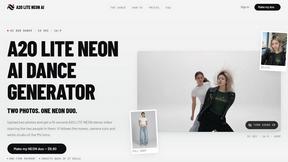
A2O LITE NEON AI
Upload two photos and get a 15-second AI video of those two people doing the A2O LITE NEON intro.
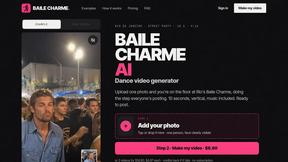
Baile Charme AI
Upload one photo and get a 10-second vertical AI video of you dancing the charme step in Rio.
Tip Toe AI
Upload a Dancer photo and a Partner photo and get your own AI Tip Toe barn-dance video. Free 5s preview, 12s HD from $4.90. No subscription.
Ozil Goal AI
Turn one photo into the viral Özil goal meme video: you, your dog, a toy or a drawing scores. Free 5s preview, 10s 720p from $4.90. No subscription.
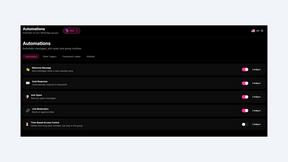
9bot
WhatsApp group bot for moderation, automation and reports: welcomes, anti-spam, link filtering, scheduling, RSS, API and MCP.
FreeVideoGenerator
Free AI video generator: turn text prompts and photos into video clips with Sora 2, Veo 3.1, Wan and more. Free starter credits, no watermark download
AI Face Swap Video
Swap any face into any video online with AI in minutes. Upload a clip and a photo, get natural lighting and expressions. Free credits on sign-up.
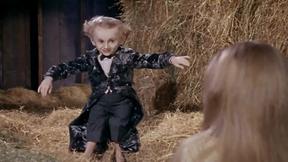
Rumpelstiltskin AI Video Generator
Make the viral Rumpelstiltskin tiptoe dance meme video from two photos
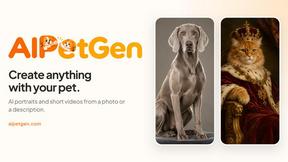
AIPetGen
AIPetGen turns a photo of your dog, cat, or other pet, or a written description, into a new picture or a short animation.
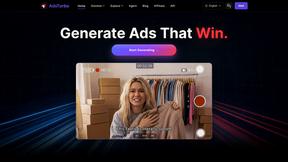
AdsTurbo
Turn winning ads and product links into new video ad variations with AI actors, then translate them into 35+ languages with lip sync.
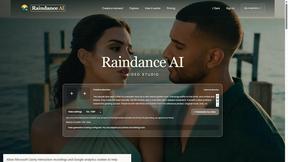
Raindance AI
Turn two authorized portraits into a seaside golden-hour video: a wooden dock, two people taking turns singing, and a slow pullback to the sunset. Pre
GetYouTubeTranscript
Free YouTube transcripts on the web, a Chrome extension, and an API + MCP server so AI assistants can read YouTube.

About Nonna.Digital Alternatives
Nonna.Digital is a focused communication tool designed to simplify and strengthen connections between family members, particularly those who may not be comfortable with complex technology. It falls into the niche intersection of speech and voice, video calling, and community health, offering a single-tap video call feature that defaults to a pre-set contact, making it ideal for seniors or anyone seeking effortless connection. Users often look for alternatives when they require more robust features such as group video calls, cross-platform compatibility beyond a single device, or deeper integration with health monitoring systems. Others may seek a solution that offers more customization, such as the ability to manage multiple default contacts or receive reminders for regular check-ins. When evaluating an alternative to a tool like Nonna.Digital, the key is to prioritize simplicity without sacrificing essential functionality. Look for platforms that maintain a frictionless user interface, ideally with a dedicated hardware component or a very simple app that requires minimal setup. Consider whether you need health-related features like medication reminders or fall detection, and if the service supports the specific devices your loved ones already use. Above all, avoid bloated applications that add complexity; the best alternative will offer a clear, quality-over-quantity approach that puts the ease of making a meaningful connection above all else.
FAQs about Nonna.Digital Alternatives
What is Nonna.Digital?
Nonna.Digital is a specialized communication service that simplifies connecting with loved ones, with a primary focus on making video calls effortless for older adults. It is designed to require only a single tap to initiate a video call to a pre-set default contact, removing all barriers to digital communication. The platform belongs to categories including Speech & Voice, Video, Communities, and Health, and it explicitly avoids using artificial intelligence in its core functionality.
Who is Nonna.Digital for?
Nonna.Digital is primarily designed for seniors and elderly individuals who may find traditional smartphones or video calling apps confusing or difficult to navigate. It is also ideal for their family members and caregivers who want a reliable, no-fuss way to stay visually connected without requiring the senior to learn complex software. The service is built for anyone seeking a quality-over-quantity approach to communication, where the goal is simply to say hello and check in with a single tap.
Is Nonna.Digital free?
The provided information does not specify a pricing model, so it is best to check the official Nonna.Digital website for current pricing details. However, given its focused feature set and niche purpose, it may be offered as a premium service with a one-time purchase or a subscription to cover the dedicated hardware or software maintenance. Users should verify the cost against the value of its simplicity and reliability.
What are the main features of Nonna.Digital?
The central feature of Nonna.Digital is its single-tap video call functionality that automatically connects to a pre-configured default contact, often referred to as a loved one like a grandchild. The service is built on a philosophy of no AI involvement, ensuring the interaction is purely human and straightforward. It falls within the Speech & Voice, Video, Communities, and Health categories, suggesting it may also support voice commands or be used in health-related check-in scenarios, though its core strength remains the effortless video connection.