
Nonna.Digital
Nonna.Digital lets you instantly video call a loved one with a single tap, making connection effortless for everyone.
Visit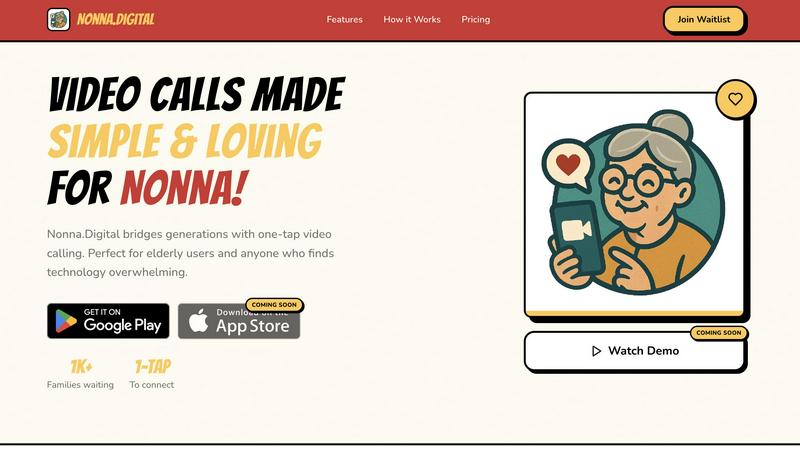
About Nonna.Digital
Nonna.Digital is a purpose-built video calling platform designed to bridge the generational technology gap. It is a warm, intuitive, and secure communication tool specifically created for elderly users and anyone who finds modern technology overwhelming. The core philosophy of Nonna.Digital is to make video calls as simple and comforting as a warm hug, removing all complexity, confusing menus, and frustrating buttons. The product centers on a one-tap calling system where users simply tap a loved one's photo to initiate an instant video call. It is designed to be set up by family members, ensuring the elderly user’s experience is effortless from the start. Nonna.Digital offers a private, secure family network for up to 20 members, with end-to-end encryption to keep all conversations private. A unique billing model allows a single "Group Admin" to pay for the subscription, making it free for all other family members to join and call. Currently in a pre-launch phase with over 1,000 families on the waitlist, Nonna.Digital is positioned to transform how families stay connected, focusing on quality, love, and simplicity over feature-heavy complexity. It is not just a tool; it is a digital embrace designed to keep generations close.
Features of Nonna.Digital
One-Tap Calling
The cornerstone of Nonna.Digital is its revolutionary one-tap calling system. This feature eliminates all barriers to connection by replacing complex dial pads, contact lists, and multi-step processes with a single, intuitive action. The user interface is designed around large, clear photos of family members. To call a loved one, the user simply taps on their picture. There are no menus to navigate, no buttons to press, and no confusion. This design ensures that even those with limited technical experience or cognitive challenges can initiate a video call independently, fostering a sense of autonomy and making communication feel natural and effortless.
Family Network
Nonna.Digital creates a dedicated, private, and secure digital space for your entire family. This feature allows you to connect up to 20 family members within a single, closed network. This design ensures that calls and communications are kept within the family circle, providing a safe environment away from the public internet. The network is managed by the family, making it simple to add new members like grandchildren or in-laws. This private ecosystem strengthens family bonds by making it easy for everyone to stay in touch, share updates, and participate in group interactions without the noise and distractions of broader social media platforms.
One Bill, Whole Family
Nonna.Digital introduces a revolutionary and family-friendly pricing model. Only one person, designated as the "Group Admin," is responsible for the subscription payment. Once the plan is active, every other family member within the network can join the app and make unlimited video calls for free. This structure removes the friction of asking elderly relatives to manage payments or subscriptions. It simplifies the financial commitment, making it an easy and generous gift from one family member to the rest. This "one bill" approach encourages widespread adoption and ensures that cost is never a barrier to staying connected.
Made with Love
Every pixel and interaction within Nonna.Digital is designed with a singular focus: warmth. The user interface eschews cold, corporate aesthetics for a design language that feels familiar, comforting, and inviting. Colors, fonts, and layouts are chosen to evoke a sense of home and safety. The entire experience is crafted to feel like a digital extension of a loving family embrace. From the gentle animations to the clear, large text, every detail is intentional. This "Made with Love" philosophy ensures that the technology itself feels human and caring, reducing anxiety and making the act of connecting a joyful, rather than stressful, experience.
Use Cases of Nonna.Digital
Connecting Grandparents with Grandchildren
The most poignant use case for Nonna.Digital is allowing grandparents to easily see and talk to their grandchildren. Traditional video calling apps can be a hurdle for elderly users who struggle with navigation. With Nonna.Digital, a grandparent simply taps a photo of their grandchild to see them instantly. This allows for spontaneous, daily check-ins, story reading sessions, and watching the child grow up in real-time. It transforms a potentially frustrating technical experience into a simple, loving ritual, strengthening the intergenerational bond and reducing feelings of isolation for the elderly.
Simplifying Communication for Seniors with Limited Tech Skills
For elderly individuals who have never felt comfortable with smartphones or computers, Nonna.Digital removes the primary barrier: complexity. This use case focuses on seniors who may be intimidated by technology. The one-tap interface requires no learning curve. Family members can pre-load the device with photos of contacts, making the setup invisible to the senior user. This allows them to maintain their independence and dignity by being able to reach out to family without needing to ask for help. It turns a device they might fear into a simple window to their loved ones.
Coordinating Care and Family Updates
Beyond one-on-one calls, Nonna.Digital serves as a central hub for family coordination. With a private network of up to 20 members, the family can use the platform to check in on an elderly parent or relative. A quick tap allows a family member to visually confirm their well-being, see how they are doing, and share important updates. This is invaluable for families spread across different cities or countries. It provides peace of mind, allowing for more frequent, low-effort check-ins that can replace anxiety-ridden, scheduled phone calls.
A Gift of Connection for Distant Families
Nonna.Digital is an ideal gift for families separated by distance. Instead of buying another generic gadget, a family member can gift a subscription and a simple tablet pre-loaded with Nonna.Digital. This use case positions the product as a tool for maintaining long-distance relationships. The "One Bill, Whole Family" model makes it an easy gift, as the giver pays for the subscription, and all other relatives join for free. This creates a dedicated communication channel that feels more personal and private than standard messaging apps, helping to bridge the miles and keep the family feeling close, no matter the physical distance.
Frequently Asked Questions
What makes Nonna.Digital different from other video calling apps like FaceTime or Zoom?
Nonna.Digital is fundamentally different because it is designed from the ground up for simplicity and accessibility, specifically for elderly users. While FaceTime and Zoom are feature-rich and can be complex, Nonna.Digital strips away all unnecessary elements. Its core feature is one-tap calling from a photo, eliminating the need to navigate contacts, dial numbers, or manage meeting links. It also offers a unique billing model where one family member pays for everyone, and a private, secure family network, making it a focused, loving experience rather than a general-purpose tool.
How does the "One Bill, Whole Family" pricing work?
The subscription is managed by a single person, known as the "Group Admin." This person selects a plan and pays the monthly or annual fee. Once the plan is active, they can invite up to 19 other family members to join their private network. These invited members can download the Nonna.Digital app and make unlimited video calls without paying anything. The entire cost and management of the subscription rests with the Admin, making it a simple and generous way to keep the whole family connected.
Is Nonna.Digital secure and private for my family?
Yes, privacy and security are core to the design. All video calls and communications within the Nonna.Digital network are protected by end-to-end encryption. This means that only the participants in a call can see or hear the conversation; no third parties, including Nonna.Digital, can access the content. Furthermore, the "Family Network" feature creates a closed, private environment. Only invited members can join, ensuring that your family conversations remain within a safe and trusted circle, away from the public internet.
My grandmother has never used a smartphone. Can she use Nonna.Digital?
Absolutely. Nonna.Digital is specifically designed for people just like your grandmother. The entire user interface is built around a single, intuitive action: tapping a photo to make a call. There are no complex menus, settings, or buttons to learn. Family members handle the initial setup, including adding contacts and photos. After that, the elderly user only needs to see a familiar face on the screen and tap it to connect. It is designed to be used without any prior technical knowledge, making it truly accessible for everyone.
Pricing of Nonna.Digital
Nonna.Digital offers a simple, transparent pricing structure with one plan designed for the whole family. The subscription is managed by a single "Group Admin," with all other family members joining for free. The service is currently in a pre-launch phase and is coming soon. A free 7-day trial is available for new users to test the service with no commitment.
The following pricing is shown for the user's region, with final billing and taxes handled securely inside the respective app store (Apple App Store or Google Play Store).
Monthly Plan
PEN 33.99 per month
Billed monthly. Cancel anytime.
Annual Plan
PEN 304.99 per year
Billed annually. Best value for long-term use.
Similar to Nonna.Digital
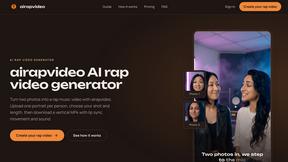
airapvideo
airapvideo turns two portraits into a lip-synced AI rap video on a shared stage. Pick framing and length, get a 9:16 MP4 for TikTok, Reels, and Shorts
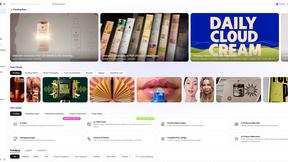
Rhinobird
AI video ads, UGC-style videos, and product visuals for cross-border sellers and e-commerce brands.
GenX
All-in-one AI workspace to generate images, videos, and audio with multiple leading AI models.
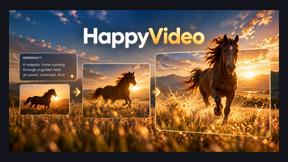
Happy Horse AI Video
Use HappyVideo as a Happy Horse AI style AI video generator for text-to-video, image-to-video, native audio, and multi-shot video creation.
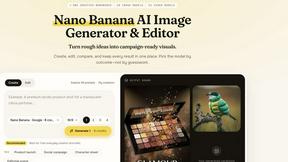
Nano AI
Create and edit AI images, generate videos, and compare models in one creative workbench.
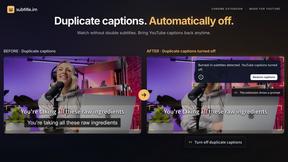
subtitle.im
Chrome extension for existing YouTube captions. Local OCR helps handle duplicates by your settings. Free 10-video trial; optional Pro.

Genjutsu AI
AI video-to-video: Motion Transfer & Object Swap. Preview the credit cost, pay once. No subscription.
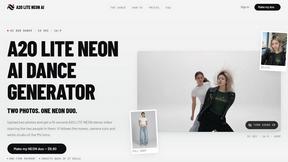
A2O LITE NEON AI
Upload two photos and get a 15-second AI video of those two people doing the A2O LITE NEON intro.