

Alternatives to JustPDF
JustPDF is a private, browser-based toolkit offering 17 essential tools to edit and convert your PDFs completely offline.
Explore 20 alternatives to JustPDF. Compare features, pricing, and find the best fit for your needs.

Panzoe
Panzoe is an all-in-one AI platform for personal productivity, business automation, AI assistants, content creation, and custom AI solutions.
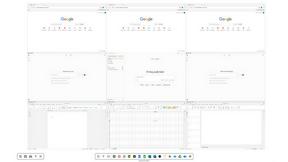
Novastart
Novastart brings apps and files onto an infinite canvas where people and AI agents can work together.

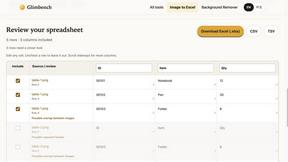
Glimbench
Remove backgrounds, convert table screenshots to Excel, and batch-convert HEIC to JPG. Free, no sign-up.
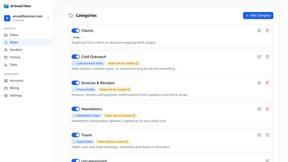
AI Email Filter
AI Email Filter sorts incoming mail into folders using plain-language prompts you write. Works with any IMAP mailbox; bring your own LLM if you want.
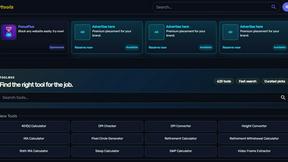
Kody Tools
Free collection of online developer utilities, code formatters, and digital converters designed to streamline your daily workflow.
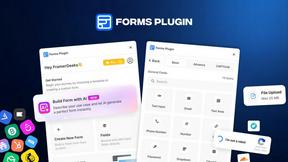
Forms Plugin
The #1 Native Form Builder Plugin for Framer - No Code, No Embeds, No External Platforms.

HomeAnswerBook
Practical, independent guides to home repairs, maintenance, costs, troubleshooting, and everyday fixes.
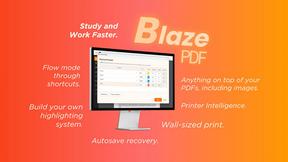
BlazePDF
Highlight faster. Study in flow with custom shortcuts and a workflow built around you. Print smarter, or turn any page into a tiled poster.

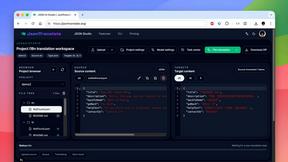
JsonTranslate
A json translater for translating JSON, Markdown, and TXT files while preserving keys, nested paths, and project structure.
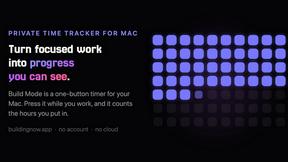
Build Mode for Mac
Build Mode is a Mac app that turns focused sessions into visible progress, so you can see the work adding up before the results arrive.



VidRush AI
AI-powered long video generator. Turn text, images, audio and video into long, production-ready AI videos.

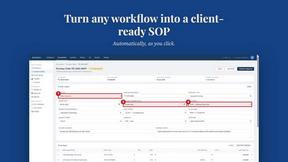
MySOP.guru
Capture any workflow in your browser and export a branded, step-by-step SOP with screenshots. €5 per document, no subscription.
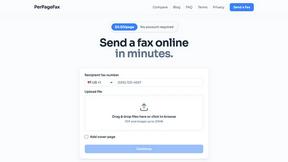
PerPageFax
PerPageFax lets you send a fax online from any browser for a flat $0.50 per page — no account, no subscription, no fax machine.

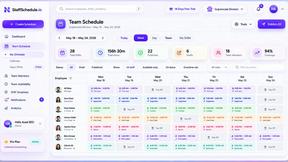
Staff Scheduling
Staff scheduling software that helps businesses create shifts, manage teams, track availability, and simplify workforce management.
About JustPDF Alternatives
JustPDF is a privacy-first PDF toolkit that redefines the category of online document productivity. It operates on a fundamentally different principle than most web-based services by executing all PDF operations—from merging and compression to format conversion—directly within your browser using client-side technology. This places it in a unique niche for users who prioritize data security and local processing over the convenience of cloud-based workflows. Users often explore alternatives to any software solution to find a better fit for their specific needs. Common reasons include seeking different pricing models, such as one-time purchases versus subscriptions, requiring a broader or more specialized set of features, or needing software that works on a specific operating system like desktop or mobile. When evaluating other options, it’s crucial to look beyond just the feature list. Consider where your files are processed, the transparency of the privacy policy, the long-term cost, and whether the tool integrates smoothly into your existing workflow without compromising on security or ease of use.
FAQs about JustPDF Alternatives
What is JustPDF?
JustPDF is a privacy-first, professional-grade PDF toolkit that provides 17 different tools for managing PDF documents. Its core differentiator is that all file processing happens locally in your web browser using JavaScript and WebAssembly. This means your documents are never uploaded to a remote server, offering a significant security advantage over traditional online PDF services. The toolkit includes essential functions like merge, split, compress, convert, and even AI-powered features like Chat with PDF.
Who is JustPDF for?
JustPDF is ideally suited for students, professionals, and organizations that handle sensitive documents and require absolute privacy. Its FERPA compliance makes it an excellent choice for the education sector. It's also perfect for anyone wary of uploading confidential files to unknown servers, such as legal, financial, or healthcare professionals. Users who need quick, account-free access to reliable PDF tools without long-term commitments will find the free tier particularly valuable.
Is JustPDF free?
Yes, JustPDF offers a robust free tier that requires no account creation and provides access to all 17 tools. This free plan is limited to 3 operations per day. For users with higher volume needs, a Pro subscription is available starting at $4 per month, which grants unlimited access to all tools. This model allows individuals to test the service thoroughly before committing to a paid plan.
Why choose JustPDF over other online PDF tools?
The primary reason to choose JustPDF is its uncompromising commitment to privacy and security. Unlike most online tools that upload your files to their servers, JustPDF processes everything locally on your device. You can verify this yourself by checking the Network tab in your browser's developer tools—no data transfer occurs. This client-side approach ensures your documents never leave your computer, providing peace of mind when working with sensitive or confidential PDFs.