
JustPDF
JustPDF is a private, browser-based toolkit offering 17 essential tools to edit and convert your PDFs completely offline.
Visit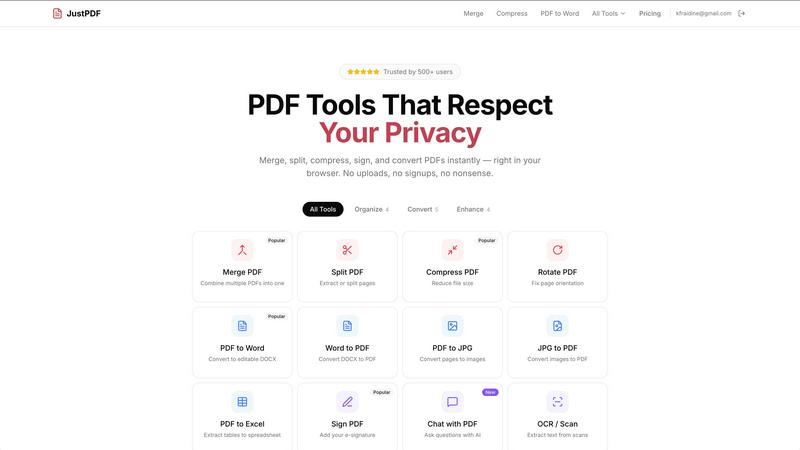
About JustPDF
JustPDF is a modern, privacy-first suite of PDF tools that redefines how users interact with their documents. It provides 17 professional-grade utilities for merging, splitting, compressing, converting, and editing PDFs, all processed entirely within the user's web browser. This core architecture, powered by JavaScript and WebAssembly, ensures that files never leave the user's device, eliminating the security and privacy risks associated with uploading sensitive documents to remote servers. It is designed for professionals, students, legal teams, and anyone who handles confidential information and requires reliable, fast, and secure document processing without compromises. Its value proposition is clear: complete client-side processing, verifiable by checking the browser's Network tab, combined with a frictionless user experience that requires no account for free use. With FERPA compliance for education and a commitment to offline functionality, JustPDF delivers powerful tools with uncompromising privacy.
Features of JustPDF
100% Browser-Based Processing
Every operation, from compressing a large file to converting a PDF to Word, is executed locally on your device using advanced WebAssembly modules. This means your files are never uploaded to any external server. You can verify this privacy guarantee in real-time by opening your browser's Developer Tools and observing zero network activity for your file data during processing.
Comprehensive PDF Tool Suite
JustPDF offers a complete set of 17 tools covering all essential PDF tasks. This includes core organization tools like Merge, Split, and Compress, conversion tools for Word, Excel, JPG, and specialized formats like WebP and HEIC, as well as advanced utilities such as Flatten PDF, Unlock PDF, add e-Signatures, perform OCR/Scan, and even Chat with PDF using AI for document interrogation.
Frictionless Free Tier with Offline Use
Access to all tools begins with a generous free tier that requires no account creation, allowing for 3 operations per day. The entire application is designed to work offline once loaded, ensuring you can manage PDFs anytime, anywhere, without an internet connection. Free usage includes no watermarks, maintaining document professionalism.
AI-Powered Document Interaction
Beyond traditional editing, JustPDF integrates an AI Chat feature that allows users to interact conversationally with their PDF documents. You can ask questions to summarize content, extract specific data, or find information, transforming static documents into queryable sources of knowledge directly within the secure, local environment.
Use Cases of JustPDF
Handling Sensitive Legal or Business Documents
Lawyers, accountants, and business professionals can merge contracts, compress financial reports, or redact information using the PDF to Grayscale tool with absolute confidence. Since files are processed locally and never transmitted, it ensures client confidentiality and compliance with data protection regulations are maintained effortlessly.
Academic and Student Workflow
Students and educators can securely combine research papers, convert lecture slides from PDF to editable Word formats for note-taking, or compress project submissions for email, all while ensuring FERPA compliance. The no-account-required model is perfect for quick, secure use in libraries or classrooms on shared computers.
Personal Document Management
Individuals managing personal records, such as tax forms, scanned IDs, or household contracts, can use JustPDF to organize, sign, and securely compress files for storage or email. The local processing eliminates privacy concerns when dealing with personally identifiable information, and the tools work offline for convenience.
Preparing Digital Content and Submissions
Bloggers, designers, and freelancers can quickly convert images (JPG, WebP, HEIC) into PDF portfolios, flatten interactive PDF forms for printing, or optimize PDFs for web upload by reducing file size. The speed and privacy of browser-based tools streamline content creation workflows without compromising on quality or security.
Frequently Asked Questions
How does JustPDF ensure my files are private?
JustPDF uses a client-side architecture. All processing is done by your own computer's browser using JavaScript and WebAssembly. Your PDF file data is never sent over the internet to our or any other servers. You can confirm this by using your browser's Developer Tools (Network tab) and observing that no file data is uploaded during an operation.
Do I need to create an account to use the free tools?
No, an account is not required for the free tier. You can immediately access all 17 tools and perform up to 3 operations per day without signing up. This allows for quick, anonymous, and secure PDF tasks. An account is only needed if you choose to upgrade to a Pro plan for unlimited access.
What is the "Chat with PDF" feature?
This is an AI-powered tool that allows you to interact with your PDF document conversationally. After processing the PDF locally in your browser, you can ask questions in natural language, such as "Summarize this document," "List the key points," or "What is said about topic X?" The AI will analyze the content and provide answers based on your document's text.
What does "Works offline" mean?
It means that once you have loaded the JustPDF website in your browser, the core application and tool engines are cached locally. You can then close your internet connection and still use most tools to process PDFs stored on your device. This is possible because the processing code runs entirely on your machine, not on a remote server that requires a constant connection.
Pricing of JustPDF
JustPDF operates on a freemium model. The free tier provides full access to all 17 tools with a limit of 3 operations per day, requiring no account or sign-up. For unlimited access, the Pro subscription starts at $4 per month. This plan removes daily limits, ensuring uninterrupted productivity for power users, professionals, and organizations needing high-volume PDF processing.
Explore more in this category:
Similar to JustPDF

Panzoe
Panzoe is an all-in-one AI platform for personal productivity, business automation, AI assistants, content creation, and custom AI solutions.
Novastart
Novastart brings apps and files onto an infinite canvas where people and AI agents can work together.

AUTOMATER.ai
A tray helper for every AI coding tool: sessions, alerts and usage in one place
Glimbench
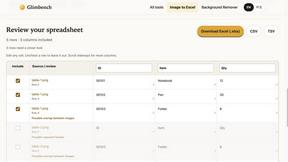
Remove backgrounds, convert table screenshots to Excel, and batch-convert HEIC to JPG. Free, no sign-up.
AI Email Filter
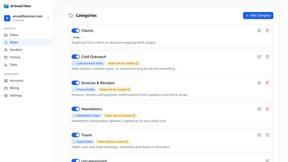
AI Email Filter sorts incoming mail into folders using plain-language prompts you write. Works with any IMAP mailbox; bring your own LLM if you want.
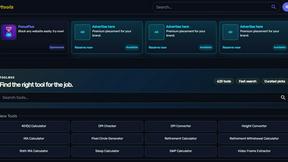
Kody Tools
Free collection of online developer utilities, code formatters, and digital converters designed to streamline your daily workflow.
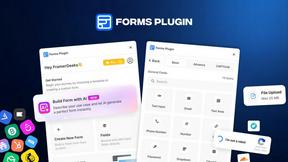
Forms Plugin
The #1 Native Form Builder Plugin for Framer - No Code, No Embeds, No External Platforms.

HomeAnswerBook
Practical, independent guides to home repairs, maintenance, costs, troubleshooting, and everyday fixes.