

Alternatives to Blueberry
Blueberry is an AI-native Mac workspace that unites your editor, terminal, and browser for seamless product development.
Explore 20 alternatives to Blueberry. Compare features, pricing, and find the best fit for your needs.


Sprite Sheet Maker
A free browser-based toolkit for creating, cutting, converting, and previewing sprite sheet animations.

layahost
Moderation, routing, intent and scoring for any text over one Jev-compatible API, hosted in the EU.

laya.tools
Free directory of 950+ projects built on Laya, the open-source model that turns text into typed decisions. Ports, SDKs, agents and demos.

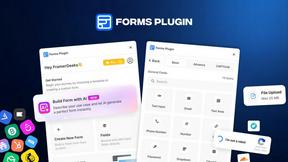
Forms Plugin
The #1 Native Form Builder Plugin for Framer - No Code, No Embeds, No External Platforms.


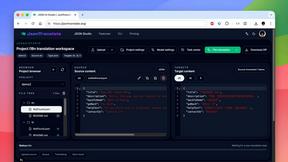
JsonTranslate
A json translater for translating JSON, Markdown, and TXT files while preserving keys, nested paths, and project structure.

AI STL Generator
The fastest AI STL generator to turn prompts and images into 3D printable STL files.

AkraLabs
Where modern software products get discovered, launched, and distributed. Explore verified AI tools, SaaS startups, and developer software.







About Blueberry Alternatives
Blueberry is a macOS application designed for developers, consolidating the essential tools of an editor, terminal, and browser into a single, unified workspace. This category of integrated development environments (IDEs) or workspace tools aims to streamline workflow by reducing context switching between disparate windows. Users often explore alternatives for several practical reasons. These can include platform restrictions, as Blueberry is currently exclusive to macOS, leaving Windows and Linux users seeking comparable solutions. Others may look for different feature integrations, specific pricing models beyond a free beta, or a more established product with a longer development history. When evaluating alternatives, key considerations should be your primary operating system, the specific tools and AI models you need to integrate, and your preferred workflow. The core value lies in finding a solution that effectively minimizes window management overhead and seamlessly connects your coding, command-line, and preview environments without constant manual context sharing.
FAQs about Blueberry Alternatives
What is Blueberry?
Blueberry is a macOS application that combines your code editor, terminal, and web browser into one focused workspace.
Who is Blueberry for?
It is designed for developers seeking a streamlined workflow by unifying their core tools and integrating AI assistants.
Is Blueberry free?
Blueberry is currently in a free beta phase for macOS.
What are the main features of Blueberry?
Its main features are a unified editor-terminal-browser workspace and integration with AI models like Claude or Codex via MCP, allowing them to see your entire context.