
Scribia
Scribia transforms YouTube videos and lectures into summaries, flashcards, editable transcripts, and study notes in one workspace.
Visit
About Scribia
Scribia is an all-in-one AI workflow platform that bridges the gap between video summarization, active learning, and intuitive video creation. It is designed for students, creators, and professionals who want to maximize productivity by transforming how they interact with video content. Scribia goes beyond being a simple YouTube video summarizer; it is a complete toolkit for extracting knowledge and creating polished content. For students, Scribia acts as an AI study assistant that automatically generates quizzes and spaced repetition flashcards from any video, making it a powerful Quizlet alternative with native video support. For creators, Scribia functions as a text-based video editor, allowing users to record their screen and edit video by modifying the text transcript, complete with auto-transcription and smart zoom effects. The platform also supports audio transcription in over 50 languages, developer code translation, and collaborative workspaces. Whether you need to summarize a lengthy lecture, generate active recall study materials, or edit a screen recording by simply editing the text, Scribia consolidates these capabilities into a single, streamlined interface. Its value proposition lies in eliminating the need for multiple disjointed tools, offering a secure, cloud-synced workspace that prioritizes quality and efficiency over complexity.
Features of Scribia
AI Video Summarizer and Text-Based Video Editor
Scribia allows you to summarize YouTube videos and lengthy lectures to extract actionable insights in seconds. Beyond summarization, it doubles as a powerful AI video editor. You can record your screen and then edit the video by directly modifying the auto-generated text transcript. This text-based editing workflow includes smart zoom effects, scene detection, and a Redaction Shield to hide sensitive information from frames. It is the ideal tool for creators who need a fast, efficient way to produce clean video content without traditional timeline editing.
Active Recall Study System with AI
Scribia transforms passive video watching into an interactive learning experience. Its AI study assistant automatically generates multiple-choice quizzes and spaced repetition flashcards directly from any video transcript. This feature makes Scribia a superior alternative to tools like Quizlet, as it supports video content natively. You can chat with your video library, ask questions about specific lectures, search transcript timestamps, and generate custom study sheets. This system is designed to help students master complex subjects in half the time through proven active recall techniques.
Multi-Language Transcription and Translation
Scribia supports audio and video transcription in over 50 languages, making it a global tool for learning and content creation. Once transcribed, you can translate the output into different languages directly within the workspace. This feature is invaluable for international students studying foreign language lectures, creators repurposing content for global audiences, or professionals working with multilingual teams. The translation feature integrates seamlessly with the study assistant, allowing you to generate flashcards and quizzes in your preferred language from any source material.
Scene Detection and PDF Export
Scribia includes intelligent scene detection that automatically identifies chapter breaks within your videos, creating a structured timeline with cuts and splits. This timeline editor allows for precise trimming and scene management. After editing and summarizing, Scribia enables you to export your work as polished PDF study notes. These exports include the video summary, key outline questions, flashcards, and the full transcript in a clean, formatted layout. This feature streamlines the process of creating study-ready documents from hours of video content with a single click.
Use Cases of Scribia
Students Summarizing Lectures and Creating Study Materials
Students can use Scribia to upload recorded lectures or paste YouTube links to course content. The platform instantly summarizes the material and generates interactive quizzes and spaced repetition flashcards. This allows students to focus on understanding concepts during the lecture and then use the AI-generated study tools for effective review. Instead of spending hours manually creating notes and flashcards, students can master complex subjects in half the time, turning passive video consumption into an active learning session.
Creators Editing Screen Recordings by Text
Content creators who produce tutorial videos, software demos, or educational content can record their screen directly within Scribia. The platform auto-transcribes the audio, allowing the creator to edit the final video by simply deleting or rearranging text in the transcript. This text-based editing removes the steep learning curve of traditional video editing software. Combined with smart zoom effects and scene detection, creators can produce professional-looking videos with minimal effort, focusing on the quality of the content rather than the complexity of the editing process.
Professionals Translating and Repurposing Video Content
Professionals working in global teams or with multilingual audiences can use Scribia to transcribe and translate video content. A recorded meeting or presentation in English can be instantly transcribed and translated into French, Spanish, or other languages. The translated transcript can then be used to generate summaries or study notes for non-native speakers. This capability is essential for international collaboration, training, and knowledge sharing, ensuring that language barriers do not impede the flow of information.
Developers Translating Code from Video Tutorials
Scribia offers a unique feature for developers who watch coding tutorials. The platform can translate code snippets shown in a video from one programming language to another. This allows developers to follow a tutorial written in Python, for example, and see the equivalent code in JavaScript or another language. This feature accelerates learning by enabling developers to apply concepts directly to their preferred tech stack without manually translating the code themselves, making it a powerful tool for cross-language development education.
Frequently Asked Questions
How does Scribia generate flashcards and quizzes from a video?
Scribia uses its AI study assistant to analyze the video transcript after it has been processed. The AI identifies key concepts, definitions, and important statements within the text. It then automatically constructs active recall flashcards by pairing questions with their corresponding answers. For quizzes, the AI generates multiple-choice questions based on the same analysis, testing your understanding of the material. This process is fully automatic and requires no manual input from the user beyond providing the video.
Can I edit a video by just changing the text in Scribia?
Yes, Scribia features a text-based video editor. After you record your screen or upload a video, Scribia auto-generates a full transcript. You can edit the video by deleting words or sentences from the transcript. When you delete text, the corresponding video segment is automatically removed. You can also rearrange text blocks to reorder scenes. This approach makes video editing as simple as editing a document, with no need to manually cut clips on a traditional timeline.
Is Scribia a good alternative to Quizlet for studying with videos?
Yes, Scribia is designed to be a superior alternative to Quizlet, especially for video-based learning. While Quizlet primarily focuses on text-based flashcards, Scribia integrates flashcards and quizzes directly with video content. You can paste a YouTube lecture link, and Scribia will automatically generate a study deck from the video's transcript. This allows you to study using active recall and spaced repetition without manually creating cards, making it a more efficient tool for learning from video courses and lectures.
What languages does Scribia support for transcription and translation?
Scribia supports transcription and translation in over 50 languages. This includes major global languages such as English, Spanish, French, German, Chinese, Japanese, and many more. The platform can detect the source language of your video or audio file and transcribe it accurately. After transcription, you can select a target language to translate the output. This feature is integrated throughout the platform, allowing you to generate summaries, flashcards, and quizzes in the translated language as well.
Explore more in this category:
Similar to Scribia
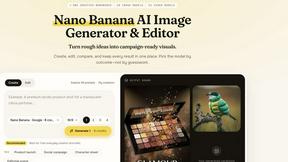
Nano AI
Create and edit AI images, generate videos, and compare models in one creative workbench.
Influence
Connect AI-assisted social post preparation with review & scheduling
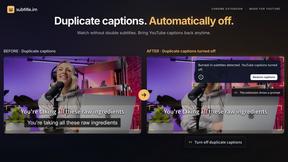
subtitle.im
Chrome extension for existing YouTube captions. Local OCR helps handle duplicates by your settings. Free 10-video trial; optional Pro.
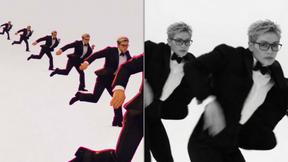
Genjutsu AI
AI video-to-video: Motion Transfer & Object Swap. Preview the credit cost, pay once. No subscription.
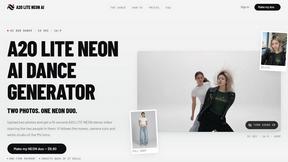
A2O LITE NEON AI
Upload two photos and get a 15-second AI video of those two people doing the A2O LITE NEON intro.
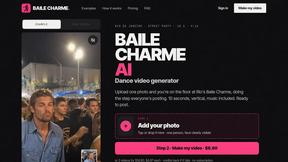
Baile Charme AI
Upload one photo and get a 10-second vertical AI video of you dancing the charme step in Rio.
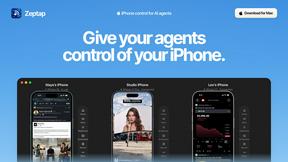
Zeptap
Zeptap lets AI use your real iPhone like you do: open apps, read the screen, tap, swipe and type. Reply to DMs, post Stories, book rides, test apps.
Tip Toe AI
Upload a Dancer photo and a Partner photo and get your own AI Tip Toe barn-dance video. Free 5s preview, 12s HD from $4.90. No subscription.