

Alternatives to Scribia
Scribia transforms YouTube videos and lectures into summaries, flashcards, editable transcripts, and study notes in one workspace.
Explore 20 alternatives to Scribia . Compare features, pricing, and find the best fit for your needs.
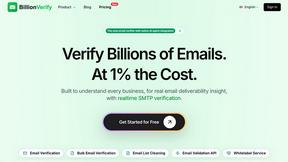
BillionVerify
BillionVerify is a professional email verification service built to solve one problem: bad email data costs businesses money.
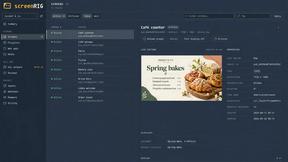
screenRIG
Signage and kiosk infrastructure for AI agents. Your agent publishes images, video, streams, web pages and apps to screens via one plugin.screenRIG is
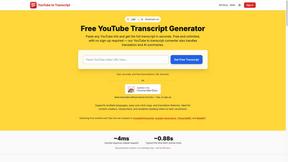
GetYouTubeTranscript
Free YouTube transcripts on the web, a Chrome extension, and an API + MCP server so AI assistants can read YouTube.
layahost
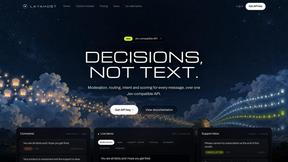
Moderation, routing, intent and scoring for any text over one Jev-compatible API, hosted in the EU.



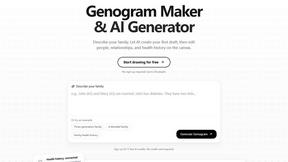
GenogramLab
GenogramLab is an AI-powered online genogram maker that turns family descriptions into editable diagrams, helping you visualize family structures and
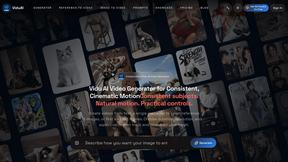
ViduAI
ViduAI creates consistent videos from text, images, references, and first or last frames with Vidu Q3.

Tikdek
An AI video and AI image platform for creating visual content in the browser and scaling production with stable APIs.
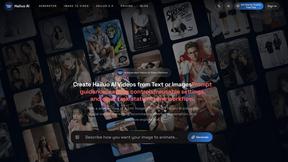
Hailuo AI
Create high-quality Hailuo AI videos from text or images with guided prompts, camera controls, flexible settings, task tracking, and downloadable resu
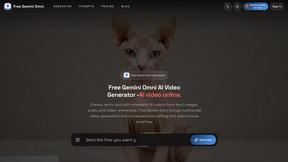
Free Gemini Omni
Create, remix, and edit cinematic AI videos online with Free Gemini Omni using text, image, audio, and video prompts.
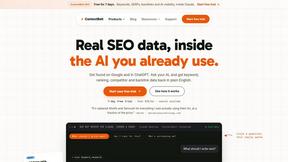
ContextBolt SEO
Research keywords, competitors, backlinks and AI visibility inside Claude or Codex, with findings saved to your SEO dashboard.

About Scribia Alternatives
Scribia is an all-in-one AI workflow platform designed to bridge the gap between video summarization, active learning, and intuitive video creation. It operates at the intersection of AI assistants, video tools, and productivity software, serving students, creators, and professionals who need to extract insights from YouTube videos, generate study materials like flashcards and quizzes, or edit video content directly through text transcripts. While Scribia offers a compelling combination of features, users often seek alternatives due to specific constraints such as pricing models that may not fit a tight budget, a desire for deeper integration with other platforms they already use, or a need for more specialized functionality in one area, like advanced video editing or dedicated note-taking systems. When evaluating an alternative to Scribia, the key is to prioritize which core capability matters most to your workflow. If your primary need is rapid video summarization, look for tools that offer high accuracy across different video lengths and languages. For those focused on active learning, the quality of AI-generated flashcards and the effectiveness of spaced repetition algorithms should be the deciding factor. Creators should assess how seamlessly text-based editing integrates with their existing recording and rendering software. Ultimately, the best choice is one that aligns with your specific use case without forcing you to pay for features you will not use, ensuring a lean and efficient toolset that enhances rather than complicates your productivity.
FAQs about Scribia Alternatives
What is Scribia?
Scribia is an all-in-one AI workflow platform that combines video summarization, active learning, and video editing into a single tool. It allows users to instantly summarize YouTube videos and lectures, automatically generate quizzes and spaced repetition flashcards, and edit videos by manipulating the text transcript. It is designed for students, creators, and professionals seeking to maximize productivity through AI-driven insights and creation.
Who is Scribia for?
Scribia is built for three primary user groups: students who need to summarize lengthy lectures and create study aids like flashcards and quizzes, creators who want to edit videos efficiently by working with text transcripts, and professionals who require quick extraction of actionable insights from video content. It serves as a complete toolkit for anyone looking to bridge the gap between consuming video and actively learning or producing content.
What are the main features of Scribia?
Scribia offers three core features: an AI YouTube video summarizer that extracts key insights in seconds, an AI study assistant that automatically generates quizzes and spaced repetition flashcards from videos, and a text-based video editor that includes screen recording, auto-transcription, and smart zoom effects. These features are integrated into one platform, eliminating the need for multiple separate tools.
Is Scribia secure?
While specific security protocols are not detailed in the provided content, Scribia processes video transcripts and user-generated content within its platform. As a tool handling potentially sensitive lecture material or creative projects, users should review the platform's privacy policy and data handling practices. For most general educational and content creation use cases, it operates with standard industry security measures for cloud-based AI platforms.