

Alternatives to Shrinkpad
Shrinkpad is a native Mac app that batch compresses images and videos locally to save space and time.
Explore 20 alternatives to Shrinkpad. Compare features, pricing, and find the best fit for your needs.
AI Face Swap Video
Swap any face into any video online with AI in minutes. Upload a clip and a photo, get natural lighting and expressions. Free credits on sign-up.

Rumpelstiltskin AI Video Generator
Make the viral Rumpelstiltskin tiptoe dance meme video from two photos
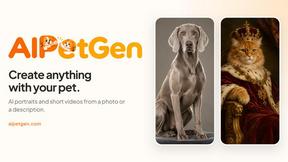
AIPetGen
AIPetGen turns a photo of your dog, cat, or other pet, or a written description, into a new picture or a short animation.

AdsTurbo
Turn winning ads and product links into new video ad variations with AI actors, then translate them into 35+ languages with lip sync.

MyPhotoAI
Turn your selfies into AI headshots and portraits. Get 3 photos for US$5 or every photo from one shoot for US$10. No subscription.

Raindance AI
Turn two authorized portraits into a seaside golden-hour video: a wooden dock, two people taking turns singing, and a slow pullback to the sunset. Pre


Glimbench
Remove backgrounds, convert table screenshots to Excel, and batch-convert HEIC to JPG. Free, no sign-up.
GetYouTubeTranscript
Free YouTube transcripts on the web, a Chrome extension, and an API + MCP server so AI assistants can read YouTube.
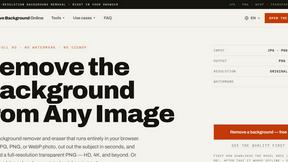
Remove Image Background
Free background remover that runs entirely in your browser — zero uploads, full resolution, no watermark. Your photos never leave your device.
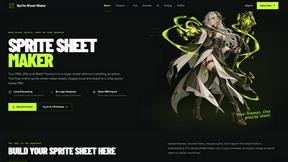
Sprite Sheet Maker
A free browser-based toolkit for creating, cutting, converting, and previewing sprite sheet animations.


Pixolm
Create AI images from prompts and references, then refine them with an AI agent and editing tools in one workspace.

ViduAI
ViduAI creates consistent videos from text, images, references, and first or last frames with Vidu Q3.
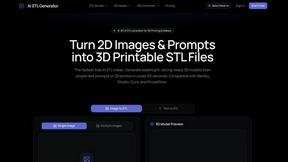
AI STL Generator
The fastest AI STL generator to turn prompts and images into 3D printable STL files.

Tikdek
An AI video and AI image platform for creating visual content in the browser and scaling production with stable APIs.

Ideogram Studio
Ideogram 4 AI workflows for text-perfect logos, posters, ads, packaging, and ecommerce visuals.

About Shrinkpad Alternatives
Shrinkpad is a native macOS application for batch compression of images and videos, a tool in the media optimization category. Users often explore alternatives for various reasons, such as budget constraints, a need for cross-platform availability, or specific feature requirements not covered by a single solution. When evaluating other options, key considerations include the processing method—local versus cloud-based—for speed and privacy, the breadth of supported file formats, and the efficiency of batch handling. The ideal tool balances compression quality with workflow integration, ensuring it meets both technical and practical needs.
FAQs about Shrinkpad Alternatives
What is Shrinkpad?
Shrinkpad is a native Mac app that batch compresses images and videos locally to save disk space and time, handling over 50 formats with significant size reduction.
Who is Shrinkpad for?
It is built for professionals and enthusiasts who value time and privacy, including photographers, designers, content creators, and developers working with media files.
Is Shrinkpad secure?
Yes, Shrinkpad performs all compression locally on your Mac, ensuring complete data privacy as your files never leave your device.
What are the main features of Shrinkpad?
Its core features are local, privacy-first processing, intelligent batch compression for mixed media, and advanced format support with quality control.