

Alternatives to Seedream 5.0 AI
An online AI creative suite for high-resolution image generation, natural-language image editing and Seedance 2.0 videos up to 15 seconds.
Explore 20 alternatives to Seedream 5.0 AI. Compare features, pricing, and find the best fit for your needs.

FoxyLab
FoxyLab creates product videos and banner sets through chat, with browser-based revisions and an API that uses the same studio workflow.

EYROVE
EYROVE helps visual creators explore AI image references and prompt excerpts, then carry selected ideas into a workspace for comparison or generation.

LayerSplit
LayerSplit separates flat images into named, transparent layers and fills the background, helping designers reuse or edit individual elements.
N33 AI
Use a range of AI chat models, web search, document uploads, voice, and image and video generation in one service.
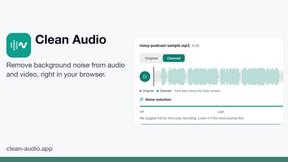
Clean Audio
Clean Audio removes background noise from spoken audio and video in your browser, with on-device processing and adjustable reduction strength.

AmosVid
AmosVid makes script-based whiteboard explainer videos with hand-drawn scenes, voiceover and browser-based editing for educators and creators.

Flux3Max.io
Flux3Max.io makes short videos with sound from prompts, photos, or keyframes, including vertical formats for social clips.

NarraScout
NarraScout reviews UGC scripts, screenplays, and short videos, checking brief requirements and offering focused revision guidance.
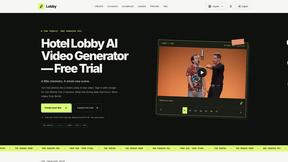
Lobby
Lobby turns two portraits into short AI duo videos, with themed scenes, pet templates, and options for canvas shape and duration.

TokClip
TokClip turns photos into short AI videos based on trending TikTok and Reels formats, using ready-made templates that need no prompts or editing.

AgentFabrica
AgentFabrica combines AI-assisted marketing production and publishing with ad oversight and customer workflows for businesses seeking one workspace.

No Scrubs AI
No Scrubs AI creates a short, music-backed video from your portrait, with optional roles for up to two friends.
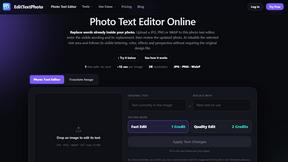
EditTextPhoto
EditTextPhoto uses AI to replace text in flattened photos, with style matching for creators making focused updates to authorized images.

GetAJob.video
Turn a photo or written scene into a vertical AI reaction clip for the “Get a Job” meme, without needing to film.

Cheso
Cheso turns ideas, files and research into editable presentations, posters, videos and interactive web pages.

Zombie Couple
Create a stylized 24-second zombie romance from two adult portraits, using a preset story and landscape video with sound at 480p or 720p.
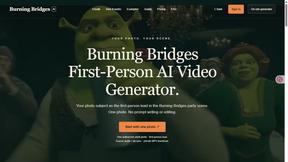
Burning Bridges AI
Generate a first-person Burning Bridges-inspired party video from one authorized adult photo, with no prompt writing and a private MP4 download.
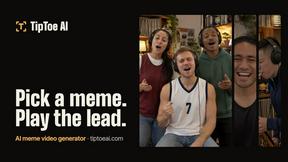
TipToe AI
TipToe AI places people from uploaded photos into prepared meme scenes and returns an AI-generated video to share.
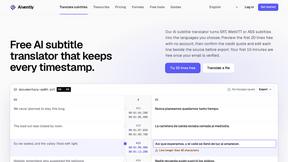
Aivently
Aivently translates timed subtitle files and transcribes audio or video, with advance credit quotes and line-level editing.

Edited Image
Edited Image turns a plain-language instruction into a photo edit, with a free daily edit for creators making quick visual changes.
About Seedream 5.0 AI Alternatives
Compare all-in-one creative platforms with separate tools for image creation, retouching and video. The useful differences are whether edits are prompt-based, the maximum image resolution, supported video duration and audio, and how credits are charged.
FAQs about Seedream 5.0 AI Alternatives
Should I compare image and video features separately?
Yes. The relevant limits differ: compare image resolution and editing controls for stills, then duration and audio for video.
How can I compare usage costs?
Look at the model, resolution and settings that affect credit use, and check whether an estimate appears before generation.