

Alternatives to Seedream 4.0
Seedream 4.0 transforms your ideas into stunning, high-definition images and edits them with a single sentence.
Explore 20 alternatives to Seedream 4.0. Compare features, pricing, and find the best fit for your needs.

LayerSplit
Split a flat image into named, transparent layers with the background filled in. Export PNG files, a ZIP or a layered PSD. Your first split is free.

MakePiecesOfUs
Turn your pet's photos into a private virtual room, daily care, albums and dated memories.
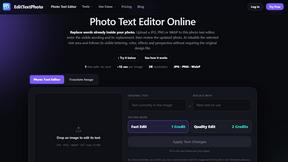
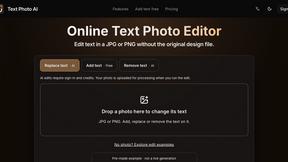
EditTextPhoto
AI-powered image text editor to edit, replace, fix, or translate text in images while preserving the original font, color, size, and style.
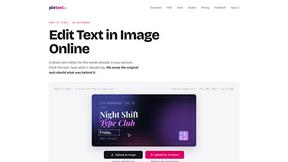
PixText
Free photo text editor: click any text in your image to change or remove it. AI rebuilds the background behind it, with no watermark. Free to start.

Allhere
Upload one photo of each person, even an old black-and-white one, and get them in one family portrait. Free preview.

VirtualTryOn
Try on clothes, glasses, rings, hairstyles, and hair colors on your own photos with AI.

Baby AI Photoshoot
Turns everyday smartphone photos of your baby into studio-quality portraits and videos in about 2 minutes, with 500+ themes.

trykissai
AI kiss generator: add a photo of each person, pick a kiss scene, and get a kiss photo or a 5–7 second clip. 30 free credits.

Pawaime
Pet portraits with you in them: upload one photo of you and one of your pet, pick a scene, get a realistic portrait. 2 free photos.

FaceRater
A free face rater with photo measurements, illustrated reports and personal AI hairstyle concepts.
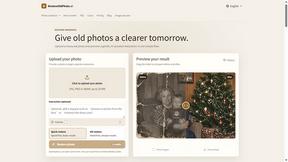
RestoreOldPhoto
Restore old photos with RestoreOldPhoto.ai: repair scratches, creases and fading, sharpen faces and details, and optionally colorize family memories.

Enhance My Photo
Online AI photo enhancer that sharpens portraits, products, scenery, pets and text images and exports JPEG/PNG/WebP without watermarks.
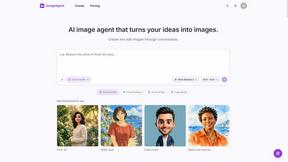
ImageAgent
Create and edit AI images through conversation, using text or reference images and refining results in chat.
AiAgeFilter
Free AI age filter: upload an adult portrait, add 10-40 years, meet your older self. No app needed.
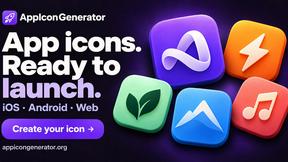
AppIconGenerator
Generate iOS and Android app icons from any image and export all platform sizes for free.

Nano AI
Create and edit AI images, generate videos, and compare models in one creative workbench.
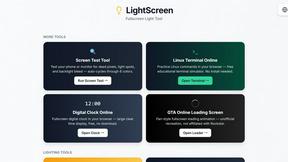
LightScreen
Free light screen tool online. Turn any display into a flashlight, ambient light, or solid-color screen. No download or sign-up.
About Seedream 4.0 Alternatives
Seedream 4.0 is a sophisticated AI image generator and editor, a powerful tool in the visual creation category. It allows users to transform concepts into high-quality visuals and make precise edits through intuitive, instruction-based commands. This all-in-one platform is designed for those who need both generation and advanced editing capabilities in a single workflow. Users often explore alternatives for various practical reasons. These can include budget considerations, specific feature requirements not covered by one tool, or the need for a platform that integrates with different operating systems or existing creative software. The search for the right tool is highly personal and project-dependent. When evaluating other options, consider your core needs. Key factors often include the balance between generation quality and editing precision, the availability of unique styles or custom models, output resolution and speed, and the overall user experience. A selective approach, focusing on tools that excel in your specific areas of priority, will yield the best results.
FAQs about Seedream 4.0 Alternatives
What is Seedream 4.0?
Seedream 4.0 is an advanced AI image generator and editor that transforms concepts into visuals, allowing for both creation and precise modification of images within a unified platform.
Who is Seedream 4.0 for?
It is designed for artists, marketers, and anyone needing high-quality visuals, catering to both individual creators and professionals seeking tools for team collaboration and visual storytelling.
What are the main features of Seedream 4.0?
Key features include multi-image composition for complex visuals, instruction-based editing, a diverse library of professional styles, and knowledge-driven generation for intelligent outputs.
Why choose Seedream 4.0?
It offers an all-in-one workflow for generation and editing, with dramatically improved inference speed, support for up to 4K resolution, and features that streamline professional creative work.