
PixText
Free photo text editor: click any text in your image to change or remove it. AI rebuilds the background behind it, with no watermark. Free to start.
Visit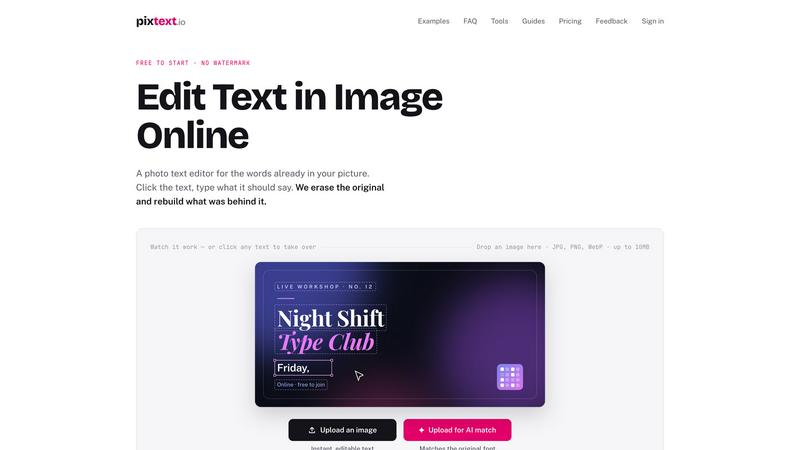
About PixText
Most image editors can only put new text on top of a picture. PixText edits the text that's already in it.
Upload a screenshot, poster, flyer or product photo — every piece of text is detected automatically. Click the words you want to change, type the replacement, and the AI erases the original pixels and reconstructs the background behind them, so the edit looks like it was always there. Font size, colour, position and weight are matched from the original; you can fine-tune everything in the editor, add outlines and shadows, or use the manual brush for anything detection missed.
Typical jobs: fix a typo in a marketing screenshot, change the date on an event poster, update prices on a product image, translate text in a graphic, remove burned-in captions or date stamps, or replace private details with placeholders before sharing a bug report.
Editing and downloading are free, with no daily limit — you just need a free account to download. Signed-in accounts also get one AI match a day, which redraws an edited line in the image's own lettering; AI match packs (from $1.99, one-time) add more. Except for AI match, images are processed in memory, cleared within 24 hours, and never used for training. Text detection works for Latin-script languages and Chinese.
Built for text that sits on a background — which covers most of what people actually want to change.
Explore more in this category:
Similar to PixText
editedimage
Edit clothes, objects or backgrounds in a photo with one sentence. One free edit a day, no signup, your photo is never stored.
White Screen Checker
Check your screen display for dead pixels using White screen or black screen checkers.
Allhere
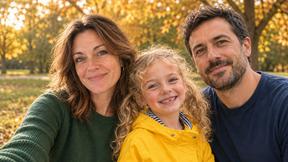
Upload one photo of each person, even an old black-and-white one, and get them in one family portrait. Free preview.
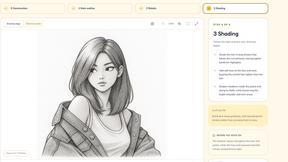
Drawcil
Turn that photo you want into a 4-step drawing lesson.
Goshortsai
Turn photos into AI videos for free with Goshortsai. Sign in daily to get free credits, upload an image, describe motion, and generate your video.
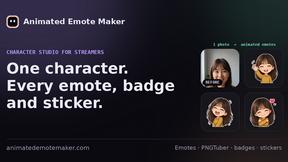
Animated Emote Maker
Turn a selfie or pet photo into animated Twitch & Discord emotes.
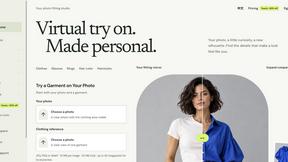
VirtualTryOn
Try on clothes, glasses, rings, hairstyles, and hair colors on your own photos with AI.

Baby AI Photoshoot
Turns everyday smartphone photos of your baby into studio-quality portraits and videos in about 2 minutes, with 500+ themes.