

Alternatives to RemoveTexts
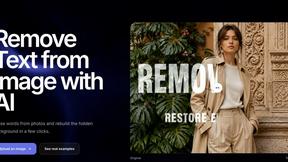
RemoveTexts is an AI tool that instantly removes any text from images without needing Photoshop skills.
Explore 20 alternatives to RemoveTexts. Compare features, pricing, and find the best fit for your needs.
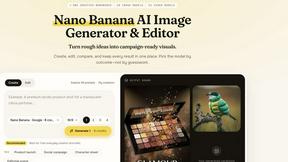
Nano AI
Create and edit AI images, generate videos, and compare models in one creative workbench.
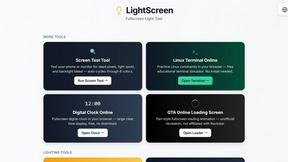
LightScreen
Free light screen tool online. Turn any display into a flashlight, ambient light, or solid-color screen. No download or sign-up.
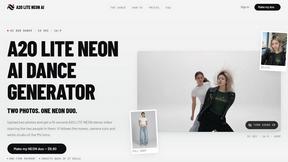
A2O LITE NEON AI
Upload two photos and get a 15-second AI video of those two people doing the A2O LITE NEON intro.
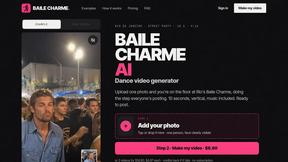
Baile Charme AI
Upload one photo and get a 10-second vertical AI video of you dancing the charme step in Rio.

Tip Toe AI
Upload a Dancer photo and a Partner photo and get your own AI Tip Toe barn-dance video. Free 5s preview, 12s HD from $4.90. No subscription.
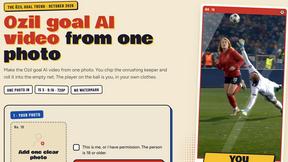
Ozil Goal AI
Make the Ozil goal AI video from one photo. AI puts you in the famous 2016 run. 15s vertical 720p MP4. No watermark. No app. Ready in 4 minutes.

FreeVideoGenerator
Free AI video generator: turn text prompts and photos into video clips with Sora 2, Veo 3.1, Wan and more. Free starter credits, no watermark download
sakuttoAI
A free suite of online tools for everyday tasks like PDF compression, image conversion, text diff and CSV to Excel.
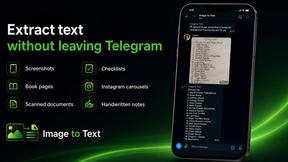
imgtxtapp.laviolab.com
imgtxtapp.laviolab.com is a Telegram-based image-to-text converter that turns photos, screenshots, scanned documents into editable text
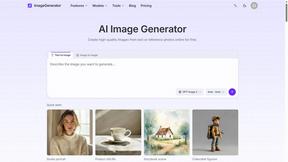
ImageGenerator
Create and edit AI images online with multiple models, text-to-image, image-to-image, background removal, and upscaling.
SightRadar
Face recognition API, a drop-in replacement for AWS Rekognition. Index, search, compare and detect faces, billed per photo with no subscription.
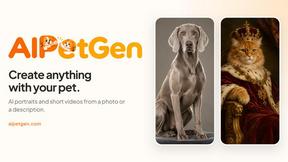
AIPetGen
AIPetGen turns a photo of your dog, cat, or other pet, or a written description, into a new picture or a short animation.

MyPhotoAI
Turn your selfies into AI headshots and portraits. Get 3 photos for US$5 or every photo from one shoot for US$10. No subscription.
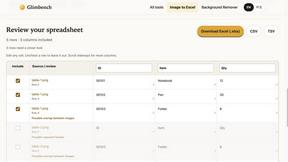
Glimbench
Remove backgrounds, convert table screenshots to Excel, and batch-convert HEIC to JPG. Free, no sign-up.
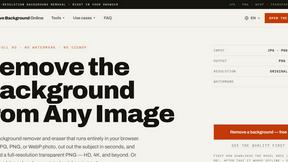
Remove Image Background
Free background remover that runs entirely in your browser — zero uploads, full resolution, no watermark. Your photos never leave your device.
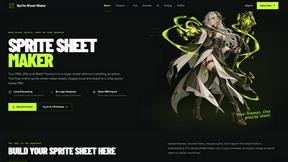
Sprite Sheet Maker
A free browser-based toolkit for creating, cutting, converting, and previewing sprite sheet animations.
About RemoveTexts Alternatives
RemoveTexts is a specialized AI-powered image editing tool designed to quickly and intelligently remove text from any image. It falls into the category of automated photo cleanup and inpainting software, offering a streamlined alternative to complex programs like Photoshop. Users achieve clean results in seconds by simply uploading their image. People often explore alternatives to find a solution that better fits their specific needs. Common reasons include seeking different pricing models, requiring a feature not currently offered, or needing the tool to work on a specific platform or operating system. Some users may also look for a different balance between automated power and manual control. When evaluating other options, consider the core capabilities: the accuracy of the AI in detecting and removing text, the quality of the background reconstruction, and the overall speed. Also, assess the user interface for ease of use, the availability of complementary features like object removal, and whether the tool's output resolution and language support meet your project requirements.
FAQs about RemoveTexts Alternatives
What is RemoveTexts?
RemoveTexts is an AI-powered image editing tool that removes unwanted text, watermarks, and objects from any image with one click, seamlessly reconstructing the background.
Who is RemoveTexts for?
It's designed for creators, marketers, and designers who need to quickly clean screenshots, remove watermarks, or erase unwanted text from images without using Photoshop.
Is RemoveTexts free?
The provided content does not specify pricing, but it highlights that the tool is used by over 100,000 professionals worldwide.
What are the main features of RemoveTexts?
Key features include Paint to Remove for precision, Auto Remove All text, Edit & Replace Text, object removal, and support for over 50 languages with 4K output quality.