

Alternatives to RecordFlow
RecordFlow automatically backs up Zoom cloud recordings to Google Drive and can delete them from Zoom to free storage.
Explore 20 alternatives to RecordFlow. Compare features, pricing, and find the best fit for your needs.
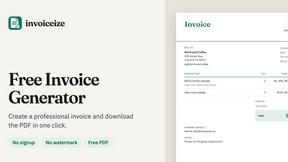
Invoiceize
Free invoice generator for freelancers and small businesses. Create invoices, receipts, quotes and pay stubs, then export PDF.
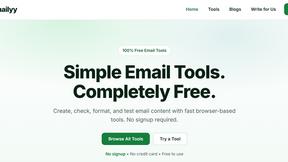
Emailyy
Free email tools for signatures, subject lines, HTML previews, word counts, and email headers. Browser-based, simple to use, and no signup required.

Uniclip
Clip pages, take full-page screenshots and batch-capture list data to Notion, Feishu, Obsidian, Markdown, CSV or JSON.
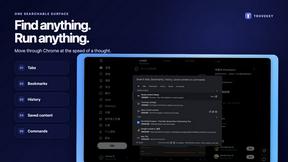
TroveKey
Search tabs, Chrome bookmarks and history, run browser commands, and save webpages and social posts locally—no account.
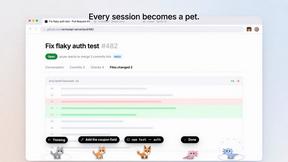
Agent Pets
Your Claude Code & Codex sessions as pets in Chrome. Approve, deny and reply to your coding agents from any tab.
LightScreen
Free light screen tool online. Turn any display into a flashlight, ambient light, or solid-color screen. No download or sign-up.
Screen Issues
Free Online Screen Test Tool - Instantly diagnose dead pixels, lines, color issues, and flickering. Multiple test modes, no download needed.
Context Board
Context Board brings your numbers, docs, clients, content and day into one workspace that Claude and Codex can read and update.
Zeptap
Zeptap lets AI use your real iPhone like you do: open apps, read the screen, tap, swipe and type. Reply to DMs, post Stories, book rides, test apps.

@fuck.it - email with attitude
Private email. Pure. Secure. Exclusive. No ads, no tracking, no data selling. GDPR compliant, EU-hosted.
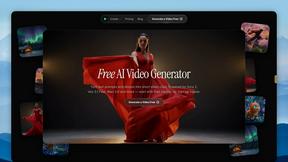
FreeVideoGenerator
Free AI video generator: turn text prompts and photos into video clips with Sora 2, Veo 3.1, Wan and more. Free starter credits, no watermark download
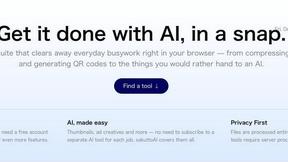
sakuttoAI
A free suite of online tools for everyday tasks like PDF compression, image conversion, text diff and CSV to Excel.

Panzoe
Panzoe is an all-in-one AI platform for personal productivity, business automation, AI assistants, content creation, and custom AI solutions.
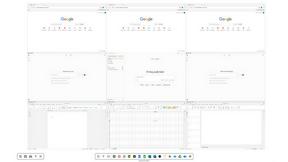
Novastart
Novastart brings apps and files onto an infinite canvas where people and AI agents can work together.
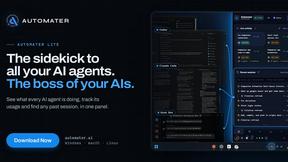
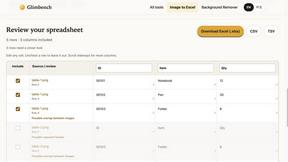
Glimbench
Remove backgrounds, convert table screenshots to Excel, and batch-convert HEIC to JPG. Free, no sign-up.

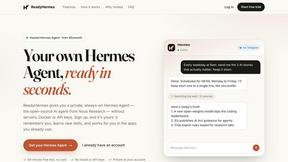
ReadyHermes
Your own hosted Hermes Agent in a minute: memory, self-learning skills, schedules, a real browser and 1,000+ app connections.
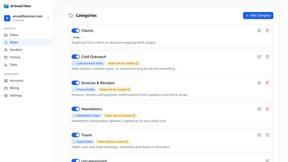
AI Email Filter
AI Email Filter sorts incoming mail into folders using plain-language prompts you write. Works with any IMAP mailbox; bring your own LLM if you want.

About RecordFlow Alternatives
RecordFlow is a specialized automation tool in the productivity and management category, designed to solve a specific pain point: the automatic transfer of Zoom cloud recordings to Google Drive. It eliminates the manual work of downloading, organizing, and re-uploading meeting files, while also offering an optional auto-delete feature to help users reclaim paid Zoom storage space. Because it is a niche utility, users often explore other options when their workflow demands compatibility with a different cloud provider, such as Dropbox or OneDrive, or when they require more granular control over file naming conventions and folder structures beyond what RecordFlow offers. When evaluating an alternative, the primary considerations should be the breadth of cloud storage integrations, the reliability of the transfer logic, and the depth of file type support. Look for a solution that handles large video files without choking, offers robust deduplication to prevent redundant copies, and provides transparent security protocols like OAuth 2.0 and encryption. The best alternative will feel invisible in your workflow, requiring minimal setup and then performing its function consistently without requiring ongoing attention or manual intervention. The goal is to find a tool that matches your specific ecosystem and storage habits while maintaining the same "set it and forget it" reliability that makes automation truly valuable.
FAQs about RecordFlow Alternatives
What is RecordFlow?
RecordFlow is a productivity tool that automatically backs up Zoom cloud recordings to Google Drive the moment a meeting ends. It also performs a one-time backfill of recordings from the past two years, organizing files by year and date. The service requires a 60-second setup and then runs automatically without further user intervention.
Who is RecordFlow for?
RecordFlow is designed for professionals who rely heavily on Zoom recordings and cannot afford to lose them. This includes coaches, consultants, therapists, professors, and small teams who need a reliable, hands-off archiving solution. It is particularly useful for users who want to free up paid Zoom storage without risking data loss.
Is RecordFlow free?
The provided content does not specify whether RecordFlow is free or paid. However, it emphasizes cost savings by helping users avoid paying for unnecessary Zoom storage. For specific pricing details, users should visit the official RecordFlow website or contact their support team.
What are the main features of RecordFlow?
Key features include automatic syncing of video (MP4), audio (M4A), transcripts (VTT and formatted Google Doc), and chat logs to Google Drive. It offers optional auto-delete of Zoom recordings on a safe delay after Drive verification. The system uses chunked transfers for large files, smart deduplication, automatic retries, and streams recordings directly to Drive without storing them on RecordFlow servers.