

Alternatives to Photo3D
Photo3D turns images into GLB-ready 3D drafts for browser previews and practical file preparation.
Explore 20 alternatives to Photo3D. Compare features, pricing, and find the best fit for your needs.
Manifolds
Manifolds deanonymizes and researches your users at signup, so you can know who your users actually are.

Enhance My Photo
Online AI photo enhancer that sharpens portraits, products, scenery, pets and text images and exports JPEG/PNG/WebP without watermarks.
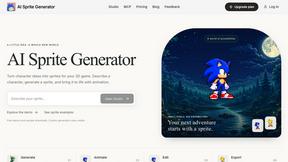
AI Sprite Generator
Create pixel-art game characters in the browser: generate a sprite, animate it, edit pixels, and export PNG or sprite sheets.
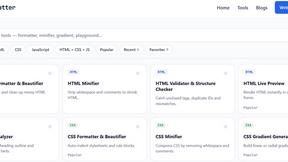
JoMatter
Jomatter provides free online tools for HTML, CSS, and JavaScript developers, helping simplify common web development and coding tasks.
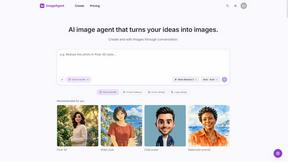
ImageAgent
Create and edit AI images through conversation, using text or reference images and refining results in chat.
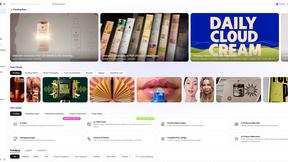
Rhinobird
AI video ads, UGC-style videos, and product visuals for cross-border sellers and e-commerce brands.

GenX
All-in-one AI workspace to generate images, videos, and audio with multiple leading AI models.
AiAgeFilter
Free AI age filter: upload an adult portrait, add 10-40 years, meet your older self. No app needed.
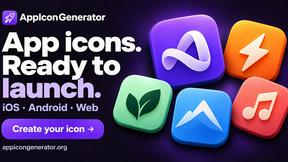
AppIconGenerator
Generate iOS and Android app icons from any image and export all platform sizes for free.
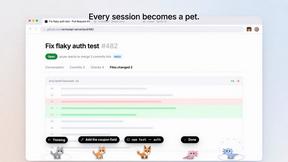
Agent Pets
Your Claude Code & Codex sessions as pets in Chrome. Approve, deny and reply to your coding agents from any tab.
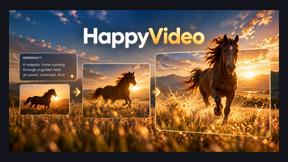
Happy Horse AI Video
Use HappyVideo as a Happy Horse AI style AI video generator for text-to-video, image-to-video, native audio, and multi-shot video creation.

Design.com AI Image Generator
Turn text prompts into polished, copyright-safe visuals that plug directly into branded templates
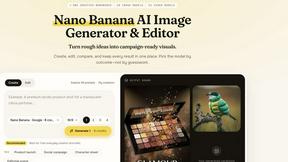
Nano AI
Create and edit AI images, generate videos, and compare models in one creative workbench.
LightScreen
Free light screen tool online. Turn any display into a flashlight, ambient light, or solid-color screen. No download or sign-up.
Screen Issues
Free Online Screen Test Tool - Instantly diagnose dead pixels, lines, color issues, and flickering. Multiple test modes, no download needed.
Budgetpixel AI
Create and edit AI images, videos, music, and designs in one workspace, with multiple models, reusable characters, and API access.
About Photo3D Alternatives
Photo3D is a specialized AI-powered workspace that transforms reference photos into reviewable 3D asset drafts, positioning itself at the intersection of design tools, image generation, and developer utilities. It streamlines the journey from 2D imagery to practical 3D files, offering browser-based GLB previews, asset inspection, and model comparison tools for creators and product teams. Users often explore alternatives due to specific needs such as more flexible pricing tiers, deeper integration with existing 3D pipelines, platform compatibility requirements, or a desire for more advanced mesh editing and texturing capabilities beyond the draft stage. When evaluating an alternative to Photo3D, the focus should be on workflow efficiency and output quality rather than feature quantity. Look for tools that offer seamless image-to-3D conversion with minimal manual cleanup, robust file format support beyond GLB, and reliable preview and collaboration features. Consider whether the tool prioritizes speed and accessibility for rapid prototyping or provides deeper control for production-ready assets. The best choice will align with your team's technical expertise, the complexity of your projects, and whether you need a lightweight drafting tool or a more comprehensive 3D creation suite.
FAQs about Photo3D Alternatives
What is Photo3D?
Photo3D is an AI-powered photo-to-3D workspace that helps creators, developers, and product teams turn reference photos into reviewable 3D asset drafts. It supports image-to-3D generation workflows, browser-based GLB preview, asset inspection, model comparison, and file preparation tools. The platform is designed to help teams move from images toward usable 3D assets with less setup and technical overhead.
Who is Photo3D for?
Photo3D is built for creators, developers, and product teams who need to quickly generate and review 3D asset drafts from reference photos. It is particularly suitable for professionals working in e-commerce, game development, product design, and augmented reality who require practical 3D file preparation without complex software setups. The tool serves as a bridge between initial photography and usable 3D assets.
What are the main features of Photo3D?
Photo3D offers image-to-3D generation workflows that convert reference photos into 3D asset drafts, along with browser-based GLB previews for immediate visual feedback. It includes asset inspection and model comparison tools to evaluate and refine drafts, plus file preparation utilities that help teams prepare assets for further development or deployment. The platform focuses on practical, reviewable outputs rather than final production-ready models.
Is Photo3D free?
Based on the available product information, Photo3D is described as a workspace tool that likely offers tiered pricing or usage-based access, though specific free tier details are not explicitly stated in the provided content. Users should check the official Photo3D website for the most current pricing plans, trial options, and any free usage allowances. The tool is positioned as a practical solution for teams, suggesting it may have both free and paid options depending on usage volume.