

Alternatives to hiFred
hiFred turns product discovery into actionable alignment with one click, connecting your Jira, GitHub, or Microsoft tools to multiply output tenfold.
Explore 20 alternatives to hiFred. Compare features, pricing, and find the best fit for your needs.


GigUp
GigUp helps freelancers discover relevant Upwork jobs through AI matching, automated monitoring, and instant alerts.

Safe Outreach
AI-powered platform that evaluates the safety of LinkedIn automation tools and helps reduce the risk of account restrictions.

How Long How Many Tool
Timers and hourly checks to figure how out long until a certain time or how many days away.

ConnectMachine
Still handing out paper business cards? ConnectMachine is a free digital business card that saves straight into the other person's contacts.

ButterShare
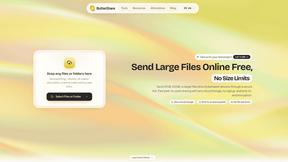
Realtime peer-to-peer file transfer in the browser. Send files directly between devices, no account and no upload to a server.
Invoiceize
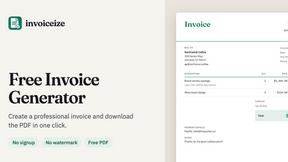
Free invoice generator for freelancers and small businesses. Create invoices, receipts, quotes and pay stubs, then export PDF.

Emailyy
Free email tools for signatures, subject lines, HTML previews, word counts, and email headers. Browser-based, simple to use, and no signup required.

Uniclip
Clip pages, take full-page screenshots and batch-capture list data to Notion, Feishu, Obsidian, Markdown, CSV or JSON.
TroveKey
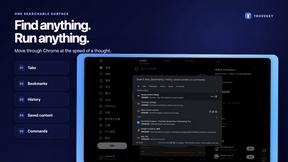
Search tabs, Chrome bookmarks and history, run browser commands, and save webpages and social posts locally—no account.
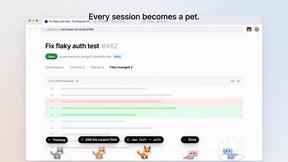
Agent Pets
Your Claude Code & Codex sessions as pets in Chrome. Approve, deny and reply to your coding agents from any tab.
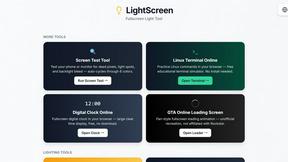
LightScreen
Free light screen tool online. Turn any display into a flashlight, ambient light, or solid-color screen. No download or sign-up.

Screen Issues
Free Online Screen Test Tool - Instantly diagnose dead pixels, lines, color issues, and flickering. Multiple test modes, no download needed.

Context Board
Context Board brings your numbers, docs, clients, content and day into one workspace that Claude and Codex can read and update.
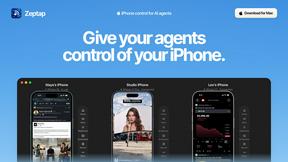
Zeptap
Zeptap lets AI use your real iPhone like you do: open apps, read the screen, tap, swipe and type. Reply to DMs, post Stories, book rides, test apps.

@fuck.it - email with attitude
Private email. Pure. Secure. Exclusive. No ads, no tracking, no data selling. GDPR compliant, EU-hosted.

FreeVideoGenerator
Free AI video generator: turn text prompts and photos into video clips with Sora 2, Veo 3.1, Wan and more. Free starter credits, no watermark download
About hiFred Alternatives
hiFred is an AI-powered copilot built specifically for Product Managers, designed to streamline the entire product management workflow from initial discovery through to team alignment. It falls within the Productivity and Management category, offering tools like Live Specs that evolve with decisions, automated handoffs to engineering, and seamless integration with platforms like Jira, Linear, and Slack. Users often explore alternatives due to specific pricing constraints, a need for different integration ecosystems, or a preference for a more lightweight or more specialized tool that focuses on only one stage of the PM process rather than the full lifecycle. When evaluating an alternative, it is critical to assess how well the tool supports your team’s existing workflow without requiring a full migration. Look for solutions that offer similar connectivity to your current stack, maintain model-agnostic flexibility, and prioritize real-time collaboration to prevent documentation from becoming stale. The best choice will balance feature depth with simplicity, ensuring your team spends less time on coordination and more on strategic decision-making, while still providing frictionless handoffs and automatic sync across cross-functional groups.
FAQs about hiFred Alternatives
What is hiFred?
hiFred is an AI copilot designed specifically for Product Managers to streamline the entire product management workflow. It covers every stage from discovery and spec writing to engineering handoff and team alignment, helping PMs spend less time on coordination and more on strategy. A key feature is Live Specs, which are PRDs that evolve with every decision and conversation, ensuring documentation never goes stale.
Who is hiFred for?
hiFred is built by product people for Product Managers, making it ideal for individual PMs and product teams looking to reduce administrative overhead. It is particularly valuable for cross-functional teams that need to stay in sync automatically across engineering, design, and leadership. The tool is designed for any PM who wants frictionless handoffs and a single source of truth for evolving product requirements.
What are the main features of hiFred?
hiFred’s standout feature is Live Specs, which are dynamic PRDs that update based on decisions and conversations rather than becoming stale. It also offers automated engineering handoffs, cross-functional team alignment, and seamless integration with tools like Jira, Linear, Notion, Figma, Slack, and GitHub. Additionally, hiFred is model-agnostic, allowing users to use any LLM or bring their own tokens, and requires no data migration to get started.
Is hiFred secure?
While specific security certifications are not detailed in the provided content, hiFred is built to connect to your existing stack without requiring migration, which implies a focus on data integrity and minimal disruption. The platform is designed for professional use, suggesting it adheres to standard security practices for enterprise tools. For precise security details, including data encryption and compliance standards, users should consult hiFred’s official documentation or privacy policy.