

Alternatives to Easymotion - AI Motion Graphic Generator
Easymotion turns static images, data, or ideas into professional motion graphics and map animations in minutes.
Explore 20 alternatives to Easymotion - AI Motion Graphic Generator. Compare features, pricing, and find the best fit for your needs.

Enhance My Photo
Online AI photo enhancer that sharpens portraits, products, scenery, pets and text images and exports JPEG/PNG/WebP without watermarks.
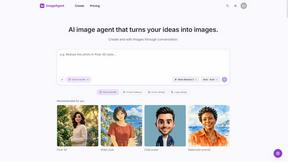
ImageAgent
Create and edit AI images through conversation, using text or reference images and refining results in chat.

Easemic
Free open-source Android comic & manga cloud reader streaming encrypted libraries from S3, WebDAV & OPDS.

Rhinobird
AI video ads, UGC-style videos, and product visuals for cross-border sellers and e-commerce brands.
GenX
All-in-one AI workspace to generate images, videos, and audio with multiple leading AI models.
AiAgeFilter
Free AI age filter: upload an adult portrait, add 10-40 years, meet your older self. No app needed.

AppIconGenerator
Generate iOS and Android app icons from any image and export all platform sizes for free.

Bloom
An adaptive AI tutor that turns topics or your materials into courses, lessons, and answers tailored to how you learn.
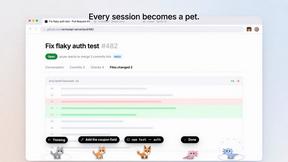
Agent Pets
Your Claude Code & Codex sessions as pets in Chrome. Approve, deny and reply to your coding agents from any tab.

Happy Horse AI Video
Use HappyVideo as a Happy Horse AI style AI video generator for text-to-video, image-to-video, native audio, and multi-shot video creation.

Design.com AI Image Generator
Turn text prompts into polished, copyright-safe visuals that plug directly into branded templates
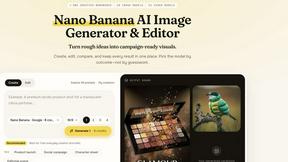
Nano AI
Create and edit AI images, generate videos, and compare models in one creative workbench.

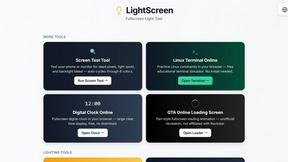
LightScreen
Free light screen tool online. Turn any display into a flashlight, ambient light, or solid-color screen. No download or sign-up.

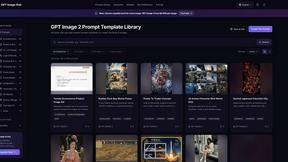
GPT Image Hub
Curated image prompts, reusable templates, and multi-model AI generation in one workspace.
NanoBanana
Generate and edit AI images with six models, references, templates, and a visual workflow canvas.

A2O LITE NEON AI
Upload two photos and get a 15-second AI video of those two people doing the A2O LITE NEON intro.
Baile Charme AI
Upload one photo and get a 10-second vertical AI video of you dancing the charme step in Rio.
About Easymotion - AI Motion Graphic Generator Alternatives
Easymotion is an AI-powered motion graphics and map animation generator designed for content creators, editors, founders, and marketers who need polished animated videos without navigating complex timeline editing software. It falls under the intersection of AI Assistants and Content Creation, specifically focusing on transforming static visuals, prompts, and data into dynamic storytelling assets like product promos, flowcharts, and geographic route animations. Users often seek alternatives due to specific budget constraints, a desire for more granular manual control over keyframes, or the need for deeper integration with existing professional video editing suites. Others may find that their workflow requires specialized 3D capabilities or a different pricing model than what a browser-based, AI-first tool typically offers. When evaluating an alternative, prioritize platforms that align with your specific output needs, such as support for precise map animations or high-end typography in motion design. Look for solutions that offer a balance between AI-assisted generation and manual customization, ensuring you can adjust pacing, color palettes, and transitions without losing creative control. Consider the export flexibility, particularly support for transparent backgrounds and the exact aspect ratios your distribution channels demand, as well as the learning curve involved in achieving consistent, brand-ready results. The best choice will streamline your production pipeline without forcing you to compromise on the quality or uniqueness of your visual storytelling.
FAQs about Easymotion - AI Motion Graphic Generator Alternatives
What is Easymotion - AI Motion Graphic Generator?
Easymotion is an AI motion graphics generator and map animation platform for content creators, editors, founders and marketers. It helps users turn ideas, files, and static visuals into polished animated videos without relying on complex timeline editing. The platform supports motion graphics such as SaaS product promos, flowcharts, animated charts, UI explainers, quizzes, and other visual storytelling formats. It also works as a map animation maker for flight routes, location pins, flag fill highlights, and geographic storytelling visuals.
Who is Easymotion - AI Motion Graphic Generator for?
Easymotion is built for content creators, editors, founders, and marketers who need a faster way to create motion graphics, map animations, and reusable video assets directly in the browser. It is ideal for professionals who want to avoid the steep learning curve of traditional animation software while still producing high-quality, branded video content. The platform is particularly useful for those creating social media content, product marketing materials, client deliverables, and presentations. It serves anyone who needs to transform static visuals, spreadsheets, or PDFs into animation-ready scenes quickly.
Is Easymotion - AI Motion Graphic Generator free?
Based on the provided information, Easymotion operates as a premium service with a template library and advanced AI editing capabilities. While specific pricing tiers are not detailed here, the product is designed for professional use and likely offers a paid subscription model to access its full feature set, including exports in MP4 and MOV formats with transparent backgrounds. Users can typically expect a free trial or limited free tier to test basic functionalities before committing to a plan. For exact pricing details, visiting the official Easymotion website is recommended.
What are the main features of Easymotion - AI Motion Graphic Generator?
The main features include generating motion graphics from prompts, images, spreadsheets, and PDFs, as well as specialized map animation capabilities for flight routes and location pins. Users can edit animations by chatting with the AI to adjust colors, pacing, labels, layout, and visual style without timeline editing. The platform offers a premium template library for starting from proven motion graphics layouts. For export, it supports MP4 and MOV files with transparent backgrounds, and provides aspect ratios including 16:9, 9:16, 1:1, and 4:5 for various social and presentation formats.