

Alternatives to Caption.IM
Caption.im transforms your Mac into a powerful AI assistant, providing real-time audio captions, translations, and summaries for any application.
Explore 20 alternatives to Caption.IM. Compare features, pricing, and find the best fit for your needs.

Safe Outreach
AI-powered platform that evaluates the safety of LinkedIn automation tools and helps reduce the risk of account restrictions.

How Long How Many Tool
Timers and hourly checks to figure how out long until a certain time or how many days away.

ConnectMachine
Still handing out paper business cards? ConnectMachine is a free digital business card that saves straight into the other person's contacts.



ButterShare
Realtime peer-to-peer file transfer in the browser. Send files directly between devices, no account and no upload to a server.
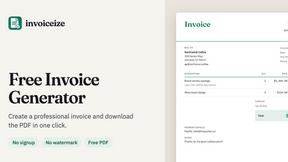
Invoiceize
Free invoice generator for freelancers and small businesses. Create invoices, receipts, quotes and pay stubs, then export PDF.

Emailyy
Free email tools for signatures, subject lines, HTML previews, word counts, and email headers. Browser-based, simple to use, and no signup required.

Uniclip
Clip pages, take full-page screenshots and batch-capture list data to Notion, Feishu, Obsidian, Markdown, CSV or JSON.

TroveKey
Search tabs, Chrome bookmarks and history, run browser commands, and save webpages and social posts locally—no account.

Agent Pets
Your Claude Code & Codex sessions as pets in Chrome. Approve, deny and reply to your coding agents from any tab.

LightScreen
Free light screen tool online. Turn any display into a flashlight, ambient light, or solid-color screen. No download or sign-up.

Screen Issues
Free Online Screen Test Tool - Instantly diagnose dead pixels, lines, color issues, and flickering. Multiple test modes, no download needed.

Context Board
Context Board brings your numbers, docs, clients, content and day into one workspace that Claude and Codex can read and update.

Zeptap
Zeptap lets AI use your real iPhone like you do: open apps, read the screen, tap, swipe and type. Reply to DMs, post Stories, book rides, test apps.

@fuck.it - email with attitude
Private email. Pure. Secure. Exclusive. No ads, no tracking, no data selling. GDPR compliant, EU-hosted.

FreeVideoGenerator
Free AI video generator: turn text prompts and photos into video clips with Sora 2, Veo 3.1, Wan and more. Free starter credits, no watermark download
sakuttoAI
A free suite of online tools for everyday tasks like PDF compression, image conversion, text diff and CSV to Excel.

Panzoe
Panzoe is an all-in-one AI platform for personal productivity, business automation, AI assistants, content creation, and custom AI solutions.
About Caption.IM Alternatives
Caption.IM is an innovative audio-to-captioning tool that leverages AI technology to deliver real-time captions, translations, and summaries directly on your Mac. Positioned in the productivity and management category, Caption.IM is particularly beneficial for users who frequently engage in online meetings, webinars, and various multimedia content. By providing local processing capabilities, it ensures that user privacy is prioritized while enhancing accessibility and productivity during conversations. Users often seek alternatives to Caption.IM for various reasons, including pricing structures, feature sets, and compatibility with different platforms. When exploring alternatives, it's essential to consider factors such as ease of use, the ability to integrate with existing workflows, and the level of data security offered. Additionally, examining the support for multiple languages and the quality of real-time transcription can help in making an informed decision about which tool best suits your needs.
FAQs about Caption.IM Alternatives
What is Caption.IM?
Caption.IM is a real-time AI captioning assistant designed for macOS that converts audio into live captions, translations, and structured summaries. It functions by capturing system audio directly from your device, making it compatible with various applications such as Zoom, Google Meet, and YouTube. This innovative tool prioritizes user privacy by operating locally without relying on external servers.
Who is Caption.IM for?
Caption.IM is ideal for professionals, educators, and anyone who frequently participates in virtual meetings or consumes multimedia content. It caters to those who need accessible communication tools, such as real-time captioning and translation services, to enhance understanding and engagement. Additionally, it benefits individuals looking to create structured meeting notes and summaries from discussions.
Is Caption.IM free?
Caption.IM is not a free tool; it operates on a pricing model that reflects the features and capabilities it offers. Users can typically explore various subscription options that may include different levels of access to its functionalities. For specific pricing details, it’s advisable to visit the official Caption.IM website.
What are the main features of Caption.IM?
Caption.IM boasts a range of features including real-time captioning, multilingual translation, audio recording, and the ability to create structured notes and summaries. Its local AI processing ensures that users' conversations maintain privacy while enhancing productivity. The platform is designed to work seamlessly across multiple applications, making it a versatile tool for diverse audio needs.