

Alternatives to Browser Notes
Browser Notes keeps your notes, boards, and mind maps local in your browser with no signup or cloud required.
Explore 20 alternatives to Browser Notes. Compare features, pricing, and find the best fit for your needs.

Panzoe
Panzoe is an all-in-one AI platform for personal productivity, business automation, AI assistants, content creation, and custom AI solutions.
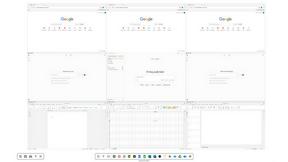
Novastart
Novastart brings apps and files onto an infinite canvas where people and AI agents can work together.

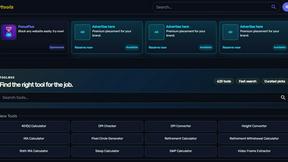
Kody Tools
Free collection of online developer utilities, code formatters, and digital converters designed to streamline your daily workflow.
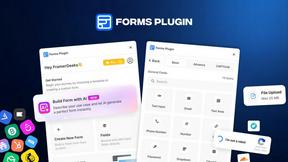
Forms Plugin
The #1 Native Form Builder Plugin for Framer - No Code, No Embeds, No External Platforms.

HomeAnswerBook
Practical, independent guides to home repairs, maintenance, costs, troubleshooting, and everyday fixes.
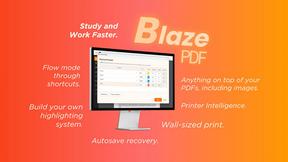
BlazePDF
Highlight faster. Study in flow with custom shortcuts and a workflow built around you. Print smarter, or turn any page into a tiled poster.

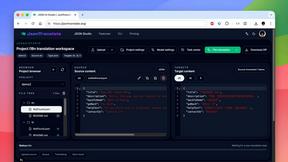
JsonTranslate
A json translater for translating JSON, Markdown, and TXT files while preserving keys, nested paths, and project structure.

Build Mode for Mac
Build Mode is a Mac app that turns focused sessions into visible progress, so you can see the work adding up before the results arrive.



VidRush AI
AI-powered long video generator. Turn text, images, audio and video into long, production-ready AI videos.

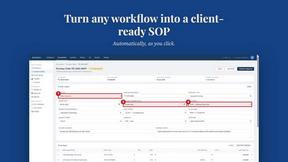
MySOP.guru
Capture any workflow in your browser and export a branded, step-by-step SOP with screenshots. €5 per document, no subscription.

PerPageFax
PerPageFax lets you send a fax online from any browser for a flat $0.50 per page — no account, no subscription, no fax machine.

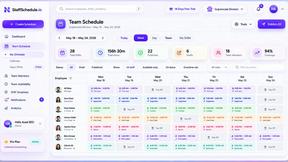
Staff Scheduling
Staff scheduling software that helps businesses create shifts, manage teams, track availability, and simplify workforce management.


About Browser Notes Alternatives
Browser Notes occupies a unique position in the productivity and management category, functioning as a local-first workspace that consolidates notes, sticky notes, and mind maps into a single, private environment. Unlike conventional tools that rely on cloud accounts and constant synchronization, it operates entirely within the browser, ensuring that all data remains offline by default and free from external tracking. Users often seek alternatives due to specific needs such as cross-platform compatibility, team collaboration features, or a desire for more advanced organizational structures like databases or kanban boards. Others may find the browser-only limitation restrictive for their workflow, preferring native applications with deeper system integration or mobile support. When evaluating alternatives to Browser Notes, the primary consideration should be the balance between privacy and functionality. If local-first storage and zero-account usage are non-negotiable, look for tools that offer robust offline capabilities and transparent data handling policies. However, if you require real-time collaboration across devices or more complex project management features, you may need to consider solutions that trade some privacy for cloud-based syncing and shared workspaces. Additionally, assess the longevity and exportability of your data, as some alternatives may lock content into proprietary formats. The best choice ultimately depends on whether your priority is absolute data sovereignty or seamless connectivity with your existing digital ecosystem.
FAQs about Browser Notes Alternatives
What is Browser Notes?
Browser Notes is a local-first productivity tool that combines notes, sticky notes, and mind maps into a single workspace. It operates entirely within your browser, requiring no signup, cloud account, or forced synchronization. All data is stored locally on your device, allowing you to work offline and back up your information whenever you choose.
Who is Browser Notes for?
Browser Notes is designed for individuals who prioritize privacy and simplicity in their note-taking and brainstorming workflows. It is ideal for students, writers, and professionals who want to keep their ideas, to-do lists, and mind maps in one place without relying on cloud services. It is particularly suited for users who prefer a zero-account, no-tracking experience and need a tool that works reliably offline.
Is Browser Notes free?
Browser Notes is free to use with no hidden costs or subscription fees. There are no account requirements, meaning you can start using it immediately without any payment or personal information. The tool is supported by its local-first design, which eliminates the need for server infrastructure or cloud storage costs.
What are the main features of Browser Notes?
The main features include the ability to create and manage notes, sticky notes, and mind maps within a single local-first workspace. It works fully offline, stores all data in your browser, and provides the option to back up your data manually at any time. There is no account setup, no user tracking, and no forced synchronization to external servers, ensuring complete data privacy.