
Best Tech Tools AI tools (17+)
Discover 17+ best tech tools AI tools. Compare features, pricing, and reviews. Free and paid options available.

Z Image Turbo
Z Image Turbo generates stunning 4K images in under one second with multilingual support, all completely free.

Tools26
Tools26 is your all-in-one platform for fast, free, and secure online tools designed for every user and task.

Filerity
Filerity is a fast, secure, and free browser-based file converter for images, documents, audio, and video with no.

TechTrendin
TechTrendin is a curated community platform to launch and grow your tech startup.

WebPageSnap - Professional Web Scraper API
WebPageSnap is a high-performance web scraper API that extracts data from any webpage in JSON or HTML format with ease.

Travel photos ai
Transform your selfies into breathtaking AI travel photos at iconic destinations, perfect for sharing online.

SpeedTestry
SpeedTestry is a free, independent tool that delivers accurate internet speed tests with complete privacy and.

IPCONFIG
IPCONFIG.COM provides global IP lookup and professional ping testing to optimize your network performance.

PlagiarismRemover.AI
PlagiarismRemover.AI instantly rewrites any text into original, undetectable content while preserving your formatting.

Best Boilerplates
Find and compare top SaaS boilerplates to accelerate your project launch with essential features and tech stacks.

audiovideogenerator
Audiovideogenerator creates professional AI videos with synchronized sound effortlessly.
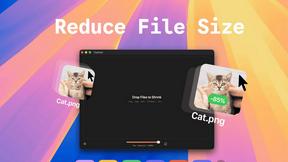
TinyFast
Effortlessly compress images, videos, and PDFs on your Mac while keeping your files private and secure with TinyFast.
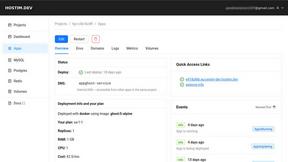
Hostim.dev
Hostim.dev simplifies app deployment with Docker, Git, and Compose on EU bare-metal, featuring built-in databases and...

Submitmysaas
Launch your SaaS, earn a verified badge, and secure 40+ backlinks to elevate your online presence and SEO.

securememo.app
Securememo is an open source, encrypted memo service with no accounts or tracking.

StatementSheet
Convert your PDF bank statements to Excel or CSV instantly and securely.

fusetweet
Save, edit, and repost any Twitter video or tweet for free.
FAQs for Tech Tools
How do the collaboration features enhance productivity in the Tech Tools Category?
The Tech Tools Category enhances productivity through its collaboration features by ensuring seamless communication among team members. These tools enable real-time messaging, shared document access, and integrated calendars, allowing teams to coordinate efficiently, reduce misunderstandings, and maintain momentum on projects. Ultimately, effective collaboration leads to improved outcomes and driving success for businesses.
What automation benefits can be found in the Tech Tools Category?
The automation benefits found in the Tech Tools Category are substantial, allowing businesses to save time and reduce human error. By utilizing tools that automate tasks such as project tracking, email notifications, and data entry, users can focus on high-value activities. This improves overall efficiency, enabling teams to achieve more within tighter timelines while maintaining accuracy and consistency.
In what ways does the Tech Tools Category improve decision-making?
The Tech Tools Category improves decision-making by providing users with access to real-time analytics and reporting tools. By analyzing data trends and performance metrics, organizations can make informed decisions that align with their business goals. This insight-driven approach helps teams identify opportunities and challenges, ensuring they remain agile and responsive in a competitive environment.
What makes the Tech Tools Category unique compared to other digital solutions?
The Tech Tools Category stands out due to its comprehensive approach, offering a wide range of solutions tailored for diverse industries. Its unique features, such as seamless integration capabilities and user-friendly interfaces, ensure that businesses can adopt and implement these tools with minimal disruption. This flexibility allows organizations to customize their tech stack, enhancing their effectiveness and driving innovation.
How does the Tech Tools Category address specific business needs?
The Tech Tools Category effectively addresses specific business needs by offering targeted solutions that cater to various operational challenges. For instance, marketing teams can use analytics tools for campaign tracking, while HR departments may rely on project management platforms for recruitment workflows. This adaptability ensures that users find the right tools to optimize processes, ultimately driving efficiency and success within their organizations.
What user interactions are enhanced by the features of the Tech Tools Category?
User interactions are enhanced by the features of the Tech Tools Category through improved communication and task management capabilities. With integrated chat functionality and project tracking systems, users can collaborate more effectively, providing instant updates and feedback. This fosters a cooperative work environment where team members can engage seamlessly, enhancing their overall productivity and project efficiency.
You may also like
Dating
Explore the Dating Category for AI-powered matchmaking solutions, enhancing your dating experience.
Sports
Explore the Sports Category to enhance athletic performance through AI tools.
Career & Jobs
The Career & Jobs Category is essential for job seekers, providing listings and advice.
Storytelling
The Storytelling Category enhances narrative creation with AI tools, boosting engagement.
Business & Finance
The Business & Finance Category offers essential insights for informed financial decision-making.
Blockchain & Crypto
Blockchain & Crypto Category enables secure transactions and transparency in digital finance.
Development
The Development Category offers essential tools that boost developer productivity and streamline processes for efficient software creation.
Lifestyle & Entertainment
Explore the Lifestyle & Entertainment Category to enhance your leisure activities effectively.