
YouTube to Transcript
Quickly extract and translate accurate transcripts from any YouTube video, 100% free and no signup required.
VisitPublished on:
February 1, 2026
Pricing:

About YouTube to Transcript
YouTube to Transcript is an innovative online tool that enables users to effortlessly convert YouTube videos into accurate, readable text transcripts. Designed for a diverse audience including content creators, students, researchers, and professionals, this utility simplifies the transcription process by allowing users to merely paste a URL into the platform. In seconds, they receive a high-quality transcript of the video's spoken content. The main value proposition lies in its accessibility; the tool is completely free, requires no signup, and supports various languages, making it an ideal choice for anyone looking to extract and repurpose video content efficiently. Whether for academic use, content creation, or language learning, YouTube to Transcript streamlines the transcription process, saving users time and effort.
Features of YouTube to Transcript
Completely Free
YouTube to Transcript offers its services at no cost, ensuring users can access transcripts without any hidden fees or premium tiers. This commitment to being 100% free allows users to utilize the tool without financial constraints, making it accessible to everyone.
Multi-language Support
The platform supports translation into over 125 languages, allowing users from different linguistic backgrounds to extract and understand content. This feature is invaluable for non-native speakers and those working with multilingual content, providing a global reach.
Unlimited Usage
There are no restrictions on the number of transcripts users can generate, nor are there limits on video duration. Whether transcribing short clips or lengthy presentations, users can generate as many transcripts as needed without any hassle.
Clean Formatting
Transcripts can be exported in a clean and organized format, making it easy to repurpose content for SEO, note-taking, or other applications. This feature ensures that users receive a polished text output that maintains the integrity of the original content.
Use Cases of YouTube to Transcript
Content Creation
Content creators can use YouTube to Transcript to generate written versions of their videos, enhancing SEO and providing additional resources for their audience. This allows them to reach wider audiences by making their content more accessible.
Academic Research
Students and researchers can benefit from the tool by extracting transcripts from educational videos and lectures. This facilitates easier note-taking and information retrieval, enhancing the learning experience and aiding in study preparations.
Language Learning
For language learners, transcribing videos allows them to follow along with spoken language, improving comprehension and vocabulary. They can also use the transcripts to practice reading and pronunciation, making learning more effective.
Accessibility Compliance
Organizations and individuals can use YouTube to Transcript to ensure their video content is accessible to all, including those with hearing impairments. By providing transcripts, they meet accessibility standards and promote inclusivity.
Frequently Asked Questions
Is YouTube to Transcript free to use?
Yes, YouTube to Transcript is completely free. There are no hidden costs, subscriptions, or premium tiers, allowing users to access the tool without any financial commitment.
How do I get a transcript of a YouTube video?
To obtain a transcript, simply copy the URL of the YouTube video you want to transcribe, paste it into the input field on the YouTube to Transcript website, and click the generate button to receive the transcript instantly.
How long does it take to generate the transcript?
The generation of transcripts is instantaneous. Users can expect to receive their transcripts within seconds after submitting the video URL, making it a quick and efficient process.
Can I download the transcript?
Yes, users have the option to copy the transcript to their clipboard or download it as a TXT file. This feature allows for easy storage and further use of the transcript in various formats.
Similar to YouTube to Transcript
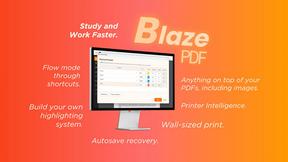
BlazePDF
Highlight faster. Study in flow with custom shortcuts and a workflow built around you. Print smarter, or turn any page into a tiled poster.
ViduAI
ViduAI creates consistent videos from text, images, references, and first or last frames with Vidu Q3.
Tikdek
An AI video and AI image platform for creating visual content in the browser and scaling production with stable APIs.
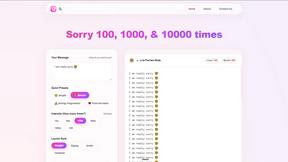
sorry text repeater
Generate bulk "sorry" texts fast — customizable count, style & emojis, ready to copy-paste anywhere.
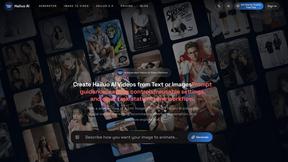
Hailuo AI
Create high-quality Hailuo AI videos from text or images with guided prompts, camera controls, flexible settings, task tracking, and downloadable resu
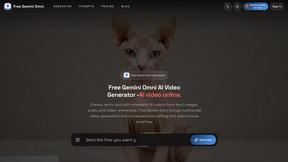
Free Gemini Omni
Create, remix, and edit cinematic AI videos online with Free Gemini Omni using text, image, audio, and video prompts.
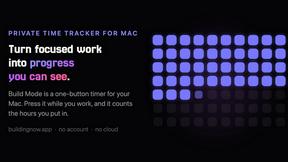
Build Mode for Mac
Build Mode is a Mac app that turns focused sessions into visible progress, so you can see the work adding up before the results arrive.
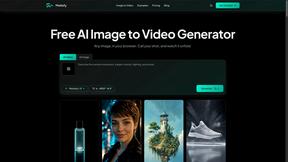
Motiofy
Motiofy is an AI creative workspace that helps creators and teams turn ideas into polished visual stories.