

Alternatives to Seedream AI Studio
Create stunning images with Seedream 5.0 and instantly animate your favorites into short videos in one seamless browser workflow.
Explore 20 alternatives to Seedream AI Studio. Compare features, pricing, and find the best fit for your needs.


Pixolm
Create AI images from prompts and references, then refine them with an AI agent and editing tools in one workspace.
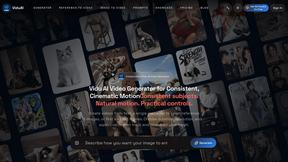
ViduAI
ViduAI creates consistent videos from text, images, references, and first or last frames with Vidu Q3.

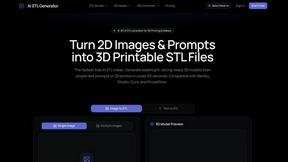
AI STL Generator
The fastest AI STL generator to turn prompts and images into 3D printable STL files.

Tikdek
An AI video and AI image platform for creating visual content in the browser and scaling production with stable APIs.
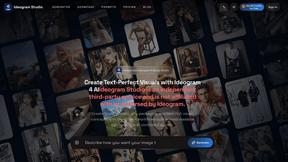
Ideogram Studio
Ideogram 4 AI workflows for text-perfect logos, posters, ads, packaging, and ecommerce visuals.

Hailuo AI
Create high-quality Hailuo AI videos from text or images with guided prompts, camera controls, flexible settings, task tracking, and downloadable resu
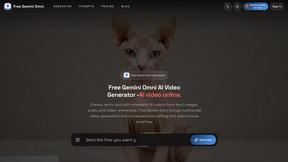
Free Gemini Omni
Create, remix, and edit cinematic AI videos online with Free Gemini Omni using text, image, audio, and video prompts.
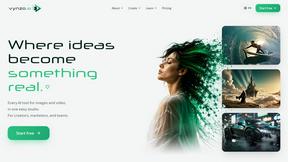
Vynzo
AI image and video studio. Generate from a prompt, animate stills, swap faces, restyle clips and edit — one credit pool, no subscription.
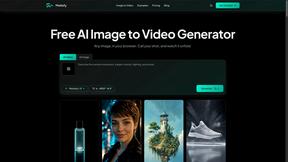
Motiofy
Motiofy is an AI creative workspace that helps creators and teams turn ideas into polished visual stories.

RunwayAI
Independent AI video generator for text and image workflows with practical controls and API access.

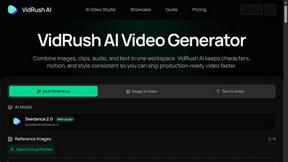
VidRush AI
AI-powered long video generator. Turn text, images, audio and video into long, production-ready AI videos.
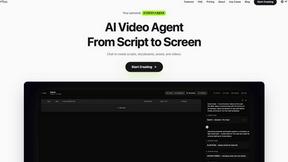
Pixo
Pixo is an AI video director that turns a prompt or script into a storyboard, consistent scenes, voiceover, and an edited final cut.
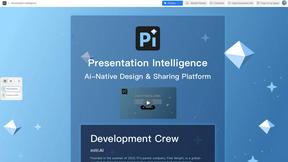
Presentation Intelligence
AI-native presentation and visual content platform that turns prompts, documents, images, videos, and data into polished, shareable decks.

HomeShoot AI
Turn 3-6 phone photos into a themed studio photoshoot: baby, maternity & Indian festivals. Free watermarked preview, pay Rs199 only if you love it.

ProfileLoom
ProfileLoom turns one photo into platform-ready AI portraits for professional, social, and creator profiles, with presets and built-in editing.
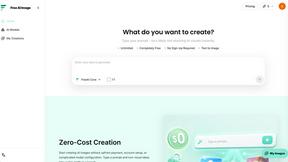
Free AI Image
Free AI Image is a free text-to-image AI generator for creating clean visual drafts from prompts with no sign-up required.
About Seedream AI Studio Alternatives
Seedream AI Studio is a browser-based creative tool that sits at the intersection of image generation and short-form video production, falling squarely within the content creation and design tool categories. It allows users to generate images using various versions of the Seedream model—including 5.0, 5.0 Lite, 4.5, and 4.0—and then seamlessly convert selected results into short videos, all within a single workflow. While its integrated pipeline from prompt to animation is a strong selling point, users often seek alternatives due to specific needs such as different pricing structures, a desire for more granular control over video parameters, or the need for a tool that integrates with a larger ecosystem of design or marketing software. When evaluating alternatives, it is essential to prioritize tools that match your specific creative workflow rather than simply comparing feature lists. Look for platforms that offer comparable model versioning and output comparison capabilities, as this is a core strength of Seedream AI Studio. Additionally, consider the flexibility of the video generation step—some users may require longer clips, different aspect ratios, or more advanced editing options than what a single-browser tool provides. Ultimately, the best alternative will balance ease of use with the depth of customization required for your projects, ensuring that you are not trading one limitation for another.
FAQs about Seedream AI Studio Alternatives
What is Seedream AI Studio?
Seedream AI Studio is an independent, browser-based creative tool designed for generating images using current Seedream models and then turning selected results into short videos. It supports multiple model versions including Seedream 5.0, 5.0 Lite, 4.5, and 4.0, allowing users to compare outputs across versions. The tool provides a single, streamlined workflow from entering a prompt to producing an animated video, making it a specialized solution for visual content creation.
Who is Seedream AI Studio for?
Seedream AI Studio is built for content creators, designers, and digital artists who need to quickly generate high-quality images and then animate them into short videos without switching between multiple applications. It is particularly suited for social media marketers, independent creators, and hobbyists who value a consolidated workflow. The tool's support for multiple model versions also appeals to users who want to experiment with different aesthetic outputs from the same prompt.
Is Seedream AI Studio free?
Yes, Seedream AI Studio offers a free tier that allows users to access its core image generation and video creation features. The free tier provides a practical way to test the tool's capabilities and workflow before committing to any paid plan. For more extensive usage or higher-resolution outputs, users may need to explore the tool's specific pricing tiers, but the free option ensures accessibility for casual creators.
What are the main features of Seedream AI Studio?
The main features include the ability to generate images with Seedream 5.0, 5.0 Lite, 4.5, and 4.0 models, and to compare outputs across these versions side by side. It also allows users to turn selected images into short videos directly within the browser, eliminating the need for separate video editing software. The tool provides a free tier and is designed as a standalone, independent platform that consolidates the entire creative pipeline from prompt to image to animation.