

Alternatives to Imgezy
Imgezy is an AI photo editor that effortlessly removes objects and changes backgrounds for stunning, professional.
Explore 20 alternatives to Imgezy. Compare features, pricing, and find the best fit for your needs.
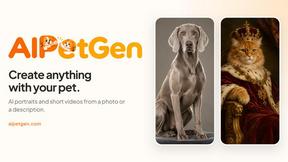
AIPetGen
AIPetGen turns a photo of your dog, cat, or other pet, or a written description, into a new picture or a short animation.

MyPhotoAI
Turn your selfies into AI headshots and portraits. Get 3 photos for US$5 or every photo from one shoot for US$10. No subscription.

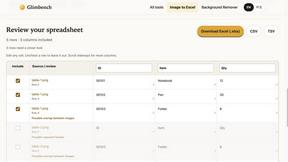
Glimbench
Remove backgrounds, convert table screenshots to Excel, and batch-convert HEIC to JPG. Free, no sign-up.
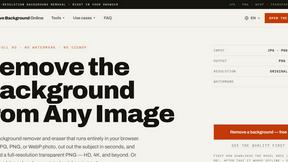
Remove Image Background
Free background remover that runs entirely in your browser — zero uploads, full resolution, no watermark. Your photos never leave your device.
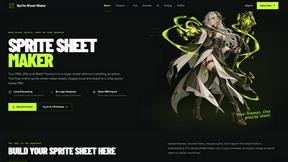
Sprite Sheet Maker
A free browser-based toolkit for creating, cutting, converting, and previewing sprite sheet animations.
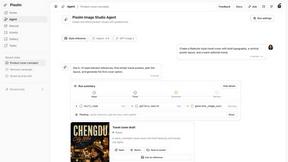
Pixolm
Create AI images from prompts and references, then refine them with an AI agent and editing tools in one workspace.

Ideogram Studio
Ideogram 4 AI workflows for text-perfect logos, posters, ads, packaging, and ecommerce visuals.

HomeShoot AI
Turn 3-6 phone photos into a themed studio photoshoot: baby, maternity & Indian festivals. Free watermarked preview, pay Rs199 only if you love it.

ProfileLoom
ProfileLoom turns one photo into platform-ready AI portraits for professional, social, and creator profiles, with presets and built-in editing.
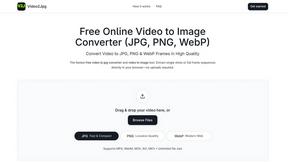
Video2Jpg
Convert video to JPG, PNG, or WebP frames in your browser. High-quality video to image converter with no uploads—fast, private, and free.

Magic Eraser
AI photo editor for removing objects, replacing backgrounds, enhancing images, and creating professional visuals.

AI Image Editor
Free AI image editor that edits, retouches, and transforms photos with natural-language text prompts.

Zanta AI
All-in-one AI studio to generate, edit, and upscale images and videos with leading models in one browser workflow.
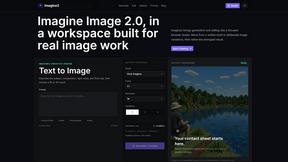
Imagine2
Private browser-based AI image generation and editing with text-to-image, targeted edits, and multi-image references.

Kogashitsuka AI
An online AI image tool that enhances photos and illustrations at their original size or upscales them by 2x or 4x.

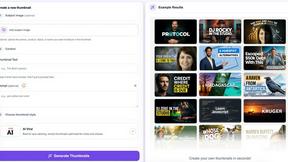
StopScroll
StopScroll helps YouTube creators generate AI thumbnails and improve images for higher-click videos.

HubVanta
HubVanta is a multilingual AI workspace for image, video, audio, and text generation tools.

IsThisAIImage
Ask is this AI image? Free online checker: upload a photo for AI-generated and deepfake scores plus a clear verdict band.
About Imgezy Alternatives
Imgezy is an innovative AI photo editor that simplifies the photo editing process by allowing users to make changes through intuitive text prompts. Designed for individuals ranging from social media influencers to casual photographers, Imgezy empowers users to achieve professional-quality edits without needing extensive technical knowledge. Its features include object removal and background replacement, making it a popular choice in the image and photo editing category. Users often seek alternatives to Imgezy for various reasons, such as pricing, specific feature sets, or compatibility with different platforms. When searching for an alternative, it’s essential to consider factors like ease of use, the range of editing capabilities offered, and the flexibility to integrate with existing workflows. Finding a tool that aligns with both creative vision and practical needs can enhance the overall editing experience.
FAQs about Imgezy Alternatives
What is Imgezy?
Imgezy is an AI-powered photo editor that allows users to edit images by typing simple text commands for tasks like removing objects and changing backgrounds.
Who is Imgezy for?
Imgezy is designed for a diverse audience, including social media creators, e-commerce entrepreneurs, travel bloggers, and casual photographers.
Is Imgezy free?
The specific pricing model for Imgezy is not detailed, but users typically seek alternatives for various pricing options.
What are the main features of Imgezy?
Imgezy's main features include text-prompted editing, flawless AI object removal, and instant background replacement, allowing for quick and easy photo enhancements.