

Alternatives to ImageEditor
ImageEditor is an intuitive AI-powered tool that effortlessly generates, edits, and enhances images directly in your browser.
Explore 20 alternatives to ImageEditor. Compare features, pricing, and find the best fit for your needs.
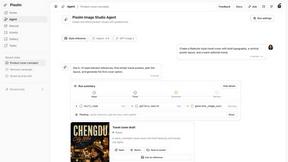
Pixolm
Create AI images from prompts and references, then refine them with an AI agent and editing tools in one workspace.

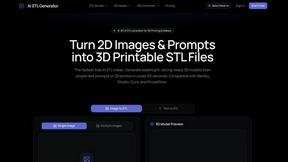
AI STL Generator
The fastest AI STL generator to turn prompts and images into 3D printable STL files.

Tikdek
An AI video and AI image platform for creating visual content in the browser and scaling production with stable APIs.

Ideogram Studio
Ideogram 4 AI workflows for text-perfect logos, posters, ads, packaging, and ecommerce visuals.
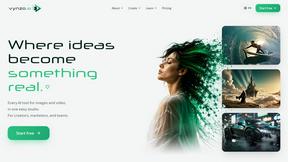
Vynzo
AI image and video studio. Generate from a prompt, animate stills, swap faces, restyle clips and edit — one credit pool, no subscription.
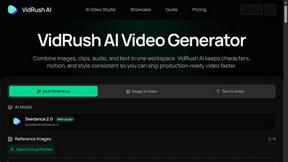
VidRush AI
AI-powered long video generator. Turn text, images, audio and video into long, production-ready AI videos.

HomeShoot AI
Turn 3-6 phone photos into a themed studio photoshoot: baby, maternity & Indian festivals. Free watermarked preview, pay Rs199 only if you love it.

ProfileLoom
ProfileLoom turns one photo into platform-ready AI portraits for professional, social, and creator profiles, with presets and built-in editing.
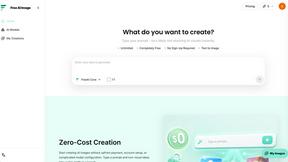
Free AI Image
Free AI Image is a free text-to-image AI generator for creating clean visual drafts from prompts with no sign-up required.
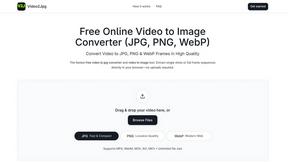
Video2Jpg
Convert video to JPG, PNG, or WebP frames in your browser. High-quality video to image converter with no uploads—fast, private, and free.
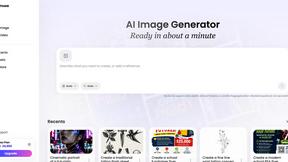
Vismuse
Create polished AI images and videos from prompts or references for social posts, ads, flyers, album covers, and campaigns.

Magic Eraser
AI photo editor for removing objects, replacing backgrounds, enhancing images, and creating professional visuals.

AI Image Editor
Free AI image editor that edits, retouches, and transforms photos with natural-language text prompts.
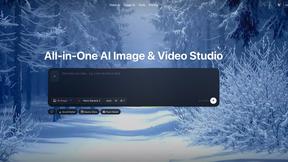
Zanta AI
All-in-one AI studio to generate, edit, and upscale images and videos with leading models in one browser workflow.
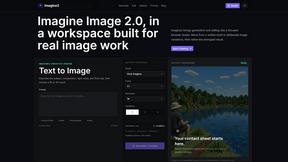
Imagine2
Private browser-based AI image generation and editing with text-to-image, targeted edits, and multi-image references.

Perchance AI Image Generator
Free Perchance AI Image Generator that runs in your browser. Multi-model text-to-image with no account required.Image Generation

Kogashitsuka AI
An online AI image tool that enhances photos and illustrations at their original size or upscales them by 2x or 4x.

Trushot AI
TruShot creates ultra-realistic AI dating photos from just 4 selfies. Generate natural-looking, verification-friendly profile pictures for Tinder, Hin
About ImageEditor Alternatives
ImageEditor.net is an innovative, AI-powered image editing platform that enables users to generate, edit, enhance, and upscale images seamlessly within their web browsers. This all-in-one tool caters to a diverse range of users, including creators, marketers, and designers, by offering a suite of features such as text-to-image generation, background removal, object replacement, style transfer, and high-resolution upscaling. With its focus on providing professional-quality visuals without the complexities associated with traditional editing software, ImageEditor stands out in the realm of online image and photo editing tools. As users explore their options, they often seek alternatives to ImageEditor for various reasons that may include pricing, specific feature requirements, or compatibility with their preferred platforms. When searching for an alternative, it’s essential to evaluate several key factors. Consider the features offered, the user interface's ease of use, the pricing model, and the level of customer support available. Additionally, ensuring that the alternative can meet your specific image editing needs, whether for personal projects or business applications, will help guide your decision in finding the right tool.
FAQs about ImageEditor Alternatives
What is ImageEditor?
ImageEditor is an AI-powered image editing tool that allows users to create, edit, enhance, and upscale images directly in their web browsers. It provides a comprehensive suite of features designed to streamline the image editing process, making it accessible to users without extensive technical skills. The platform supports various functionalities such as text-to-image generation, background removal, and high-resolution upscaling.
Who is ImageEditor for?
ImageEditor caters to a wide range of users, including creators, marketers, designers, and businesses that require high-quality visuals without the need for complex editing software. Whether you're a social media manager looking to create eye-catching graphics or a designer needing quick edits, ImageEditor provides the tools necessary to achieve professional results. Its intuitive interface makes it suitable for both beginners and experienced users alike.
Is ImageEditor free?
ImageEditor offers a variety of pricing plans, including a free tier that allows users to explore basic features. However, for access to advanced functionalities and higher resolution outputs, users may need to consider premium subscription options. This flexible pricing structure ensures that users can find a plan that fits their needs and budget.
What are the main features of ImageEditor?
The main features of ImageEditor include AI-driven text-to-image generation, background removal, object replacement, style transfer, and high-resolution upscaling. These capabilities allow users to create stunning visuals quickly and efficiently. By integrating multiple functionalities into a single platform, ImageEditor simplifies the workflow for users, making it easier to achieve their desired results.