

Alternatives to Gemini Omni
Gemini Omni generates cinematic videos from text, images, and audio in one prompt with native sound and in-chat editing.
Explore 20 alternatives to Gemini Omni. Compare features, pricing, and find the best fit for your needs.
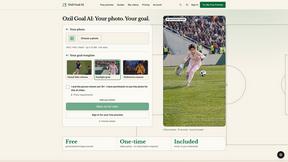
Ozil Goal AI
Photo-to-football videos with included music. One free reference image per verified account; videos use paid one-time credits.

Tip Toeing in My Jordans
Turn a photo into a 12-second AI video of the viral tip toe meme: you as Rumpelstiltskin, and a friend can play the woman in the hay.

Outstanding Tiny Desk AI
Turn two photos into the Outstanding Tiny Desk meme: a 15-second 9:16 AI video with sound where you and a friend perform.

Promptclay
Free-to-copy AI image prompt library. Each prompt is shown next to the image it made.

The Kiss
Turn two photos into a cinematic AI kissing video. Pick one of 13 kiss video templates; 30 free credits on sign-up.

trykissai
AI kiss generator: add a photo of each person, pick a kiss scene, and get a kiss photo or a 5–7 second clip. 30 free credits.

Pawaime
Pet portraits with you in them: upload one photo of you and one of your pet, pick a scene, get a realistic portrait. 2 free photos.

Selzee
AI ad generator that recreates winning ads for your brand, with your products, logo, fonts and colours.
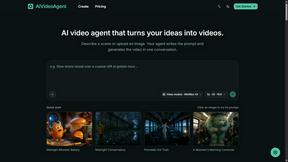
AIVideoAgent
Turn text ideas or reference images into videos through conversation, with agent-assisted prompts and a choice of video models.

AI Rap
AI rap generator that turns two portraits or one photo of two people into a short English duet rap video with original lyrics, vocals, and music.
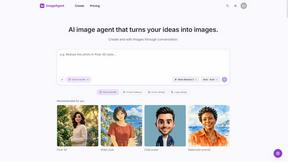
ImageAgent
Create and edit AI images through conversation, using text or reference images and refining results in chat.
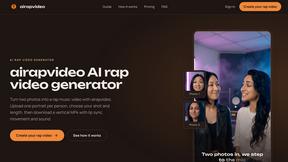
airapvideo
airapvideo turns two portraits into a lip-synced AI rap video on a shared stage. Pick framing and length, get a 9:16 MP4 for TikTok, Reels, and Shorts

Rhinobird
AI video ads, UGC-style videos, and product visuals for cross-border sellers and e-commerce brands.
GenX
All-in-one AI workspace to generate images, videos, and audio with multiple leading AI models.
AiAgeFilter
Free AI age filter: upload an adult portrait, add 10-40 years, meet your older self. No app needed.
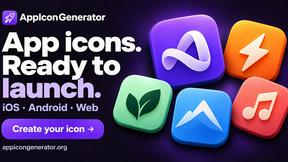
AppIconGenerator
Generate iOS and Android app icons from any image and export all platform sizes for free.

Happy Horse AI Video
Use HappyVideo as a Happy Horse AI style AI video generator for text-to-video, image-to-video, native audio, and multi-shot video creation.

Design.com AI Image Generator
Turn text prompts into polished, copyright-safe visuals that plug directly into branded templates
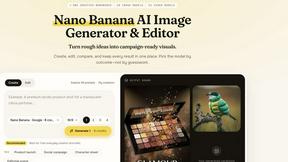
Nano AI
Create and edit AI images, generate videos, and compare models in one creative workbench.
About Gemini Omni Alternatives
Gemini Omni is Google’s omni-modal AI video generator, a versatile tool that collapses text, image, video, and audio into a single creative prompt. It belongs to the fast-growing category of AI-powered content creation platforms, specifically bridging video generation and image generation with native audio output. While its free tier and in-chat editing capabilities make it accessible for rapid prototyping, many users explore alternatives to address specific needs such as higher resolution exports without watermarks, more granular control over long-form narratives, or integration with existing production pipelines that require specialized workflows. Others may seek platforms with different pricing models, broader community templates, or output styles that diverge from Gemini Omni’s cinematic aesthetic. When evaluating an alternative, prioritize clarity around your core use case. Look for tools that offer transparent pricing tiers, especially if you require commercial-grade 4K downloads or watermark-free exports. Assess the platform’s support for multi-modal inputs—does it handle text, image, video, and audio in one workflow? Equally important is the editing flexibility: native synced audio and iterative in-chat editing are rare but powerful features that can save hours of post-production. Finally, consider the model’s speed and controllability for your specific project scale, as faster generation with fewer artifacts often outweighs raw feature count in a quality-over-quantity decision.
FAQs about Gemini Omni Alternatives
What is Gemini Omni?
Gemini Omni is a free AI video generator developed by Google, powered by an omni-modal model that accepts text, image, video, and audio together in a single prompt. It enables users to describe a scene or drop in reference files to generate cinematic clips with synced audio, requiring no editing skills. The platform supports text-to-video and image-to-video workflows, making it a versatile tool for rapid content creation.
Who is Gemini Omni for?
Gemini Omni is designed for content creators, marketers, and storytellers who need to quickly produce video assets without specialized editing expertise. It is ideal for individuals or small teams looking to prototype scenes, generate social media clips, or create presentations with synchronized audio. The free tier also makes it accessible for hobbyists and students exploring AI-driven video generation.
Is Gemini Omni free?
Yes, Gemini Omni offers a free tier that allows users to generate video content at 720P resolution, although these outputs include a watermark. For those who require higher quality, a subscription unlocks 1080P and 4K downloads without watermarks. The free version provides full access to core features like multi-modal prompting and in-chat editing, making it a cost-effective entry point for evaluation.
What are the main features of Gemini Omni?
Gemini Omni’s main features include omni-modal input, allowing text, image, video, and audio to be combined in one prompt for seamless generation. It offers native synced audio output, text-to-video and image-to-video capabilities, and in-chat editing for quick iterative adjustments. The platform is designed to be faster, cheaper, and more controllable than comparable models like Sora 2, with a free tier providing 720P watermarked previews and paid plans unlocking 1080P and 4K resolution.