
Alternatives to CloneUI
CloneUI instantly converts website screenshots and URLs into clean, responsive React, HTML, or Vue code.
Explore 20 alternatives to CloneUI. Compare features, pricing, and find the best fit for your needs.
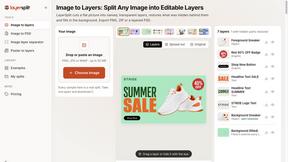
LayerSplit
Split a flat image into named, transparent layers with the background filled in. Export PNG files, a ZIP or a layered PSD. Your first split is free.
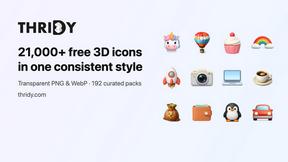
Thridy
Free library of 21,000+ 3D icons in one consistent style, plus an AI icon generator for missing icons.
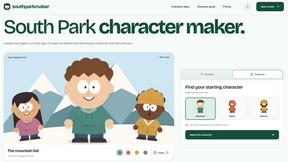
southparkmaker
Create original paper-cut cartoon avatars in your browser, then export PNG or SVG.
Testsy
Your AI agent says it works. Make it prove it, on web and mobile. Get your free 10 tests.
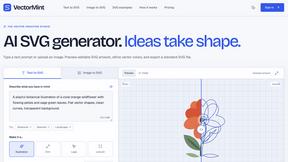
VectorMint
Generate editable SVG icons, illustrations and line art from a prompt or image. Preview color and outline views, then refine individual vector colors.
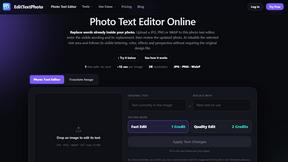
EditTextPhoto
AI-powered image text editor to edit, replace, fix, or translate text in images while preserving the original font, color, size, and style.

editedimage
Edit clothes, objects or backgrounds in a photo with one sentence. One free edit a day, no signup, your photo is never stored.

CodexFuse
All-in-One Managed IT Platform on Credits — Hosting, VPS, AI Agents, Business Email & Software Development
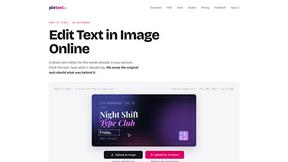
PixText
Free photo text editor: click any text in your image to change or remove it. AI rebuilds the background behind it, with no watermark. Free to start.
White Screen Checker
Check your screen display for dead pixels using White screen or black screen checkers.

Goshortsai
Turn photos into AI videos for free with Goshortsai. Sign in daily to get free credits, upload an image, describe motion, and generate your video.
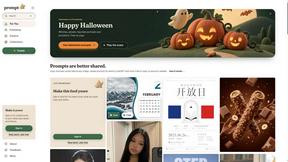
Promptclay
Free-to-copy AI image prompt library. Each prompt is shown next to the image it made.
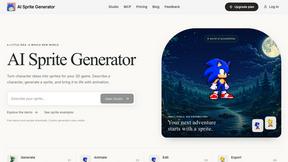
AI Sprite Generator
Create pixel-art game characters in the browser: generate a sprite, animate it, edit pixels, and export PNG or sprite sheets.
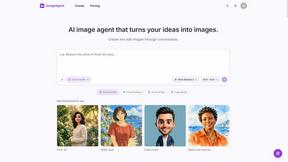
ImageAgent
Create and edit AI images through conversation, using text or reference images and refining results in chat.

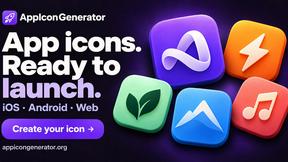
AppIconGenerator
Generate iOS and Android app icons from any image and export all platform sizes for free.
About CloneUI Alternatives
CloneUI is an AI-powered design-to-code tool that converts screenshots, URLs, and Figma files into clean, responsive code. It sits at the intersection of design tools, development, and low-code platforms, streamlining the process of turning visual concepts into functional web components. Users often explore alternatives for various reasons. These can include budget constraints, the need for different framework support, or a preference for alternative workflows and integrations. The specific feature set, such as the ability to handle complex components or export to a particular tech stack, is also a key consideration. When evaluating other options, focus on core capabilities. Prioritize tools that accurately interpret your design inputs and output production-ready, maintainable code. Consider the learning curve, integration with your existing design tools, and the quality of the generated code for your preferred frameworks.
FAQs about CloneUI Alternatives
What is CloneUI?
CloneUI is an AI-powered tool that instantly converts website screenshots, URLs, and Figma designs into clean, responsive code for React, HTML, or Vue.
Who is CloneUI for?
It is ideal for web developers, UI/UX designers, and anyone who needs to quickly create high-quality web interfaces, bridging the gap between design and development.
What are the main features of CloneUI?
Its core features include converting screenshots to code, cloning website structures from a URL, and one-click Figma to code conversion.
Is CloneUI free?
The provided content does not specify pricing details, so you would need to check CloneUI's official website for current plan information.