
Square Face Generator
A free, browser-based square face maker inspired by classic Japanese doll creators, offering instant transparent PNG downloads with no login required.
Visit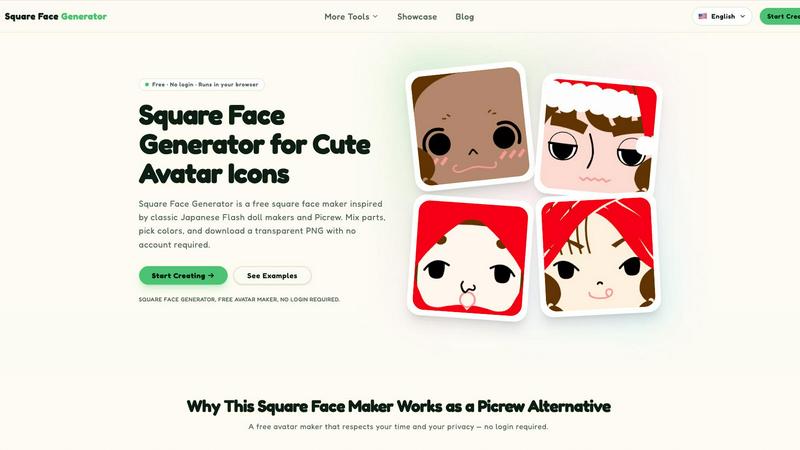
About Square Face Generator
Square Face Generator is a free, browser-based avatar maker that specializes in creating charming square-faced characters. Inspired by classic Japanese Flash doll makers and the popular Picrew platform, this tool offers a curated, privacy-focused alternative for anyone needing cute, customizable avatar icons. The core value proposition is simple: a delightful, no-fuss creative experience with zero barriers. Users can choose from 12 distinct categories and over 200 individual parts, including skin tones, bangs, side hair, eyes, noses, mouths, brows, lashes, blush, glasses, hats, and outfits. This depth allows for millions of unique combinations, ensuring that every avatar feels personal and distinct. The tool is designed for a broad audience, from individuals looking for a new social media profile picture to game developers needing quick NPC portraits. Its main strength lies in its simplicity and respect for user privacy; everything renders locally in the browser, meaning no data ever leaves the user's device. It is fully responsive and touch-friendly, working seamlessly on desktops, tablets, and phones. Square Face Generator is more than just a toy; it is a thoughtful, quality-first tool for creative self-expression.
Features of Square Face Generator
Complete Privacy and Local Processing
Square Face Generator operates entirely within your web browser. All rendering and image processing happens locally on your device. This means no image data, no customization choices, and no personal information is ever uploaded to a server or stored by the service. This feature is a direct response to the data privacy concerns often associated with online avatar creators, offering users complete peace of mind while they create. The tool is powered by Ruffle, an emulator that runs the original Flash-based application securely in modern browsers, further ensuring a safe and isolated creative environment.
Extensive Customization with 200+ Parts
The tool offers a thoughtfully curated library of over 200 individual parts spread across 12 categories. This goes beyond basic face swapping to include nuanced elements like separate bangs and side hair, various lash styles, and a wide array of accessories from glasses to hats. Each category is designed to offer meaningful variety without overwhelming the user. The result is a system where small changes, like swapping a nose or adjusting a blush color, can dramatically alter the character's expression and personality, leading to millions of potential combinations from a relatively compact set of assets.
Intuitive Live Preview and Color Picker
The user interface is built around a live preview system that updates instantly as you make selections. This eliminates guesswork and makes the creative process feel fluid and responsive. For deeper customization, a color picker is available for key elements like skin, hair, and outfits. This tool supports HEX color input, allowing users to match specific brand colors or personal preferences with precision. The combination of instant visual feedback and granular color control makes the tool accessible to casual users while still offering depth for those who want fine-tuned results.
One-Click Transparent PNG Export
Once an avatar is complete, exporting it is a single-step process. The tool generates a transparent 256x256 pixel PNG file. This specific size is ideal for most social media profile picture slots, game asset placeholders, and forum avatars. The lack of a background means the avatar can be placed seamlessly onto any design, website, or profile without additional editing. This streamlined export process removes friction, allowing users to go from a blank canvas to a usable asset in under a minute.
Use Cases of Square Face Generator
Creating Unique Social Media Profile Pictures
The primary and most popular use case is for generating unique, cute profile pictures for social media platforms like Discord, X (formerly Twitter), Instagram, and TikTok. A custom, hand-crafted avatar stands out in crowded feeds and group chats, offering a more personal and memorable identity than a standard photo or a generic default icon. The square format and transparent background make the export immediately usable across all these platforms without any need for resizing or cropping.
Rapid Prototyping for Indie Game Development
For indie game developers, especially those working on pixel-art or character-driven projects, Square Face Generator serves as an excellent tool for rapid prototyping. It can quickly generate placeholder NPC portraits, player avatar concepts, or even character sprites for early builds. The ability to mix and match parts at no cost allows developers to explore a wide range of character aesthetics before committing to final art assets. This saves significant time and resources during the pre-production and prototyping phases of development.
Establishing Unified Visual Styles for Communities
Teams, guilds, clubs, and online communities can use Square Face Generator to create a unified visual identity. By agreeing on a base style or a set of common parts (like the same hat or glasses), members can create avatars that are clearly part of the same group while still expressing their individual personality through different hair, eyes, or outfits. This fosters a sense of belonging and makes community members instantly recognizable in forums, chat apps, or on social media.
Enhancing Creative and Educational Projects
The simple, clean aesthetic of the generated avatars makes them perfect for a wide range of creative projects. They can be used as illustrations in slideshow presentations, as characters in digital stickers or zines, as engaging visuals for school assignments, or as elements in blog posts and website designs. Because the tool is free and requires no login, it is an accessible resource for students, teachers, and content creators looking for high-quality, customizable visual assets without the complexity of professional design software.
Frequently Asked Questions
Is it really free?
Yes, Square Face Generator is completely free to use. There are no paywalls, no charges for specific parts or colors, and no watermark is added to your final image. You can create and download as many avatars as you like without ever needing to enter payment information. The tool is supported as a standalone creative project.
What size are the exports?
The tool exports your final avatar as a transparent PNG file with a resolution of 256x256 pixels. This size is a standard for most social media profile pictures and is well-suited for use as a game asset placeholder. The transparent background ensures the image can be placed on any colored background without any white boxes or artifacts.
Can I use my icon commercially?
The avatars you create are your own work. You are free to use them for any personal or commercial project. This includes using them as logos, in game assets, on merchandise, or in any other commercial capacity. Please review the full Terms of Service on the website for the most comprehensive legal details, but the spirit of the tool is to empower your creativity, not restrict it.
Do I need to install anything?
No installation is required. Square Face Generator is a browser-based tool. It runs on modern web browsers like Chrome, Firefox, Safari, and Edge. The tool uses Ruffle, a Flash emulator, to run the original application within your browser window. There are no plugins to download or software to install, making it instantly accessible on any compatible device.
Does it work on mobile?
Yes, the tool is fully responsive and touch-friendly. It is designed to work equally well on desktop, tablet, and phone screens. The interface elements are sized appropriately for touch input, allowing you to swipe and tap to select parts and colors. You can create and download avatars directly from your mobile device.
Is there a limit on how many I can create?
There is no limit. You can create as many unique avatars as you wish. Since the tool runs in your browser and requires no login or account, you can refresh the page and start a new creation at any time. The only practical limit is your own imagination and the number of possible combinations from the 200+ parts.
How is this different from Picrew?
While inspired by Picrew, Square Face Generator focuses exclusively on a square-faced, cute aesthetic with a curated set of parts. It is a single, dedicated tool rather than a platform hosting thousands of different makers. The main differentiators are its 100% free model (no in-app purchases for parts), its focus on privacy with all processing done locally, and its immediate one-click download of a transparent PNG. It offers a more streamlined and private experience for a specific style of avatar.
Explore more in this category:
Similar to Square Face Generator

Happy Horse AI Video
Use HappyVideo as a Happy Horse AI style AI video generator for text-to-video, image-to-video, native audio, and multi-shot video creation.

Design.com AI Image Generator
Turn text prompts into polished, copyright-safe visuals that plug directly into branded templates
Nano AI
Create and edit AI images, generate videos, and compare models in one creative workbench.
picttool
Create and edit images with a collection of easy-to-use AI tools
LightScreen
Free light screen tool online. Turn any display into a flashlight, ambient light, or solid-color screen. No download or sign-up.
GPT Image Hub
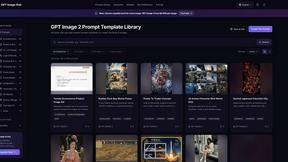
Curated image prompts, reusable templates, and multi-model AI generation in one workspace.
NanoBanana
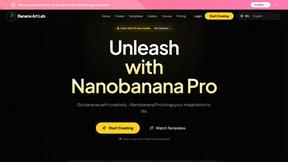
Generate and edit AI images with six models, references, templates, and a visual workflow canvas.