
ProspectBuddy
Effortlessly capture LinkedIn leads to your CRM in one click, ensuring compliance and personalized outreach while saving valuable time.
Visit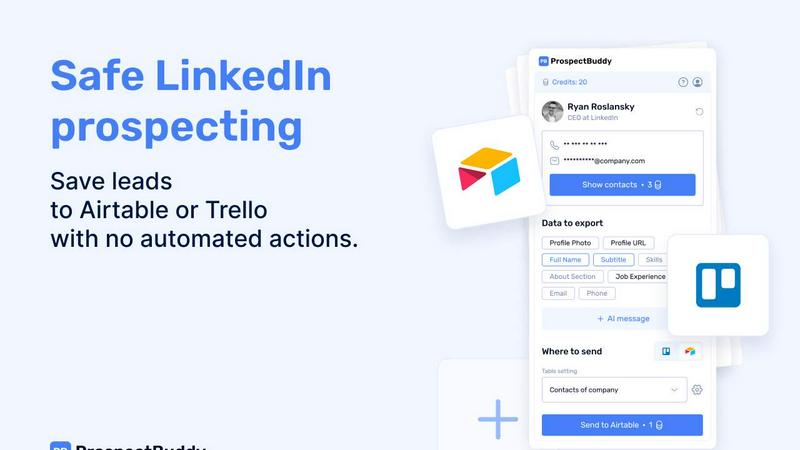
About ProspectBuddy
ProspectBuddy is a cutting-edge LinkedIn prospecting tool meticulously crafted for seamless integration with Airtable and Trello. It serves as an essential asset for sales teams, recruiters, founders, and operators who are looking to streamline their lead management processes. With ProspectBuddy, users can save LinkedIn profiles with just a single click, effectively eliminating the tedious and error-prone task of manual copy-pasting. This innovative tool converts LinkedIn profiles into structured records that are easy to access and utilize, enhancing the efficiency of outreach initiatives. Unlike many automation tools that operate on users' behalf, ProspectBuddy emphasizes manual prospecting, empowering users to maintain complete control over their outreach efforts. This focus on manual processes ensures compliance with LinkedIn's policies, making it a safer option for enhancing networking activities. Key features include the discovery of verified emails and phone numbers, personalized AI-generated outreach messages, and the capability to capture only the necessary profile fields, all of which contribute to a more organized and efficient prospecting workflow.
Features of ProspectBuddy
One-Click Profile Saving
ProspectBuddy allows users to save contacts from LinkedIn profiles to Airtable or Trello with just one click. This feature streamlines the lead capture process, making it easy to manage contacts without the hassle of manual data entry.
Manual Prospecting Compliance
Designed for safe, manual prospecting, ProspectBuddy ensures that users remain compliant with LinkedIn's guidelines. By avoiding automation or bot usage, users can confidently interact on LinkedIn without risking their accounts.
Verified Email and Phone Discovery
With ProspectBuddy, users can find verified business emails and direct phone numbers, enhancing their outreach capabilities. This feature is particularly beneficial for B2B users, ensuring they have accurate contact information at their fingertips.
AI-Powered Outreach Messaging
ProspectBuddy leverages AI technology to generate personalized outreach messages based on LinkedIn profile data. This not only saves time but also increases the likelihood of positive engagement from potential leads.
Use Cases of ProspectBuddy
Sales Team Efficiency
Sales teams can utilize ProspectBuddy to enhance their lead generation efforts. By saving LinkedIn profiles directly to their CRM, they can focus more on building relationships and closing deals rather than getting bogged down in administrative tasks.
Recruitment Streamlining
Recruiters can leverage ProspectBuddy to manage their hiring pipeline more effectively. By quickly adding candidates as structured cards in Trello, they can track applicants and streamline their hiring process with ease.
Founder Networking
Founders looking to expand their business networks can use ProspectBuddy to efficiently save and organize potential contacts from LinkedIn. This allows them to prioritize outreach and build valuable connections that can drive their business forward.
Operator Workflow Management
Operators can integrate ProspectBuddy with their existing workflows to maintain organized and structured lead data. This helps in ensuring that all team members have access to consistent information, which is crucial for collaborative efforts.
Frequently Asked Questions
How do I connect Airtable?
To connect Airtable, click on "Airtable" on the Connect screen or in your Profile. Select the bases/workspaces you want to grant access to and click "Grant access." The status will update on your Profile page, and you can disconnect at any time.
How do I send LinkedIn data to Airtable?
Before sending data, create a new setting in the Settings menu. Choose your Airtable base and table, and map LinkedIn fields to Airtable fields. After saving the setting, open a LinkedIn profile, select your fields, and click "Send to Airtable" to add the contact.
Is ProspectBuddy safe to use with LinkedIn?
Yes, ProspectBuddy is designed for safe, manual prospecting. It does not automate actions for users, allowing them to maintain control while working directly from LinkedIn profiles, making it a safer alternative to bulk scraping tools.
Why don’t I see some Airtable fields?
Only compatible field types are supported in Airtable. If a field type isn't supported, it will not appear in the dropdown. For example, only specific text and attachment types are accepted, ensuring that data transfer remains organized and accurate.
Similar to ProspectBuddy
IMQRScan QR Code Generator
IMQRScan is a QR code generator to create custom, branded, and editable dynamic QR codes for links, menus, and marketing campaigns in just seconds.
CleanSmart
CleanSmart removes duplicates, fixes formatting, fills gaps, and flags anomalies in one automated pass. No code. No data engineers.

AdsTurbo
Turn winning ads and product links into new video ad variations with AI actors, then translate them into 35+ languages with lip sync.
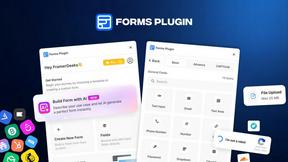
Forms Plugin
The #1 Native Form Builder Plugin for Framer - No Code, No Embeds, No External Platforms.
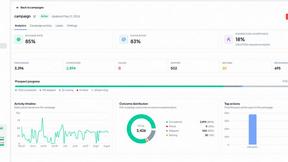
OutreachGenie
LinkedIn prospecting CRM with optional AI-assisted CSV column mapping and a browser companion for user-directed actions.

X Growth Engine
The only app that uses your unique X feed to surface leads, opportunities, and customers

Ideogram Studio
Ideogram 4 AI workflows for text-perfect logos, posters, ads, packaging, and ecommerce visuals.