
PicExtender
PicExtender uses AI to expand, enhance, and restore images in one focused workflow for polished, ready-to-publish visuals.
Visit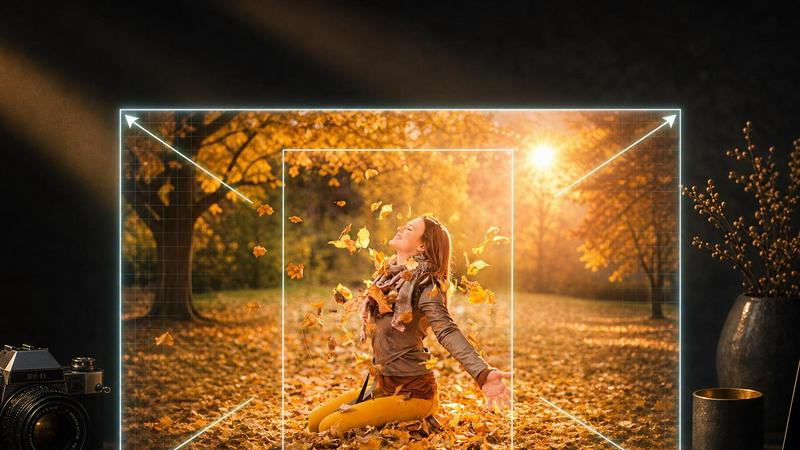
About PicExtender
PicExtender is a focused AI-powered tool that consolidates image expansion, enhancement, and restoration into a single, streamlined workflow. Instead of juggling multiple applications for resizing canvases, improving clarity, and repairing damaged photos, creators can upload a single image and let the AI handle the heavy lifting. The platform is built for photographers, graphic designers, ecommerce teams, and content creators who need to produce larger, sharper, and visually complete assets for social media, advertisements, product catalogs, and family archives. Its core value proposition lies in eliminating tedious manual editing: context-aware generation studies the lighting, colors, and textures of the original image before intelligently filling new canvas areas with realistic detail. This means users can expand images up to 4K resolution (4096x4096 pixels) without distorting subjects or backgrounds. Beyond expansion, PicExtender offers robust enhancement tools that reduce noise, compression artifacts, and blur, as well as restoration capabilities that detect scratches, creases, stains, and fading in old photographs. The interface is deliberately simple and intuitive, making professional-grade results accessible to non-experts who want to spend less time editing and more time publishing.
Features of PicExtender
Seamless AI Image Expansion
This feature uses context-aware generation to analyze the edge lighting, colors, and texture of an uploaded image before filling new canvas areas with realistic, coherent detail. It expands the frame naturally without stretching people, products, or scenery, preserving the original composition and visual integrity. Users can choose from preset aspect ratios for social platforms or specify custom dimensions up to 4096x4096 pixels.
Efficient Batch Outpainting
Instead of resizing images one by one, PicExtender allows users to prepare a full product set or campaign library with consistent output settings. This batch processing capability is ideal for ecommerce teams and content creators who need to apply the same expansion parameters across multiple images, saving significant time while maintaining uniform quality and style across a collection.
AI Image Enhancement and Sharpening
This feature improves portraits, everyday photos, and low-resolution images by intelligently reducing noise, compression artifacts, and soft detail. For product photography, it sharpens lighting, edges, and material textures so that packaging, labels, and surface details look clearer in store listings and campaign assets. The result remains natural and avoids the over-processed look common with simpler enhancement tools.
AI Photo Restoration and Colorization
PicExtender detects and repairs scratches, creases, stains, fading, and blur in damaged or aged photographs. After repairing missing areas and recovering detail, the tool can also add natural color to black-and-white images, bringing life to skin tones, clothing, and environments. This feature is designed for family archives and historical photos, making old memories ready to share, print, and preserve.
Use Cases of PicExtender
Social Media Optimization
Content creators and social media managers can resize and extend images to fit the exact dimensions required for Instagram posts, Facebook covers, LinkedIn banners, YouTube thumbnails, and Twitter headers. The AI naturally fills in background space around the subject, providing room for headlines, buttons, and layout elements without cropping or distorting the original content.
Ecommerce Enhancement
Online retailers and product photographers can expand clean backgrounds around product images while keeping every detail of the item intact. This creates consistent, professional-looking product pages and catalog assets with safe margins for text overlays and promotional elements. The AI sharpens material textures and edges, making packaging and labels appear clearer in store listings.
Photography Restoration
Photographers and archivists can recover accidentally cropped edges or rebuild missing visual context around a photo. The AI intelligently reconstructs background elements based on the existing scene, restoring the original composition without requiring manual cloning or painting. This is particularly useful for vintage prints or images that were poorly framed during capture.
Content Creation for Ads and Design
Designers and marketers can extend backgrounds for anime art, cartoons, thumbnails, advertisements, and other creative concepts. The tool allows users to upload a source image and describe scene changes through prompts, enabling background replacement, object cleanup, and mood adjustments. This speeds up campaign-ready variant creation without starting from scratch.
Frequently Asked Questions
What image formats does PicExtender support?
PicExtender supports JPG, JPEG, PNG, and WEBP formats. However, transparent background images are not supported, so users should ensure their files have a solid background or are fully opaque before uploading. This limitation helps the AI accurately analyze edge lighting and textures for realistic expansion.
How large can I expand my images with PicExtender?
You can create canvases up to 4096x4096 pixels, which is 4K resolution. This is sufficient for high-resolution ads, product pages, social media stories, banners, and other professional creative work. The AI maintains realistic detail even at these larger sizes by studying the original image's lighting, colors, and texture patterns.
Does PicExtender offer a free trial or free credits?
Yes, new users can start with free credits to test the platform's capabilities. When you need more resolution or batch processing capacity, you can upgrade to a paid plan. This allows you to evaluate the tool's quality and workflow before committing to a subscription, ensuring it meets your specific image editing needs.
Can PicExtender repair and colorize old black-and-white photos?
Yes, PicExtender combines photo restoration with colorization in a single workflow. It first detects and repairs scratches, creases, stains, fading, and blur in damaged photographs. After restoring the image, it can add natural color to skin, clothing, and environments, making black-and-white memories ready to share, print, and archive with a fresh, vibrant look.
Pricing of PicExtender
The platform offers a Basic plan at $9.9 per month, designed for light uncropping and daily social media asset creation. New users can begin with free credits to evaluate the service, then upgrade when they need higher resolution outputs or batch processing capabilities.
Similar to PicExtender

Easemic
Free open-source Android comic & manga cloud reader streaming encrypted libraries from S3, WebDAV & OPDS.

Rhinobird
AI video ads, UGC-style videos, and product visuals for cross-border sellers and e-commerce brands.

GenX
All-in-one AI workspace to generate images, videos, and audio with multiple leading AI models.

Bloom
An adaptive AI tutor that turns topics or your materials into courses, lessons, and answers tailored to how you learn.

Agent Pets
Your Claude Code & Codex sessions as pets in Chrome. Approve, deny and reply to your coding agents from any tab.

Zeptap
Zeptap lets AI use your real iPhone like you do: open apps, read the screen, tap, swipe and type. Reply to DMs, post Stories, book rides, test apps.


PDF to Excel
ReadyData is an online PDF to Excel converter powered by AI.