
MagicShot AI
MagicShot AI is the all-in-one studio where creators, job seekers, and businesses generate AI photos, videos, and voice clips from a single upload.
Visit
About MagicShot AI
MagicShot AI is an all-in-one creative studio that redefines how photos, videos, and audio content are produced. Trusted by over 500,000 creators worldwide, the platform integrates 84+ specialized tools into a single subscription, replacing the need for separate photographers, stock libraries, video editors, and audio engineers. MagicShot AI is built for anyone who needs professional visual content: job seekers requiring polished headshots, couples creating wedding portraits, social media influencers generating weeks of content from one upload, and small businesses building complete brand identities without hiring an agency. The platform operates on three core principles: ease, meaning no prompting expertise is needed thanks to curated styles and one-click workflows; quality, achieved by integrating the latest AI models and continuously refining generation pipelines; and value, as one subscription replaces multiple expensive tools. With over 50 million images and 8 million videos generated, MagicShot AI democratizes professional content creation by making it faster, cheaper, and accessible to everyone. Whether you need a text-to-image conversion, a cinematic video clip, a product photo ready for e-commerce, or a realistic voiceover, MagicShot AI provides a seamless experience that eliminates the traditional learning curve and high costs associated with professional media production.
Features of MagicShot AI
AI Image Generator
This feature allows users to type a simple description and receive original, high-resolution images in seconds. With 32 dedicated tools, it covers logos, artwork, product shots, stickers, wallpapers, and more. The generator leverages cutting-edge AI models to produce photorealistic or stylized outputs, making it ideal for marketers, designers, and content creators who need custom visuals without hiring a graphic artist.
AI Video Generator
MagicShot AI transforms text prompts, photos, or scripts into original videos without requiring a camera or editing skills. With 18 tools, users can create UGC-style ads, cinematic clips, talking presenters, and real estate walkthroughs. The video generator is designed for speed and quality, enabling social media creators, businesses, and agencies to produce scroll-stopping content that drives engagement.
AI Photoshoot
Upload a few selfies and the AI Photoshoot feature generates a complete set of professional portraits, including headshots, fashion model imagery, dating photos, and even pet portraits. With 11 tools, this feature eliminates the need for a physical studio, lighting equipment, or a photographer. It is particularly valuable for job seekers, couples, and fashion brands seeking consistent, high-quality imagery at a fraction of traditional costs.
AI Photo Editor
This suite of 18 tools provides one-click fixes for existing photos. Users can remove unwanted backgrounds or objects, upscale images to 4K resolution, restore damaged or old prints, and enhance overall quality. The AI Photo Editor is perfect for e-commerce sellers, archivists, and anyone who needs to quickly improve the visual appeal of their existing photo library without learning complex editing software.
Use Cases of MagicShot AI
Professional Headshots for Career Growth
Job seekers and professionals can upload casual selfies and receive polished, LinkedIn-ready headshots in seconds. This use case eliminates the expense and hassle of booking a photographer, allowing users to present a confident, consistent image across all professional platforms. The AI ensures natural lighting, appropriate backgrounds, and flattering angles, elevating personal branding without a studio visit.
E-Commerce Product Photography
Small businesses and online sellers use MagicShot AI to generate listing-ready product photos without a lightbox, reshoot, or rented studio. The Product Photo Generator creates clean, high-resolution images that highlight product details and appeal to buyers. This use case saves significant time and money, enabling even solo entrepreneurs to compete with larger brands in visual presentation.
Social Media Content Creation
Influencers and content creators produce weeks of material from a single upload, including avatars, lifestyle shots, and Reels-ready video clips. The AI Video Generator and Avatar Generator streamline the process, allowing creators to maintain a consistent posting schedule without constant photoshoots. This use case is ideal for building a strong online presence with minimal effort.
Wedding and Pre-Wedding Portraits
Couples can create stunning wedding and pre-wedding portraits in styles that would traditionally cost thousands of dollars. By using the AI Photoshoot feature, they generate romantic, high-quality images in various themes and settings. This use case democratizes access to professional wedding photography, making it affordable for couples on any budget.
Frequently Asked Questions
How does MagicShot AI work?
MagicShot AI operates as a cloud-based platform where users select a tool, type a description or upload a photo, and click generate. The AI models process the input and produce a high-resolution image, video, or audio clip within seconds. No technical skills, prompting expertise, or software downloads are required, making it accessible to anyone.
What types of content can I create with MagicShot AI?
You can create a wide range of content including AI images, videos, professional headshots, product photos, fashion models, avatars, multi-view images, UGC-style ads, cinematic clips, real estate videos, voiceovers, cloned narration, and original music. The platform currently offers over 84 tools across image, video, photoshoot, photo editor, and audio categories.
Is MagicShot AI suitable for beginners?
Yes, absolutely. MagicShot AI is designed with ease of use as a core principle. It features curated styles and one-click workflows that ensure anyone, regardless of experience, can achieve professional results on the first try. There is no learning curve, and the interface is intuitive and straightforward.
Can I use MagicShot AI for commercial purposes?
Yes, MagicShot AI is built for commercial use. Businesses, marketers, e-commerce sellers, and agencies can generate content for advertisements, social media, product listings, and branding. The platform replaces traditional expenses like hiring photographers, videographers, and editors, making it a cost-effective solution for commercial creative needs.
Pricing of MagicShot AI
MagicShot AI operates on a single subscription model that replaces multiple separate tools. The platform offers a "Get started" option with a 30% discount available, though specific tier names and prices are not detailed in the provided content. Users are encouraged to visit the website for the most current pricing plans and to explore the gallery before committing.
Similar to MagicShot AI
editedimage
Edit clothes, objects or backgrounds in a photo with one sentence. One free edit a day, no signup, your photo is never stored.
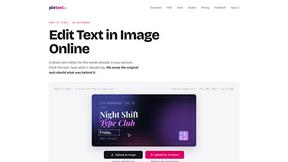
PixText
Free photo text editor: click any text in your image to change or remove it. AI rebuilds the background behind it, with no watermark. Free to start.
White Screen Checker
Check your screen display for dead pixels using White screen or black screen checkers.
Goshortsai
Turn photos into AI videos for free with Goshortsai. Sign in daily to get free credits, upload an image, describe motion, and generate your video.
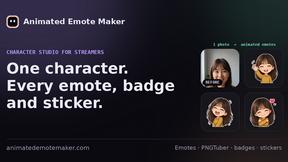
Animated Emote Maker
Turn a selfie or pet photo into animated Twitch & Discord emotes.
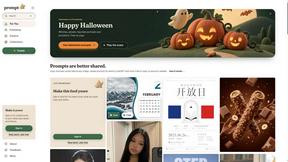
Promptclay
Free-to-copy AI image prompt library. Each prompt is shown next to the image it made.
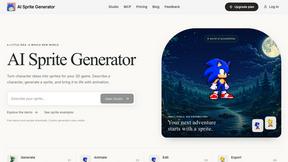
AI Sprite Generator
Create pixel-art game characters in the browser: generate a sprite, animate it, edit pixels, and export PNG or sprite sheets.
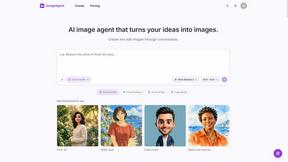
ImageAgent
Create and edit AI images through conversation, using text or reference images and refining results in chat.