GIF Face Swap
Swap a single face photo into any GIF to create personalized animated reactions in seconds, no editing skills needed.
Visit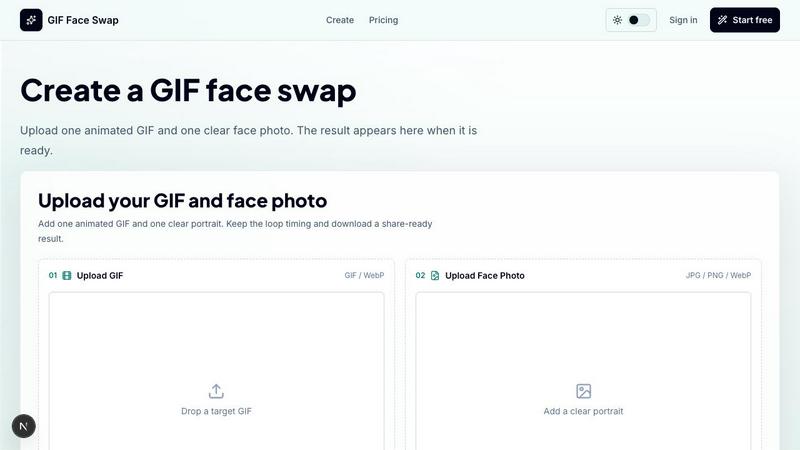
About GIF Face Swap
GIF Face Swap is a focused online tool designed for creating personalized animated GIFs by swapping a face from your own photo into a short animation. It eliminates the need to learn complex video-editing software, offering a streamlined workflow: upload a short GIF or WebP animation, add one clear face photo, and generate a face-swapped result in moments. The product is built for meme creators, social media users, friends, community managers, and marketing teams who want a quick, shareable way to turn reaction GIFs into something personal and engaging. Its core value proposition lies in simplicity and speed, allowing users to try the tool before committing and then use credits for additional generations. The platform supports short animated files, focuses on a straightforward creation experience, and emphasizes responsible use by encouraging users to upload only content they have permission to use and to obtain consent before sharing face-swapped content. With a private-by-default approach, guest download links that expire, and a focus on cleaner face results from clear source portraits, GIF Face Swap offers a curated alternative to more complicated editing suites. It is designed for those who value quality over quantity, providing a fast first try without requiring an account, and offering batch editing capabilities for creators who need multiple reaction loops or campaign assets quickly.
Features of GIF Face Swap
Built for Animated GIFs
The tool is specifically optimized for short animated GIFs and WebP files, preserving the loop timing, expression, and share-ready feel that make reaction GIFs effective. Users can upload animations up to 20MB, with short loops working best for cleaner results. The platform keeps the original motion and framing intact, ensuring the swapped face integrates naturally into the animation without disrupting the intended comedic or emotional beat.
Cleaner Face Results
GIF Face Swap prioritizes quality by requiring clear, front-facing, well-lit portraits as source photos. This approach produces more natural swaps with less blur, fewer missed frames, and better alignment across the animation sequence. The tool is designed to handle close-up loops effectively, making it ideal for reaction GIFs where facial expressions are central to the humor or impact.
Private by Default
Uploads and finished GIFs remain private, with guest download links that expire after use. This design respects user privacy and gives creators control over their content. There is no public gallery or unintended sharing, making the tool suitable for personal jokes, internal team communications, or branded campaigns where confidentiality matters.
Fast First Try Without Signing Up
Users can upload one GIF and one face photo to create their first watermarked result without creating an account or providing any personal information. This low-friction approach allows anyone to test the tool's quality and workflow immediately. The free trial provides a watermarked preview, and users can upgrade to remove watermarks when they need more output or professional-grade results.
Use Cases of GIF Face Swap
Meme Makers and Social Creators
Turn familiar reaction loops into fast posts, comments, group-chat replies, and short-form jokes while the trend is still moving. Meme creators can quickly swap a friend's face into a popular reaction GIF, creating a personalized and timely response that resonates with their audience. The tool's speed and simplicity allow creators to capitalize on viral moments without missing the window.
Fandom Editors and Character Enthusiasts
Put a friend, character, or creator face into anime, movie, sports, and game-adjacent loops without opening a full editing suite. Fandom editors can create personalized versions of iconic scenes, swapping themselves or others into memorable moments from their favorite media. This use case benefits from the tool's ability to maintain animation timing and expression energy.
Marketing Teams and Brands
Create lightweight campaign replies, launch reactions, mascot moments, and internal celebration loops from approved source files. Marketing teams can quickly produce branded animated content for social media responses, product announcements, or team celebrations. The private uploads and expiring download links ensure brand assets remain secure while enabling rapid content creation.
Teams and Communities
Make private joke loops for wins, retros, birthdays, and community moments where speed matters more than a full video editor. Teams can create personalized reaction GIFs for Slack channels, Discord servers, or internal communications, fostering camaraderie and shared humor. The tool's batch editing capability allows community managers to prepare multiple GIF ideas quickly for different occasions.
Frequently Asked Questions
What file formats and sizes does GIF Face Swap support?
The tool supports GIF and WebP animations for the target animation, with a maximum file size of 20MB. Short loops work best for optimal results. For the face photo, users can upload JPG, PNG, or WebP files, with a maximum size of 8MB per image. Clear, front-facing, well-lit portraits produce the best swaps with less blur and fewer missed frames.
Is there a free trial available, and what does it include?
Yes, you can try the tool before committing. The free trial allows you to upload one GIF and one face photo to create your first watermarked result without signing up or providing any personal information. This lets you evaluate the quality and workflow before deciding to upgrade. When you need watermark-free downloads, you can upgrade to a paid plan.
How does GIF Face Swap handle privacy and content sharing?
Uploads and finished GIFs remain private by default. Guest download links that are generated for sharing expire after use, ensuring that your content is not permanently accessible. The platform encourages users to upload only images and animations they have permission to use and to obtain consent before sharing face-swapped content publicly.
Can I use GIF Face Swap for commercial or team projects?
Yes, the tool is suitable for marketing teams, brands, and community managers who need lightweight animated content for campaigns, replies, or internal communications. The private uploads and expiring download links help maintain security for branded assets. Batch editing capabilities are available for creators who need to prepare multiple reaction loops or campaign assets efficiently.
Pricing of GIF Face Swap
GIF Face Swap offers a free trial that lets you create one watermarked result without signing up. For users who need watermark-free downloads and additional generations, the platform provides simple credit plans. You can start free, upgrade to remove watermarks, and choose more credits only when you need more output. Specific pricing tiers and costs are available on the Pricing page of the website.
Similar to GIF Face Swap

ImageGPT
ImageGPT is an all-in-one AI creative platform for generating, editing and transforming images and videos using AI.
AI Album Cover Maker
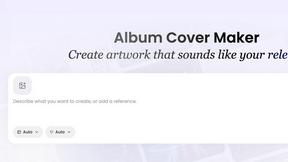
Create release-ready album covers from a prompt or photo. Generate, refine, and export art for singles, EPs, mixtapes, and playlists.

PixelMCP
Use every top AI image model (Nano Banana, GPT Image, FLUX and more) right inside ChatGPT, Claude, Gemini or any MCP client. One credit balance, no su
Sprite Sheet Maker
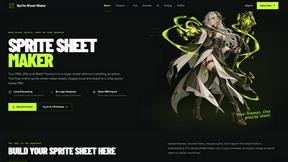
A free browser-based toolkit for creating, cutting, converting, and previewing sprite sheet animations.
Pixolm
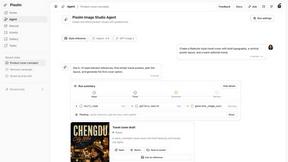
Create AI images from prompts and references, then refine them with an AI agent and editing tools in one workspace.

AI STL Generator
The fastest AI STL generator to turn prompts and images into 3D printable STL files.