
EditTextImage
EditTextImage lets you replace text in any image online, preserving font, color, and perspective, in about 30 seconds.
Visit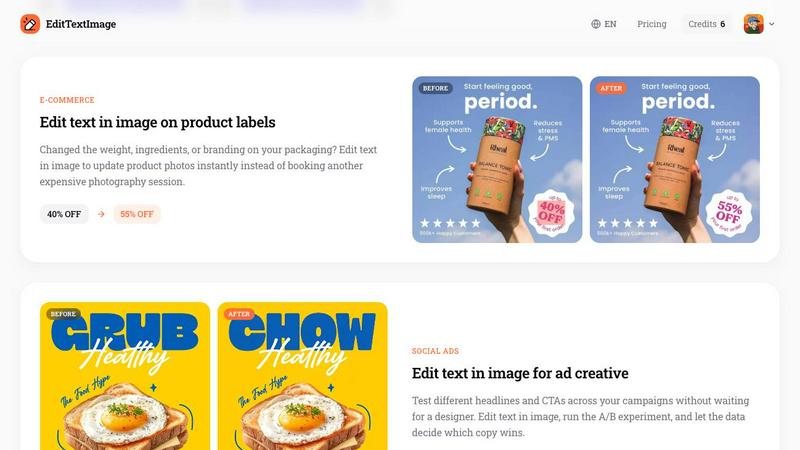
About EditTextImage
EditTextImage is a specialized online AI tool designed for one precise task: editing text within an existing image while preserving every other visual element. Unlike traditional image editors that require access to the original design file, installed fonts, or professional design skills, EditTextImage uses artificial intelligence to sample typography directly from the pixels of the uploaded image. This means the font, color, size, perspective, drop shadows, and background all remain intact after the edit. The tool serves a wide range of users including marketers, designers, small business owners, localization specialists, and anyone who has ever needed to fix a typo, update a date, swap a headline, or localize text on a finished image without the source file. It accepts PNG, JPEG, and WebP files up to 10 MB and delivers 2K resolution outputs in approximately 10 to 12 seconds. The core value proposition is simplicity and speed: upload an image, type the original text and the replacement text, and let the AI handle the rest. There is no subscription model, no software to install, and no credit card required to start. Each new user receives one free credit, and additional credits are available as a one-time purchase. EditTextImage is built for quality over quantity, focusing on delivering pixel-perfect text replacements rather than a bloated suite of editing features.
Features of EditTextImage
AI-Powered Font Sampling from Pixels
The AI engine analyzes the pixels surrounding the text in the uploaded image to identify and replicate the exact typeface, even if it is a paid font not installed on your system or a custom hand-lettered design. This eliminates the need to locate, purchase, or install font files before editing. The sampling process captures subtle characteristics including stroke weight, kerning, serif details, and letter spacing to ensure the replacement text matches the original as closely as possible.
Preservation of Visual Context and Effects
Beyond the font itself, EditTextImage maintains all visual attributes that make the text look natural within the image. This includes the exact color value, any drop shadows or glow effects, the perspective angle if the text is rotated or skewed, and the background texture or gradient behind the original text. The result is a seamless edit where only the text changes while everything else remains pixel-perfect.
Fast Processing with High Resolution Output
The entire process from upload to download takes approximately 10 to 12 seconds for most images. Despite the speed, the output is rendered at 2K resolution, ensuring the edited image remains suitable for professional use including printing, social media posting, and app store submissions. This combination of speed and quality makes it practical for both quick fixes and production workflows.
Simple Three-Step Workflow
The user interface is deliberately minimal and focused. There are no layers, masks, or complex tools to learn. The workflow consists of three steps: upload the image, enter the original text and the replacement text, and generate the result. This simplicity reduces friction and makes the tool accessible to anyone regardless of their technical or design background. Sign-in is available via Google, and the first edit is free with no credit card required.
Use Cases of EditTextImage
Fixing Typos and Errors in Finished Documents
When a contract, invoice, or official document has a typo or incorrect date, but the original design file is lost or the document is only available as a scan or screenshot, EditTextImage provides a quick solution. Users can correct the text directly on the image without recreating the entire document. This is particularly valuable for legal professionals, accountants, and administrative staff who need to make minor corrections without starting from scratch.
Updating Posters and Event Flyers After Printing
Event organizers frequently face last-minute changes such as a speaker cancellation, venue change, or date adjustment after the promotional materials have already been designed and distributed. Instead of contacting a designer and paying for a full redesign, EditTextImage allows the user to edit the text on the finished poster or flyer image. The font, layout, and overall design remain consistent, saving both time and money.
Localizing App Screenshots for International Markets
App developers and product managers need to provide screenshots in multiple languages for app store listings. Traditionally, this requires rebuilding each UI mockup for every language. EditTextImage streamlines this process by allowing users to swap the text on existing screenshots while keeping the interface elements, icons, and background exactly the same. This enables fast localization without additional design resources.
A/B Testing Headlines and CTAs in Ad Creative
Marketers running social media campaigns or display ads often need to test different headlines and calls to action to optimize performance. EditTextImage enables rapid iteration by allowing the user to edit the text on existing ad creative without waiting for a designer. Multiple variations can be generated quickly, and the results can be deployed directly into A/B testing platforms to let data determine the winning copy.
Frequently Asked Questions
What file formats and sizes does EditTextImage support?
EditTextImage accepts PNG, JPEG, and WebP files with a maximum file size of 10 MB. For best results, ensure the text in the image is clear and legible. Images with heavily compressed or very small text may produce less accurate results. The tool outputs the edited image at 2K resolution.
Is a credit card required to try EditTextImage?
No credit card is required to start. Every new user receives one free credit upon signing in with Google. This allows you to test the tool on your own image without any financial commitment. Additional credits are available as a one-time purchase and never expire.
Can EditTextImage handle images with complex backgrounds or effects?
Yes, the AI is designed to preserve the surrounding visual context including gradients, textures, drop shadows, and perspective angles. However, the accuracy of the edit depends on the quality and clarity of the original image. Text that is partially obscured, extremely small, or on a very busy background may yield less precise results.
What are the acceptable use policies for EditTextImage?
Users must confirm they own or are licensed to edit the uploaded image. The tool is not intended for deceptive purposes such as falsifying visa documents, immigration submissions, bank statements, transaction proofs, or email screenshots to alter sender information or timestamps. Violations of these policies may result in account termination without refund, and request logs may be shared with law enforcement.
Pricing of EditTextImage
EditTextImage operates on a simple credit-based pricing model. Every new user receives one free credit to edit an image, with no credit card required for sign-up. After the free credit is used, additional credits are available as a one-time purchase of 30 edits for $9.90. There is no subscription, no recurring fee, and credits never expire. This one-time purchase model is designed for users who need occasional edits rather than ongoing monthly commitments. Commercial use of edited images is included in the purchase.
Similar to EditTextImage
Pixolm
Create AI images from prompts and references, then refine them with an AI agent and editing tools in one workspace.

AI STL Generator
The fastest AI STL generator to turn prompts and images into 3D printable STL files.
Tikdek
An AI video and AI image platform for creating visual content in the browser and scaling production with stable APIs.
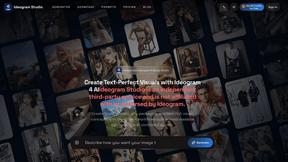
Ideogram Studio
Ideogram 4 AI workflows for text-perfect logos, posters, ads, packaging, and ecommerce visuals.
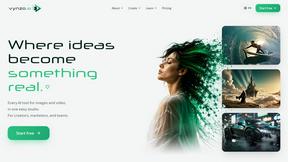
Vynzo
AI image and video studio. Generate from a prompt, animate stills, swap faces, restyle clips and edit — one credit pool, no subscription.
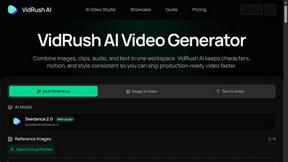
VidRush AI
AI-powered long video generator. Turn text, images, audio and video into long, production-ready AI videos.
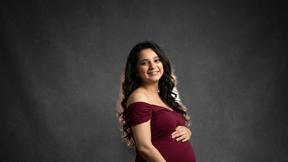
HomeShoot AI
Turn 3-6 phone photos into a themed studio photoshoot: baby, maternity & Indian festivals. Free watermarked preview, pay Rs199 only if you love it.