
dmaya
dMaya is the AI design platform for agencies to generate client-ready UI and export to code.
Visit
About dmaya
dMaya is the AI design platform purpose-built for professional workflows. It is a vibe design platform created for agencies, product teams, and freelancers who understand that intentional visual design must come before code. While other AI tools skip directly to development, dMaya reinstates the critical design phase, enabling teams to make strategic decisions, align stakeholders, and catch problems early. The core value proposition is speed and precision: describe a UI concept in plain text, and dMaya generates polished, professional screens in seconds. From there, you iterate conversationally with an AI agent, making instant changes to colors, layouts, and typography while design tokens ensure visual consistency. The platform streamlines client collaboration by allowing you to share a simple preview link for feedback and approval, collapsing review cycles from days to minutes. Finally, approved designs export as clean HTML, CSS, and JS, ready to be handed to coding agents like Cursor or Claude Code for implementation in any framework. dMaya is built for teams that prioritize presentation, client sign-off, and shipping with confidence.
Features of dmaya
Conversational AI Design Generation
Describe your vision for a SaaS dashboard, e-commerce flow, or mobile app in plain language. dMaya's AI agent interprets your text and generates complete, production-ready UI designs with coherent layouts, component systems, and responsive variants in seconds. This foundational feature transforms abstract ideas into tangible visual starting points instantly, eliminating the blank canvas problem.
Multi-Screen Infinite Canvas
Work across multiple desktop and mobile frames simultaneously on a flexible, infinite canvas. Organize, drag, and zoom through screens with a familiar Figma-like interface, but supercharged with AI. This allows for holistic project management, enabling you to design and view entire user flows and application states side-by-side for better context and consistency.
Client Presentation & Feedback Links
Share interactive, polished previews of your work with clients or stakeholders through a single, secure link. Recipients can review the designs directly in their browser without needing an account, leave clear feedback, and grant approval. This feature professionalizes the review process, making it seamless and rapid, turning a typically protracted cycle into a matter of minutes.
Design-to-Code Export
Once a design is client-approved, export it as clean, well-structured HTML, CSS, and JavaScript code. This output is specifically formatted to be easily ingested by AI coding agents like Claude Code or Cursor, which can then transform it into production-ready code for React, Next.js, Flutter, or any other framework your development team uses, ensuring a smooth handoff.
Use Cases of dmaya
Agency Pitch & Concept Development
Agencies can use dMaya to rapidly generate multiple high-fidelity design concepts during client discovery calls or pitch meetings. This ability to visualize ideas in real-time helps win more business by demonstrating capability instantly. Teams can then iterate based on initial client reactions and present refined directions for sign-off in hours, not weeks.
Product Team Ideation & Prototyping
Product managers and designers can explore diverse UI directions and create interactive prototypes before committing valuable engineering resources. dMaya facilitates collaboration across design, product, and engineering in a single workspace, allowing for rapid validation of concepts and a significant reduction in the gap between what is designed and what ultimately gets built.
Freelancer Project Delivery
Freelancers and independent designers can leverage dMaya to take on more client projects without increasing their working hours. The platform dramatically accelerates the design and revision process, enabling faster turnaround times. This efficiency allows freelancers to increase their capacity, improve client satisfaction with quick iterations, and potentially command higher rates for their streamlined service.
Design System & Consistency Scaling
Teams building complex applications can use dMaya to ensure visual consistency at scale. The platform's underlying design tokens automatically maintain typography, color, and spacing rules across all generated and iterated screens. This is crucial for maintaining brand integrity and a cohesive user experience as projects grow and evolve across multiple screens and states.
Frequently Asked Questions
Who is dMaya built for?
dMaya is purpose-built for professional design workflows used by digital agencies, in-house product teams, and freelance designers. It is specifically for those who need to create, present, and iterate on visual designs with clients and stakeholders before any development begins. It is not aimed at solo enthusiasts looking to immediately generate final code without a design phase.
How does the AI design iteration work?
You interact with dMaya through a chat interface. After the initial design is generated, you can instruct the AI using natural language. For example, you can ask to "change the primary color to navy blue," "swap the sidebar to the right," "increase the font size of the headers," or "add a testimonial section." The AI executes these changes precisely and instantly on your canvas.
What kind of code does dMaya export?
dMaya exports clean, semantic HTML, CSS, and vanilla JavaScript. This code is not framework-specific but is intentionally structured to be easily parsed and converted by modern AI coding assistants. You can hand this code to an agent like Cursor or Claude Code with instructions to rebuild the components in your chosen framework, such as React, Next.js, or Flutter.
How do clients review designs without an account?
You simply generate a shareable preview link from within your dMaya project. When you send this link to a client, they can open it in any modern web browser. They will see an interactive, high-fidelity version of your designs where they can click through flows, leave feedback comments directly on the design, and mark their approval, all without needing to sign up or log in.
Similar to dmaya
Remove Image Background
Free background remover that runs entirely in your browser — zero uploads, full resolution, no watermark. Your photos never leave your device.

PixelMCP
Use every top AI image model (Nano Banana, GPT Image, FLUX and more) right inside ChatGPT, Claude, Gemini or any MCP client. One credit balance, no su
MotionVault
MotionVault: Motion Graphics, Video Templates & Overlays for Editors

Pixolm
Create AI images from prompts and references, then refine them with an AI agent and editing tools in one workspace.

AI STL Generator
The fastest AI STL generator to turn prompts and images into 3D printable STL files.
Presentation Intelligence
AI-native presentation and visual content platform that turns prompts, documents, images, videos, and data into polished, shareable decks.

ProfileLoom
ProfileLoom turns one photo into platform-ready AI portraits for professional, social, and creator profiles, with presets and built-in editing.
Free AI Image
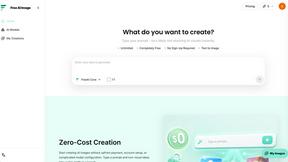
Free AI Image is a free text-to-image AI generator for creating clean visual drafts from prompts with no sign-up required.