CustomTattoo AI
Generate custom tattoo ideas, preview them on your skin, and walk into the studio with a design you're confident in.
Visit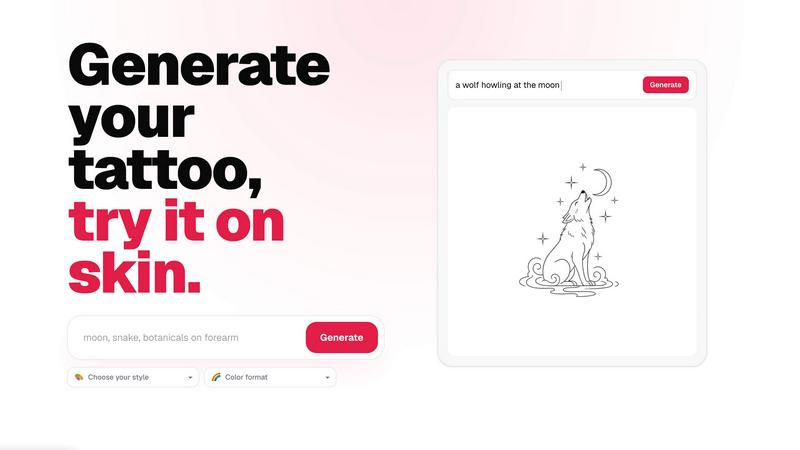
About CustomTattoo AI
CustomTattoo AI is a purpose-built platform for anyone planning their next tattoo. It combines AI-powered design generation with an on-skin preview tool, giving users the ability to visualize a tattoo before they commit to a permanent session. The product is designed for first-time tattoo clients, seasoned enthusiasts, and anyone who wants more clarity before booking an appointment. Instead of relying on vague references or spending hours searching for inspiration, users can describe their idea in plain language, select a style and color format, and receive multiple custom tattoo concepts in seconds. Each design can be saved to a personal library, and the on-skin preview feature allows users to see exactly how a tattoo will look on their own body. This removes the guesswork from placement, sizing, and style selection. The platform is especially valuable for those who want to compare different artistic directions, refine their visual direction, and bring a clear, actionable reference to their tattoo artist. The result is a more confident decision-making process and a stronger collaboration between the user and their artist. CustomTattoo AI operates on a quality-over-quantity philosophy, offering curated design options that are actually usable in a studio setting. Users start with three free credits at signup, and no credit card is required to test the generator. The platform also includes a growing library of tattoo ideas, styles, and placement guides, making it a comprehensive tool for tattoo planning from concept to consultation.
Features of CustomTattoo AI
AI Tattoo Generator
Describe your tattoo idea in your own words, select a style from a curated list of directions, and choose your preferred color format. The AI generates multiple custom concepts that reflect your description, giving you a range of options to explore. Each design is unique and tailored to your input, so you are not browsing generic templates. This feature allows you to test different ideas quickly and see what resonates before taking a design to a professional.
On-Skin Preview
Upload a photo of the body part where you want the tattoo, and the platform will overlay your chosen design onto your skin. The preview accounts for placement, scale, and orientation, so you can see how the tattoo will sit on your body in real life. This eliminates the uncertainty of imagining a flat design on a curved surface and helps you decide on the exact location and size before your appointment.
Personal Design Library
Save your favorite generated designs to a personal library for easy access and comparison. You can revisit your saved concepts at any time, share them with your tattoo artist, or refine your direction by generating new variations. The library keeps your creative process organized, so you never lose a promising idea or have to start from scratch when you are ready to book.
Artist-Ready Direction
Every design generated by CustomTattoo AI is intended to serve as a clear reference for a professional tattoo artist. The platform focuses on producing concepts that are stylistically coherent, properly scaled, and suitable for the chosen placement. This means you walk into the studio with a visual direction that your artist can work with, reducing back-and-forth and increasing the likelihood of a result you love.
Use Cases of CustomTattoo AI
First-Time Tattoo Planning
For someone getting their first tattoo, the decision can feel overwhelming. CustomTattoo AI allows first-time clients to explore different styles, placements, and design ideas without pressure. They can test multiple concepts, see how each one looks on their skin, and build confidence before committing. This reduces anxiety and helps them communicate their vision clearly to an artist.
Style Exploration and Comparison
Tattoo enthusiasts often want to compare how the same idea looks in different artistic directions, such as traditional, neo-traditional, watercolor, or blackwork. CustomTattoo AI lets users generate the same subject in multiple styles side by side. This makes it easy to identify which aesthetic best suits the design and the wearer’s personal taste, leading to a more informed choice.
Placement and Sizing Decisions
Choosing where to place a tattoo and how large it should be is a critical part of the process. With the on-skin preview, users can test a design on different body parts, adjust its size, and see how it interacts with natural contours. This is especially useful for designs that wrap around limbs, follow muscle lines, or need to fit within a specific area like a forearm or shoulder blade.
Collaboration with a Tattoo Artist
Bringing a well-developed reference to a tattoo artist saves time and improves the final result. CustomTattoo AI helps users generate a design that captures their vision, which they can then share with their chosen artist. The artist can use the reference as a starting point, make adjustments, and execute the tattoo with a clear understanding of what the client wants. This collaborative approach leads to better outcomes and fewer revisions.
Frequently Asked Questions
Is CustomTattoo AI free to try?
Yes, new users receive three free credits when they sign up. No credit card is required to create an account or test the generator. You can use your credits to generate designs, preview them on your skin, and explore the platform before deciding whether to purchase additional credits. This allows you to evaluate the tool with zero financial risk.
How does the on-skin preview work?
You upload a photo of the body part where you want the tattoo, and the AI places your selected design onto the image. The preview adjusts for perspective, curvature, and scale, so the design appears as it would on real skin. You can move, resize, and rotate the design to find the perfect placement. The result is a realistic visualization that helps you make confident decisions about location and size.
Will there be hidden subscriptions?
No, CustomTattoo AI does not use hidden subscriptions or recurring charges. The platform operates on a credit-based system. You purchase credits as needed, and there are no automatic renewals or surprise fees. Your account and saved designs remain accessible even if you have no credits left. This transparent approach ensures you only pay for what you use.
Can I take the design to my tattoo artist?
Absolutely. Every design generated on CustomTattoo AI is intended to be used as a reference for a professional tattoo artist. The designs are stylistically coherent, properly scaled, and suitable for the chosen placement. You can download your saved designs and share them with your artist, who can use them as a starting point for the final tattoo. The platform is designed to facilitate a clear and productive collaboration between you and your artist.
Similar to CustomTattoo AI
MotionVault
MotionVault: Motion Graphics, Video Templates & Overlays for Editors
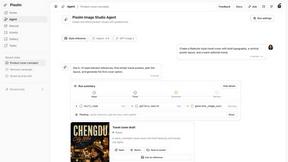
Pixolm
Create AI images from prompts and references, then refine them with an AI agent and editing tools in one workspace.
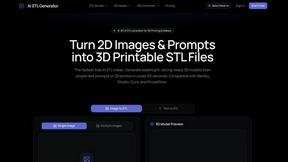
AI STL Generator
The fastest AI STL generator to turn prompts and images into 3D printable STL files.
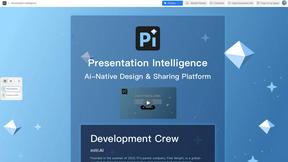
Presentation Intelligence
AI-native presentation and visual content platform that turns prompts, documents, images, videos, and data into polished, shareable decks.

ProfileLoom
ProfileLoom turns one photo into platform-ready AI portraits for professional, social, and creator profiles, with presets and built-in editing.
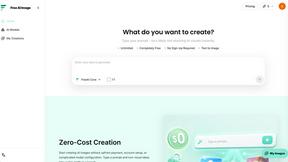
Free AI Image
Free AI Image is a free text-to-image AI generator for creating clean visual drafts from prompts with no sign-up required.
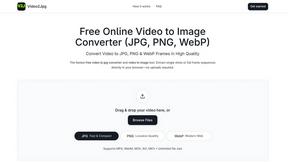
Video2Jpg
Convert video to JPG, PNG, or WebP frames in your browser. High-quality video to image converter with no uploads—fast, private, and free.